Unity Resource Guide

Unity Texture Generator for Game-Ready Materials and PBR Workflows

A Unity texture generator helps create or prepare texture sources, convert them into PBR material maps, review the technical channels, and hand the result to Unity in a format that supports URP or HDRP production workflows.

What a Unity texture generator is

A Unity texture generator is a workflow for turning a prompt, photo, scan, artwork crop, or cleaned source image into material textures Unity can use. The important part is not only making a base image. A reliable Unity workflow also needs seamless tiling, normal map control, roughness and metallic logic, AO review, height or emission when the material needs it, and clear export notes for the project pipeline.

How PLAYTEX creates Unity-ready textures

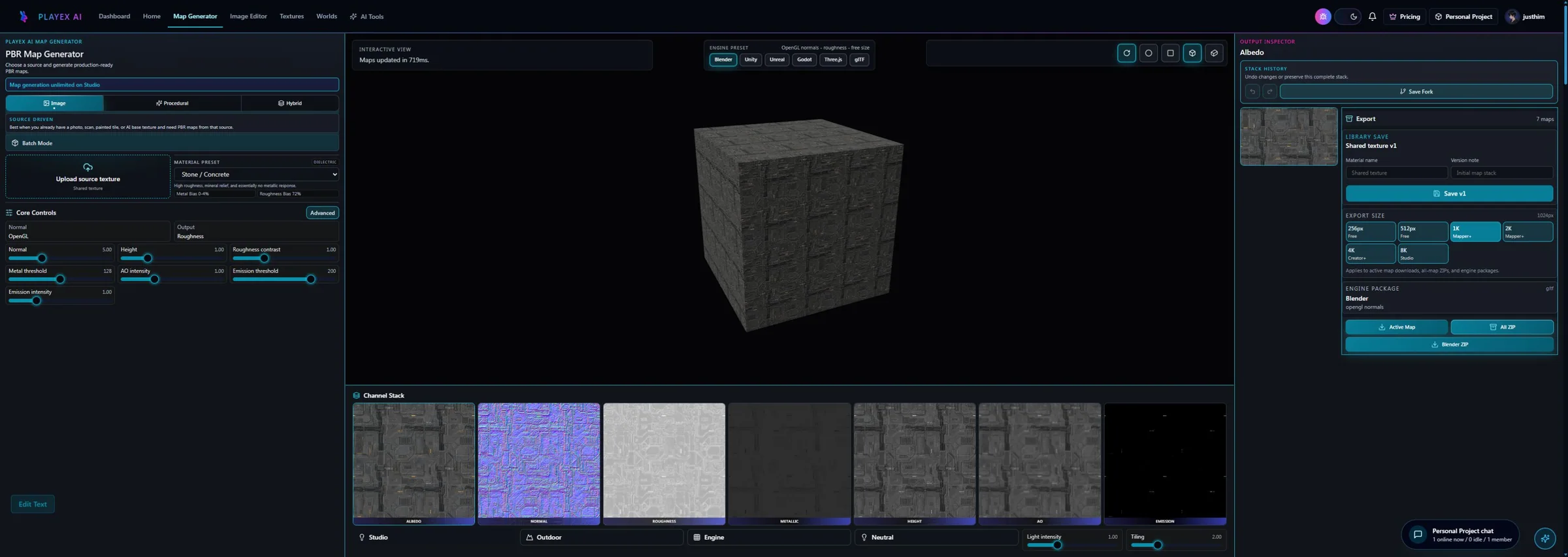
PLAYTEX separates the workflow into source creation, image cleanup, PBR map generation, channel review, and engine handoff. Use AI Texture Generator when the material idea does not exist yet, Image to Texture when a photo or scan needs to become a seamless tile, and PBR Map Generator when the source is ready for technical material maps.

Seamless texture generation for Unity materials

Unity materials often repeat across walls, terrain, floors, modular kits, and props. PLAYTEX workflows make tile inspection part of the source stage so visible edge breaks, lighting seams, and repeated artifacts are caught before the texture becomes a map stack.

PBR map outputs for Unity workflows

Once the base texture is stable, PLAYTEX can create a PBR map stack for Unity workflows. The map set can include albedo, normal, roughness, metallic, ambient occlusion, height, and emission outputs.

  • Normal maps define perceived surface detail and should be checked for strength before handoff.
  • Roughness maps control highlight behavior and help the material read correctly under Unity lighting.
  • Metallic maps should only mark true metal regions instead of acting as a contrast shortcut.
  • AO maps support contact and cavity detail when used with care.
  • Height maps and emission maps are available when the material needs depth or light-producing regions.

Export and handoff considerations for Unity

The Unity handoff should document which maps were generated, which render pipeline the package targets, and what still needs to happen inside Unity. PLAYTEX export packaging can include available albedo, normal, roughness, metallic, AO, height, and emission maps, plus metadata that helps artists and technical artists wire the material consistently.

Common Unity material workflow questions

What is the fastest way to build a PBR pipeline for Unity with PlayTEX?

For most users the shortest path is source creation or intake first, cleanup second if needed, PBR map generation third, then Unity export last. The important part is not skipping the map review step between generation and export.

Does PlayTEX export directly into a Unity project?

No. The current workflow builds a Unity-oriented ZIP package. You still import those files into Unity and wire them into your project workflow there.

When should I choose URP versus HDRP export?

Choose the export target that matches the render pipeline already used by your Unity project. The package structure and metadata are different enough that it is better to decide this before handoff.

What makes the Unity export useful beyond just downloading PNG files?

The value is in the packaging and supporting metadata. The export includes pipeline-aware files such as material preset JSON, optional shader template JSON in advanced mode, and validation artifacts that make review and handoff more disciplined.