PLAYTEX AI

Make room for your next idea.

Opening your workspace…

AI HDRI Generator

HDRI Sphere & Skybox Generator for Environment Maps

It produces a 2:1 equirectangular environment from text or image guidance, lets you inspect the full wrap in a 360-degree viewer, and exports image or HDR assets plus six-face engine packs for Unity, Unreal Engine, Godot, Roblox, and Three.js.

Text or image inputInteractive 360° previewEquirectangular 2:1PNG or HDRGeneration quality and upscaling by planEngine cubemap pack

Open the AI HDRI Generator · Read the 360-degree environment guide

From the PLAYTEX AI library

From panorama to a rendered environment

Explore real library panoramas in 360°, then compare how the same image appears behind a scene and in reflective and matte materials.

Reviewed September 4, 2026. Workflow labels summarize saved settings; full prompts are not published. These are existing library outputs, not newly generated samples.

Saved

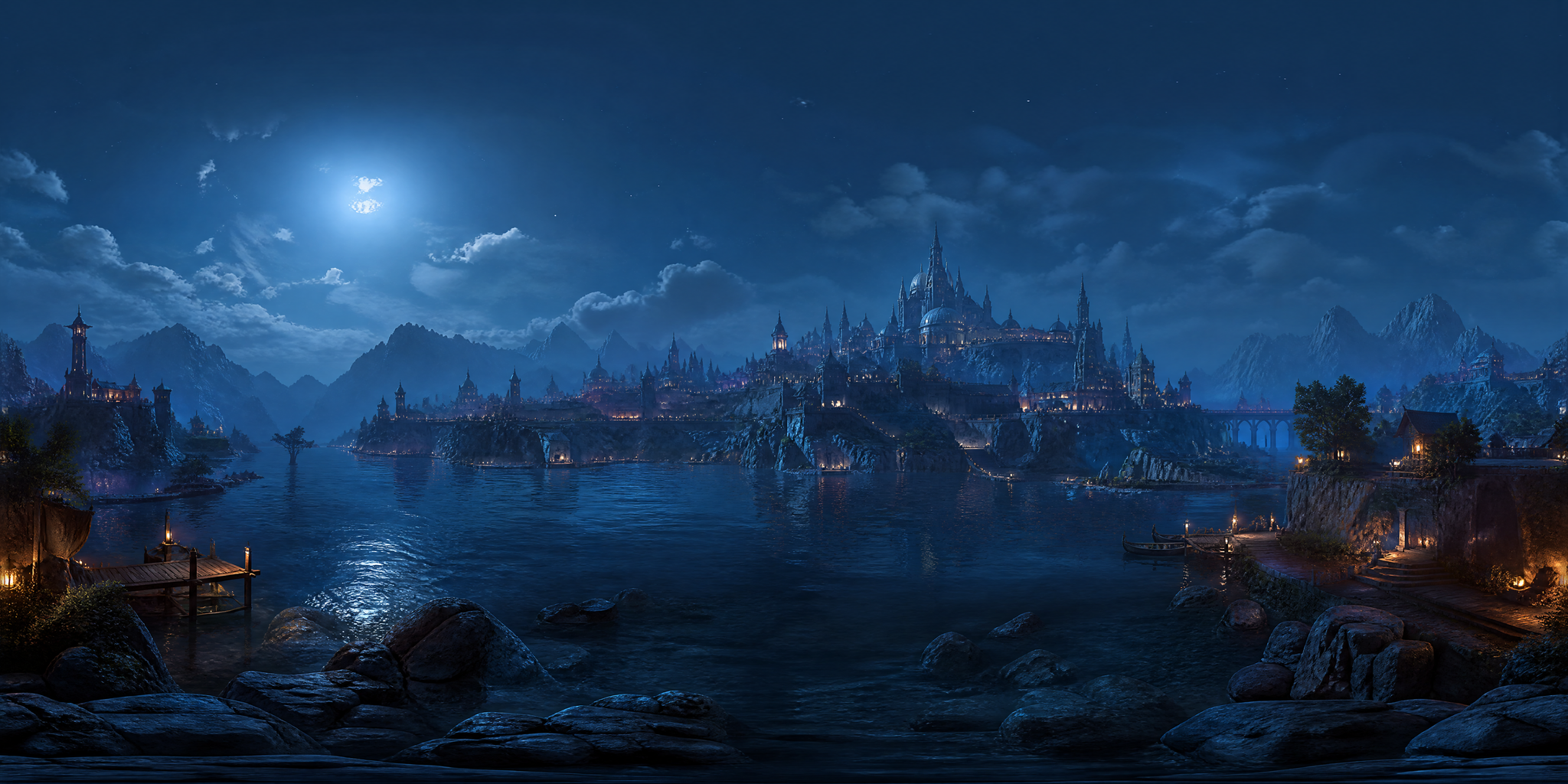
Fantasy city at night

How it was madeCity Skyline → Fantasy Realm → Industrial Grit → night, with seam fix enabled.
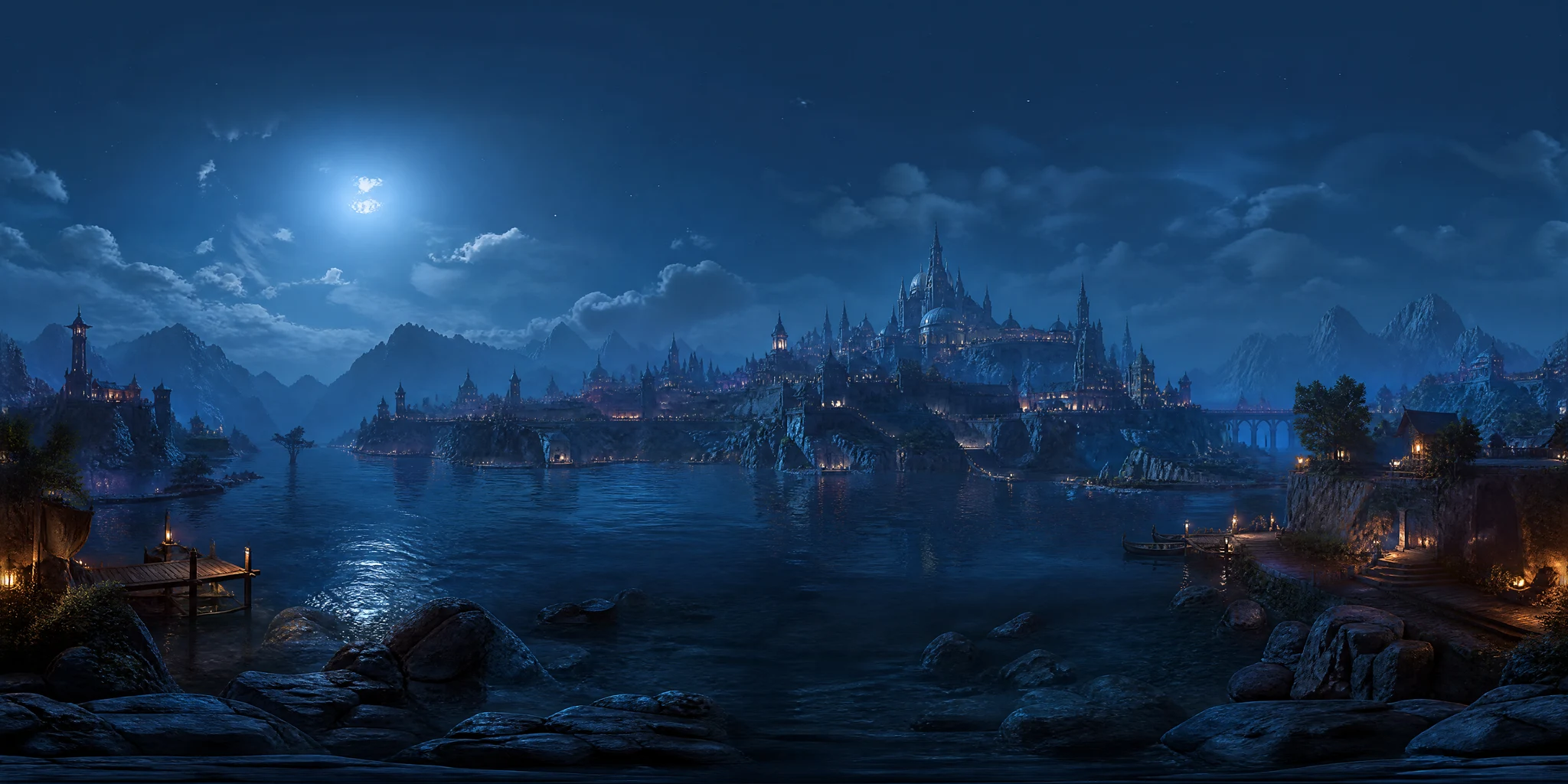
Fantasy city at night 2:1 equirectangular panorama
1 · Equirectangular panorama
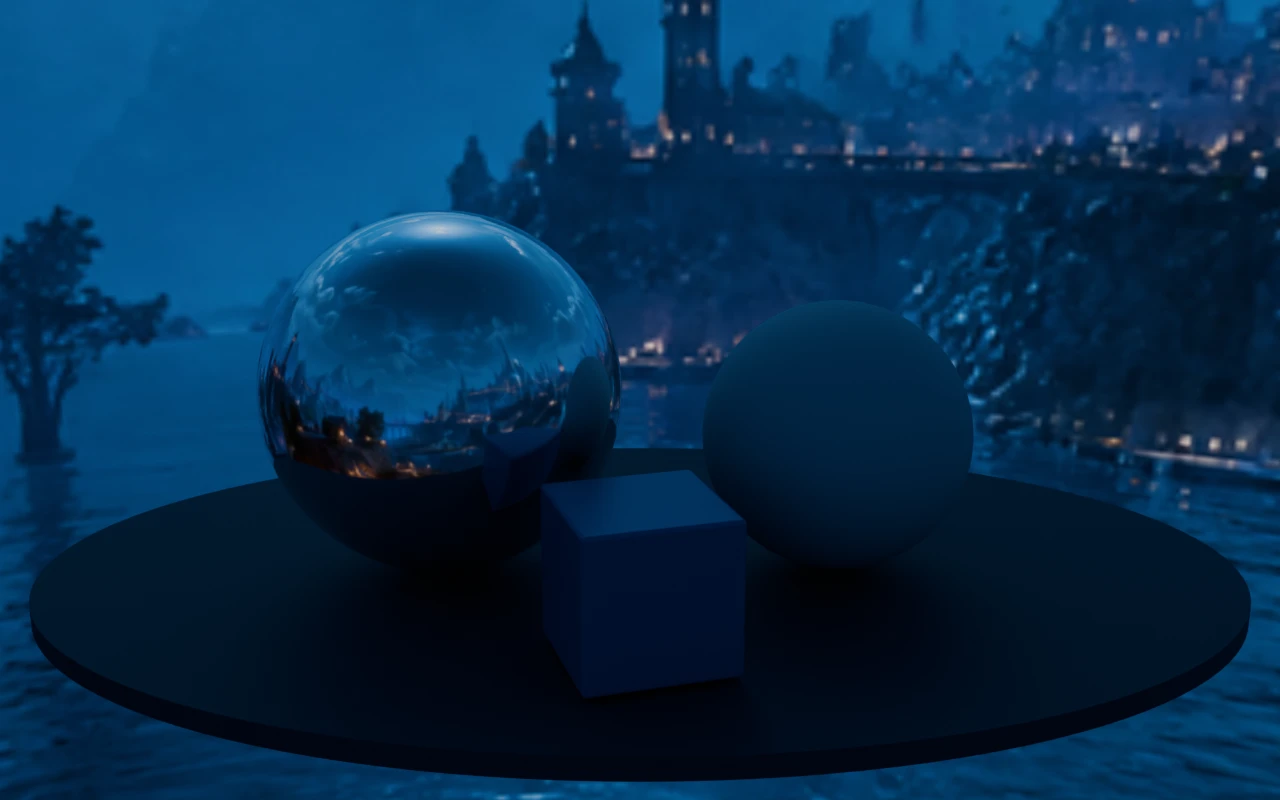
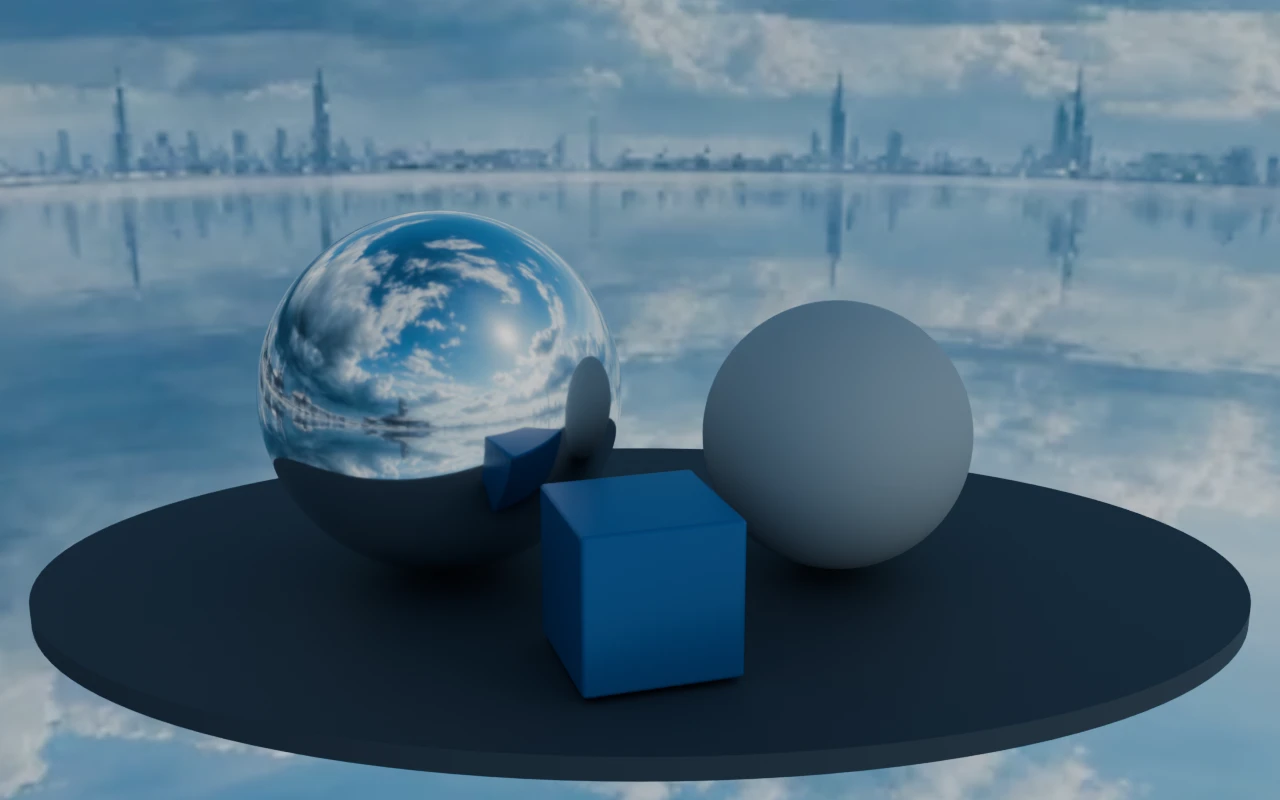
Fantasy city at night rendered on a scene with reflective and matte spheres in Blender Cycles
3 · Blender Cycles render · the same panorama as background and environment lighting

What to check Inspect the horizon join and architecture at close range before using it as a background.

Source and render details

Library file: 3840 × 1920. Demonstration file: 2048 × 1024.

This demonstration uses an LDR library image. It shows environment integration, not calibrated high-dynamic-range capture.

Blender Cycles 4.2.3 LTS · 32 samples · AgX · environment strength 1; no extra lights; identical objects, camera and exposure across examples.

Read the recorded settings
Saved

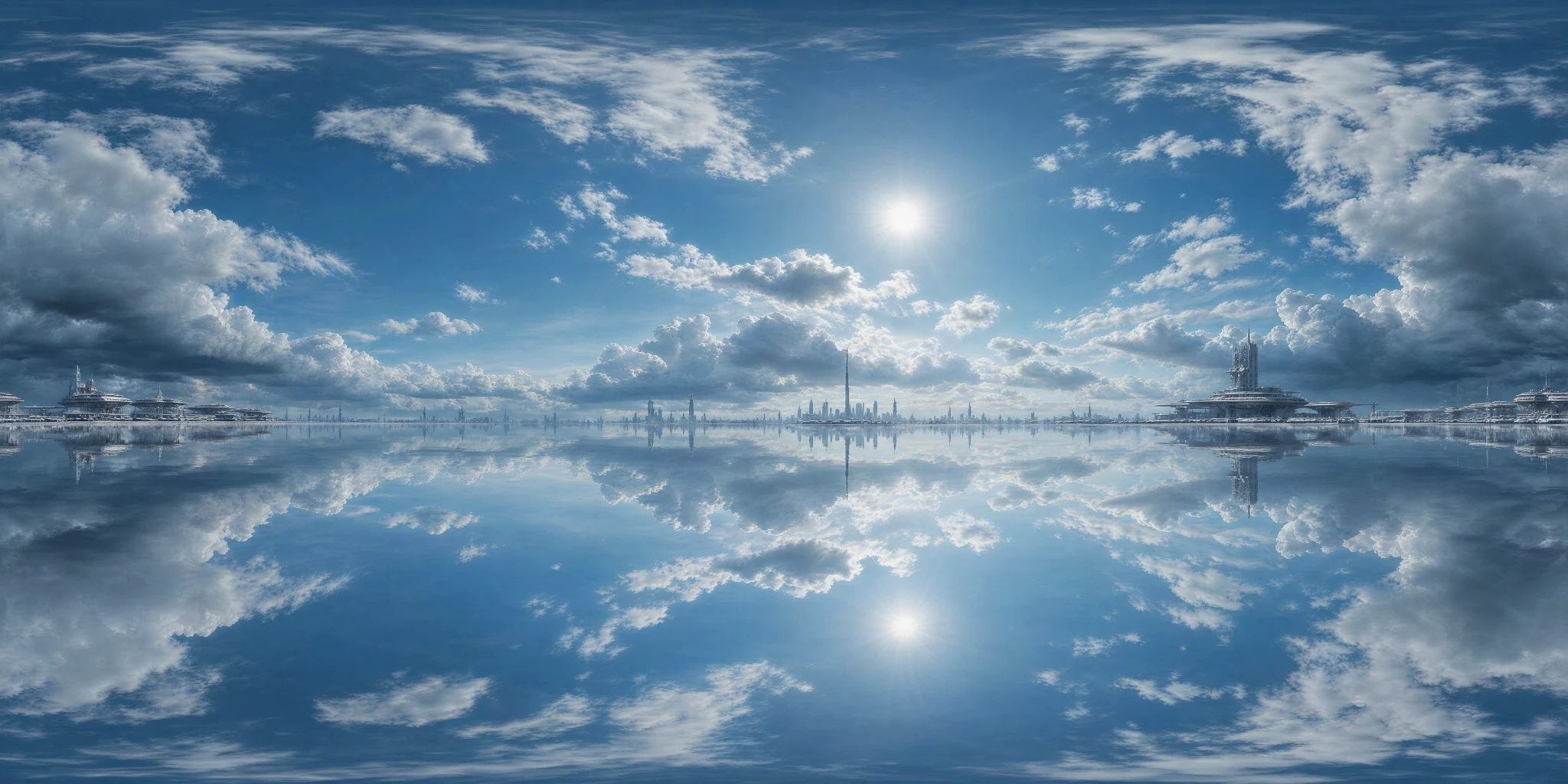
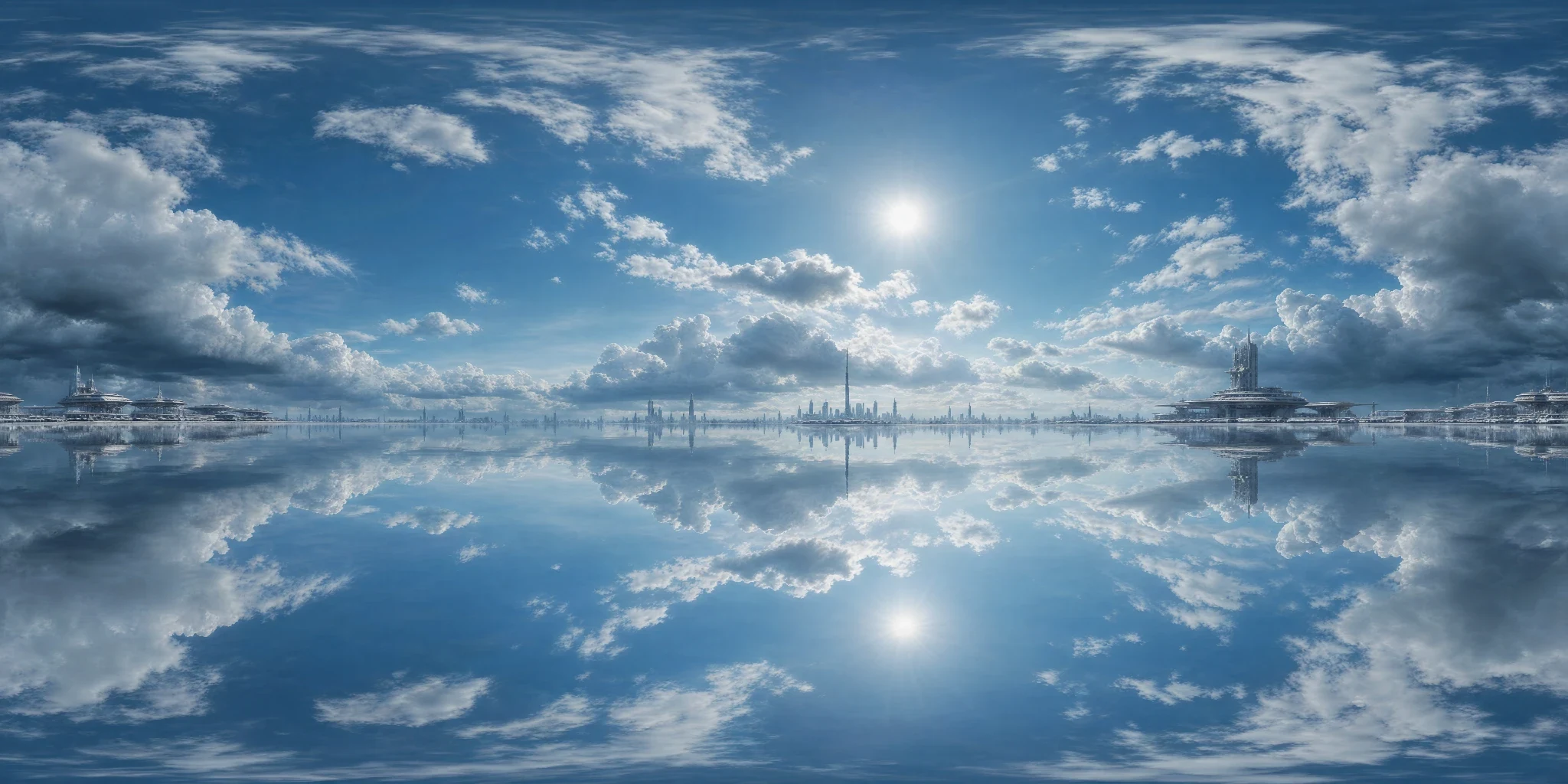
Clouds over a mirrored horizon

How it was madeStorm Clouds → Sci-fi Futuristic → Photoreal Clean → noon, with seam fix enabled.

Clouds over a mirrored horizon 2:1 equirectangular panorama
1 · Equirectangular panorama
Clouds over a mirrored horizon rendered on a scene with reflective and matte spheres in Blender Cycles
3 · Blender Cycles render · the same panorama as background and environment lighting

What to check The reflected lower hemisphere creates an intentionally surreal environment; it is not a neutral daylight reference.

Source and render details

Library file: 2048 × 1024. Demonstration file: 2048 × 1024.

This demonstration uses an LDR library image. It shows environment integration, not calibrated high-dynamic-range capture.

Blender Cycles 4.2.3 LTS · 32 samples · AgX · environment strength 1; no extra lights; identical objects, camera and exposure across examples.

Read the recorded settings
Saved

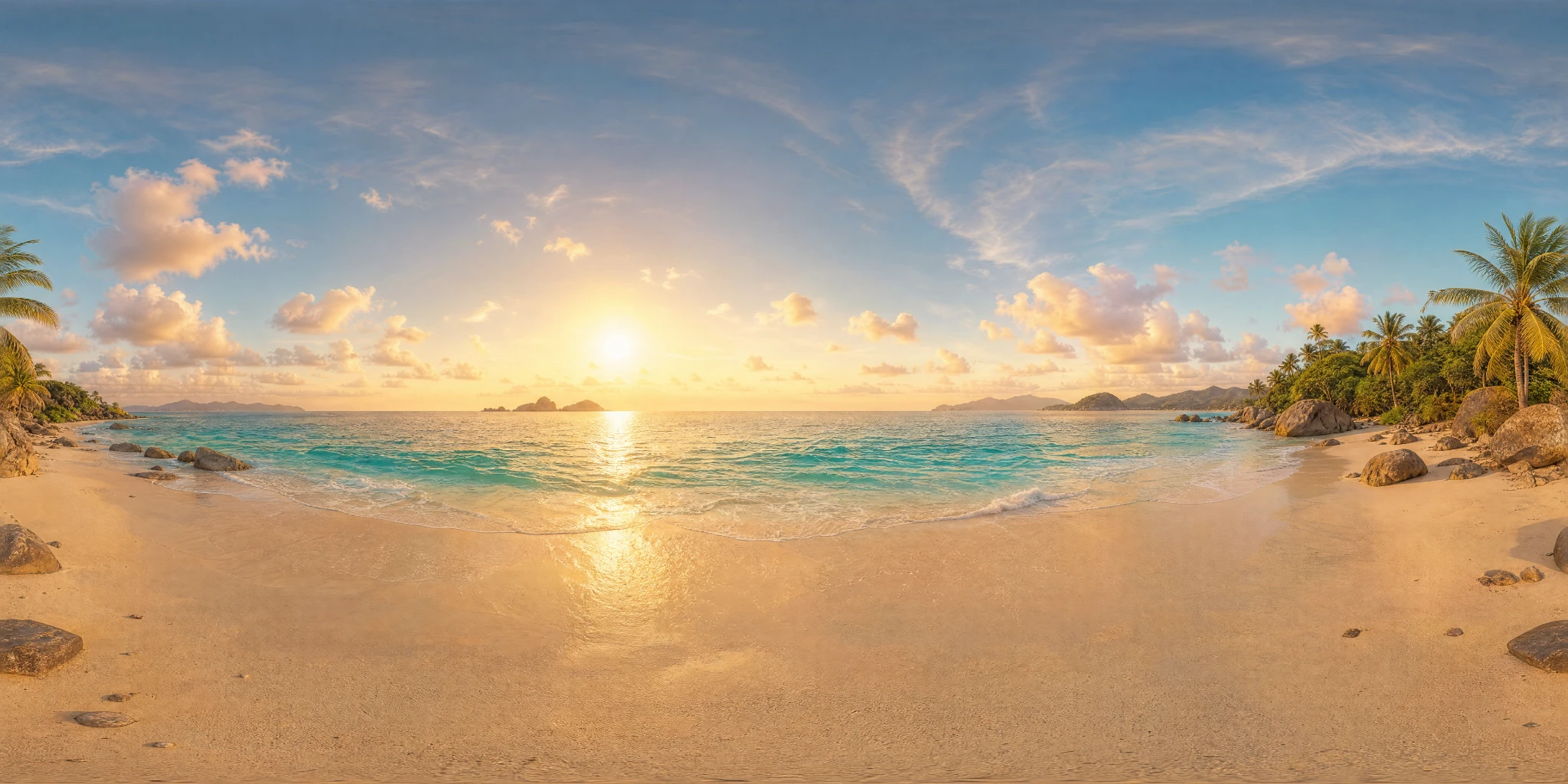
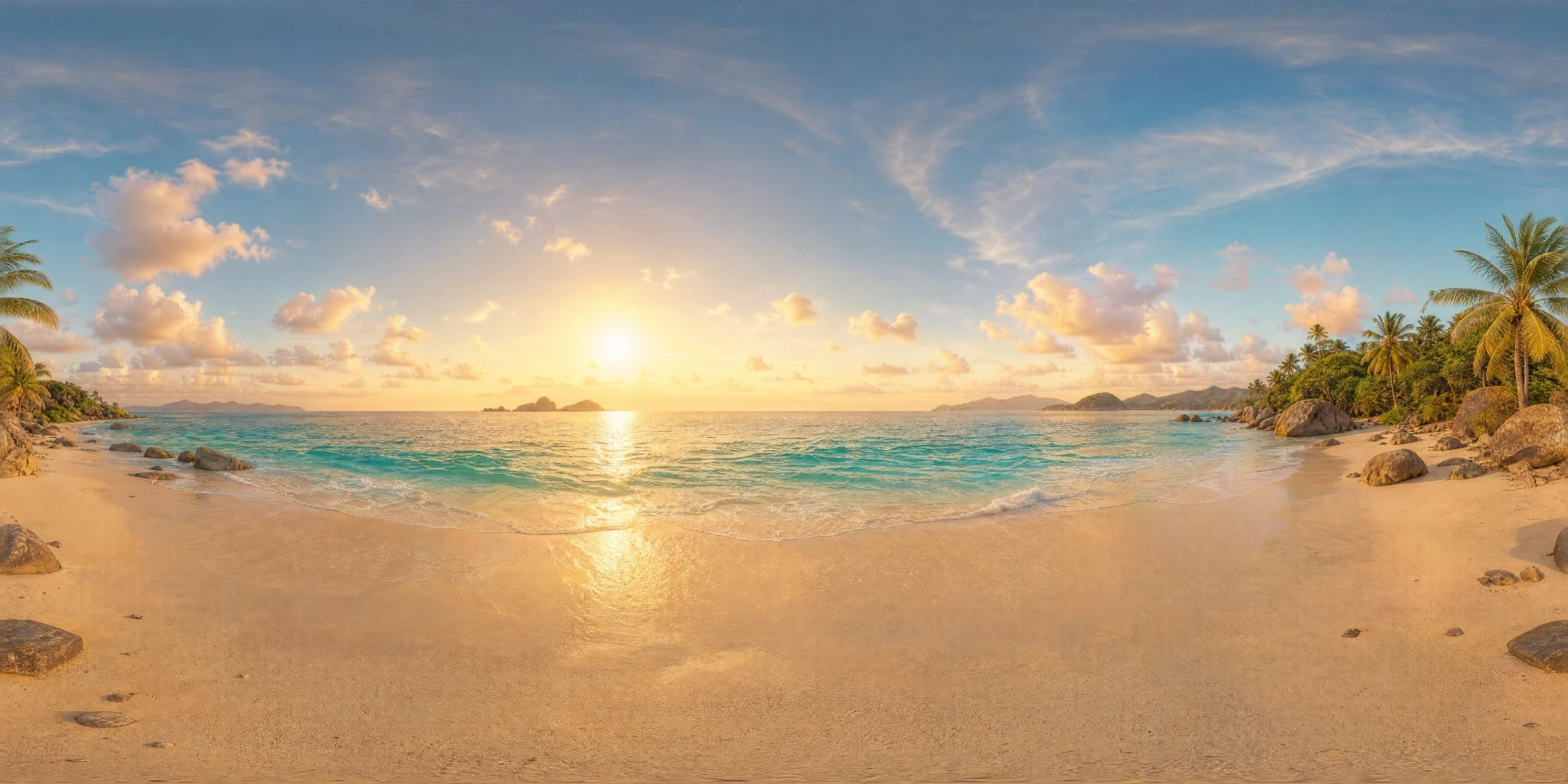
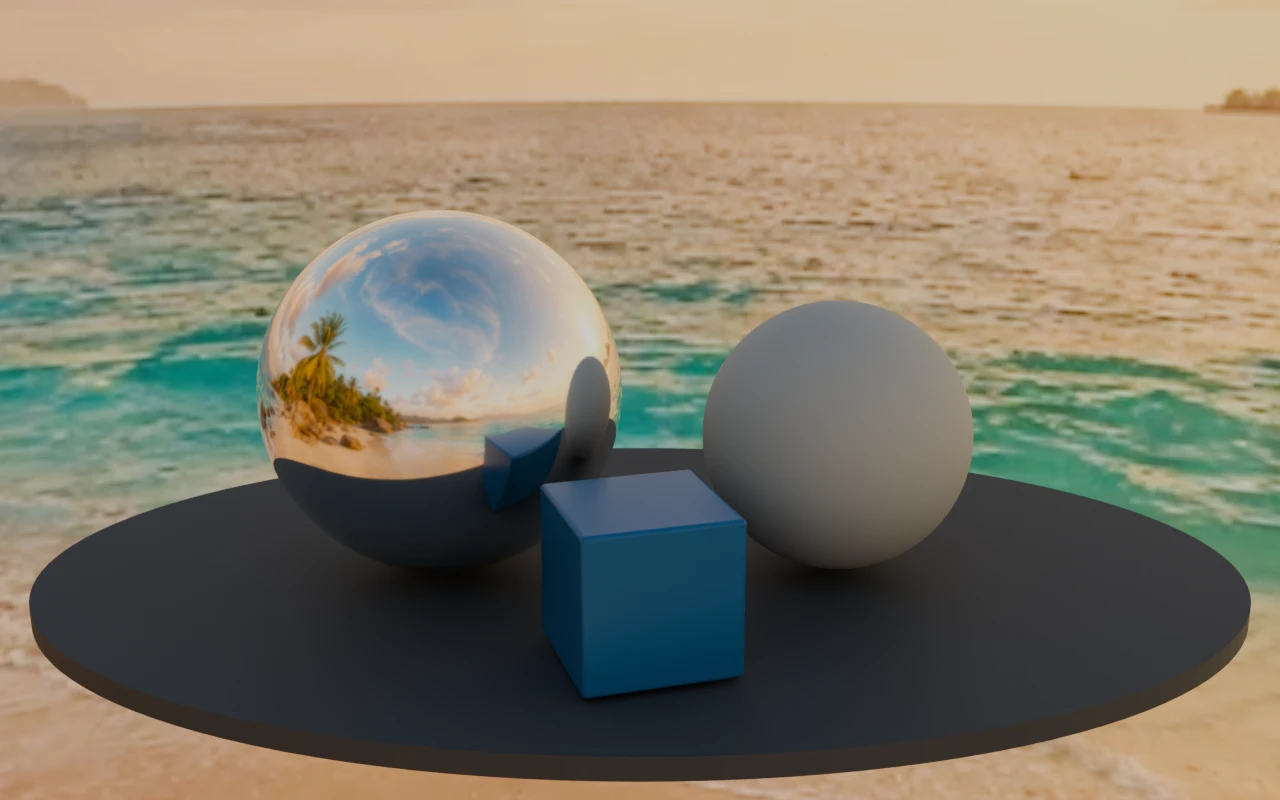
Tropical beach at golden hour

How it was madeTropical Beach → Dreamy Ethereal → Photoreal Clean → afternoon, with seam fix enabled.

Tropical beach at golden hour 2:1 equirectangular panorama
1 · Equirectangular panorama
Tropical beach at golden hour rendered on a scene with reflective and matte spheres in Blender Cycles
3 · Blender Cycles render · the same panorama as background and environment lighting

What to check The bright sun is encoded in an LDR image. Converting the file to HDR does not recover captured high-dynamic-range lighting.

Source and render details

Library file: 2048 × 1024. Demonstration file: 2048 × 1024.

This demonstration uses an LDR library image. It shows environment integration, not calibrated high-dynamic-range capture.

Blender Cycles 4.2.3 LTS · 32 samples · AgX · environment strength 1; no extra lights; identical objects, camera and exposure across examples.

Read the recorded settings
What does the AI HDRI Generator produce?

Generate 2:1 panoramic HDRI-style environments from text or images, inspect them in a 360° viewer, and export panoramas or engine-ready cubemap packs.

2:1Equirectangular panorama for environment-sphere workflows.
360°Rotate through the horizon and full wrap before export.
5 enginesUnity, Unreal Engine, Godot, Roblox, and Three.js packs with selectable square face sizes.

Output boundary: The generated environment is a creative lighting asset, not a calibrated real-world light probe. Validate exposure, color response, and reflection behavior in the target renderer.

Starter, Creator, and Studio include commercial-use rights, subject to the Terms and source rights. Free outputs are public and non-exclusive. Review ownership and use terms.

Tool workflow guide

What does the AI HDRI Generator produce?

It produces a 2:1 equirectangular environment from text or image guidance, lets you inspect the full wrap in a 360-degree viewer, and exports image or HDR assets plus six-face engine packs for Unity, Unreal Engine, Godot, Roblox, and Three.js.

Updated by PLAYTEX AI Editorial Team.

What changed

  • Added a precise output definition below the existing tool presentation.
  • Added target and face-size selection for engine-ready cubemap handoff.
  • Added target-specific face labels, manifests, setup scripts, and photometric calibration limits.

output ratio

2:1

Equirectangular panorama for environment-sphere workflows.

review space

360°

Rotate through the horizon and full wrap before export.

cubemap export

5 engines

Unity, Unreal Engine, Godot, Roblox, and Three.js packs with selectable square face sizes.

Decision table

Choose the environment workflow by the target format

Decision guide for PLAYTEX AI HDRI Generator tool page
SituationChooseWhy
The scene needs a new sky or lighting direction. Generate an HDRI sphere Create the panoramic environment from text or a visual reference.
The horizon or seam is uncertain. Use the 360° viewer Inspect orientation and wrap from inside the environment.
The target reads equirectangular maps. Export an image or HDR Use the 2:1 panorama directly, choosing an AI upscale only when you need the plan-allowed output: up to 8K on Creator or 16K on Studio.
The target requires six cubemap faces. Export to engine Choose the engine and square face size; PLAYTEX AI packages the named faces, manifest, and setup instructions.

Scope and limitations

The generated environment is a creative lighting asset, not a calibrated real-world light probe. Validate exposure, color response, and reflection behavior in the target renderer.

How this page was reviewed

The content review covered current inputs, panorama ratio, 360-degree preview, orientation controls, output formats, and stated export limits.

Read the PLAYTEX AI editorial policy.