PLAYTEX AI

Make room for your next idea.

Opening your workspace…

从图像或文本生成 AI HDRI

图像转 HDRI 和天空盒生成器

从照片、概念图或渲染图开始,使用 AI 生成 360° 环境。图像转 HDRI 工作流程将 2:1 全景图导出为 PNG 或 Radiance HDR;图像转天空盒工作流程为引擎打包六个立方体贴图面。你也可以使用文本提示生成。

文本或图像输入互动360°预览等矩形2:1PNG还是HDRGeneration quality and upscaling by plan引擎立方图包

Open the AI HDRI Generator · Read the 360-degree environment guide

From the PLAYTEX AI library

From panorama to a rendered environment

Explore real library panoramas in 360°, then compare how the same image appears behind a scene and in reflective and matte materials.

Reviewed September 4, 2026. Workflow labels summarize saved settings; full prompts are not published. These are existing library outputs, not newly generated samples.

已获救

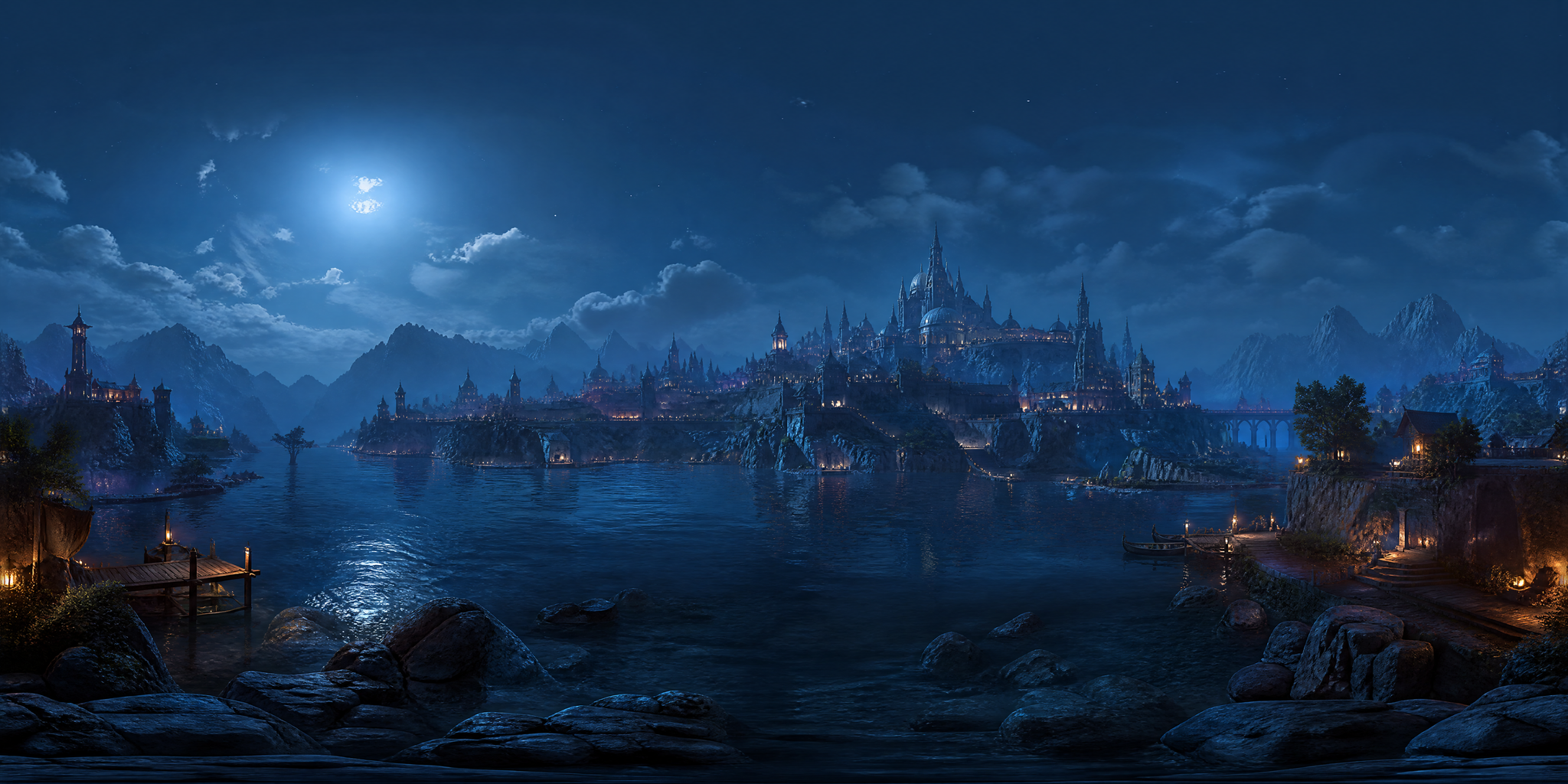
Fantasy city at night

How it was madeCity Skyline → Fantasy Realm → Industrial Grit → night, with seam fix enabled.
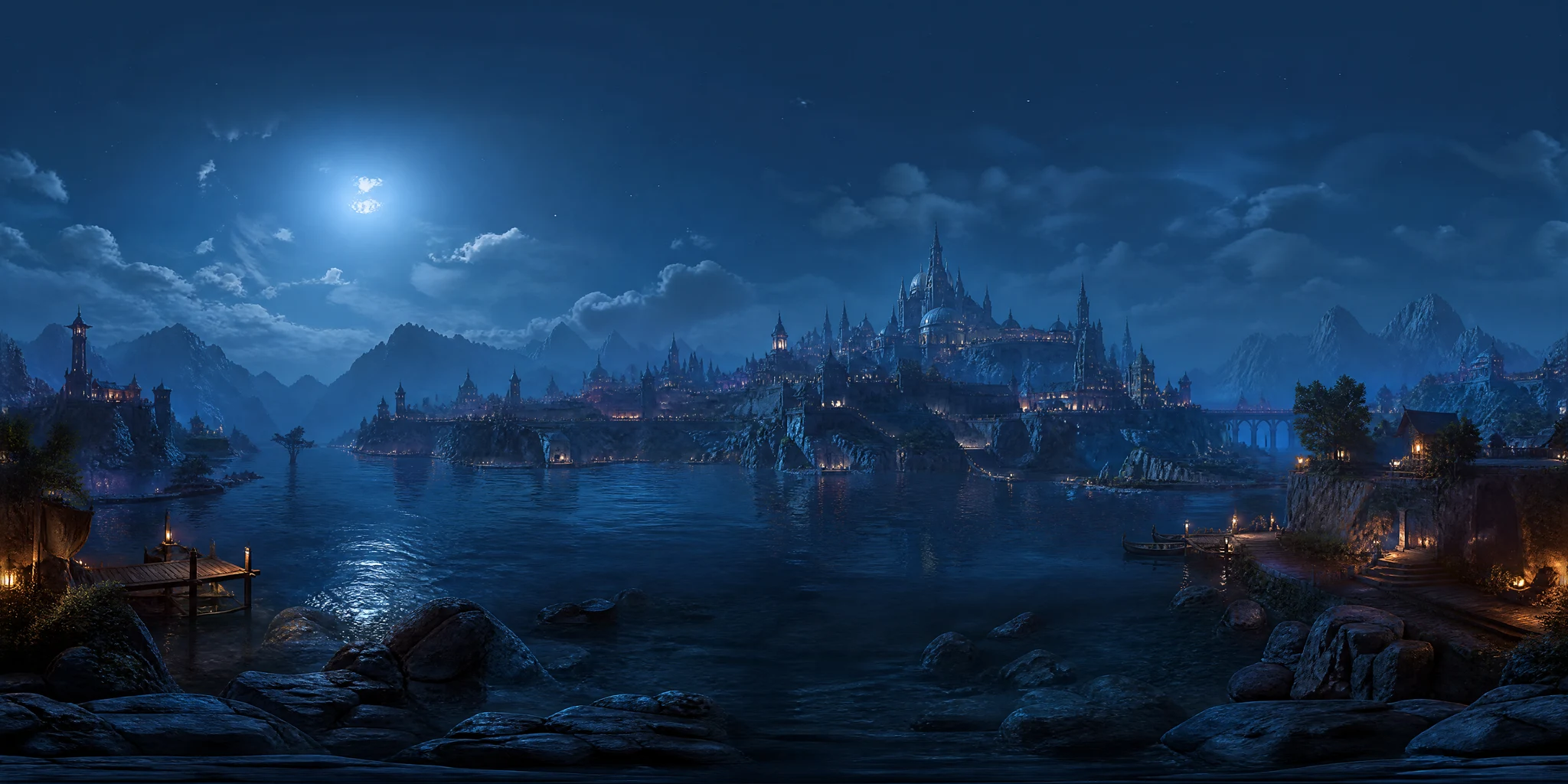
Fantasy city at night 2:1 equirectangular panorama
1 · Equirectangular panorama
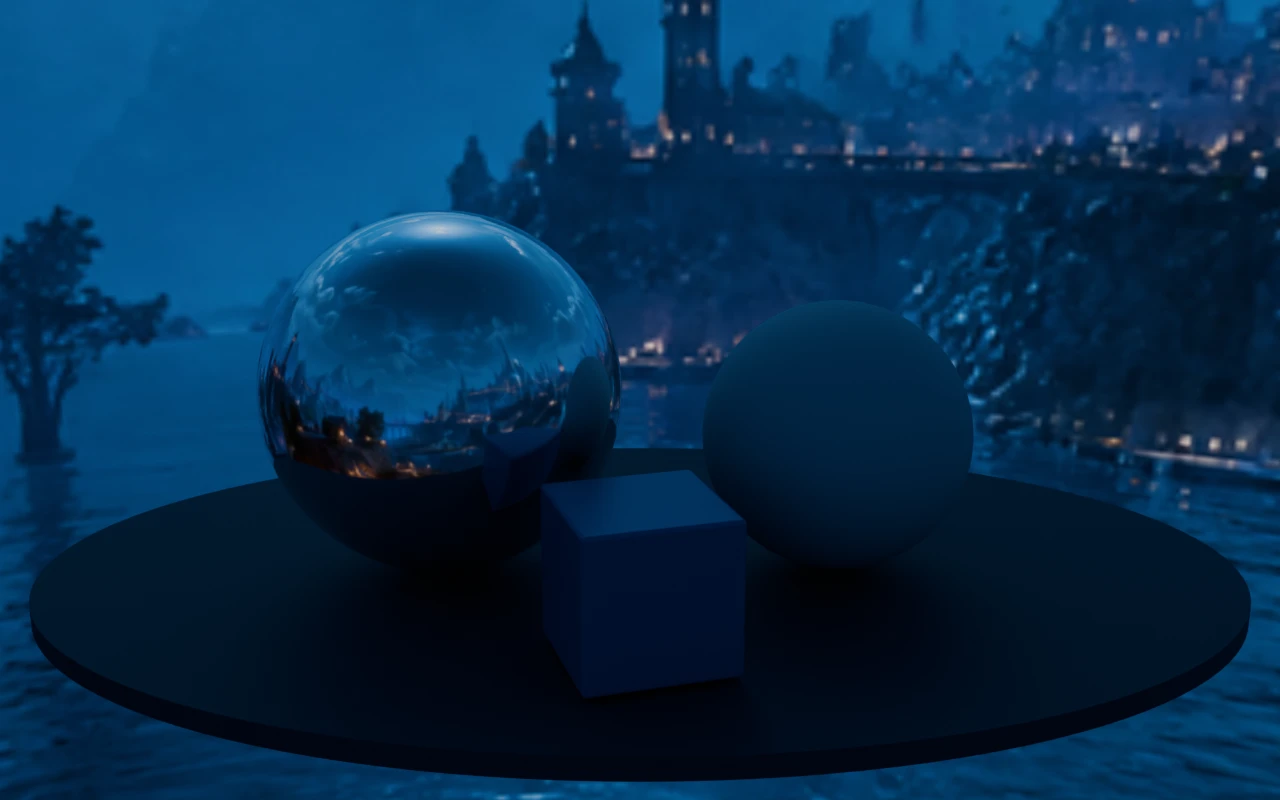
Fantasy city at night rendered on a scene with reflective and matte spheres in Blender Cycles
3 · Blender Cycles render · the same panorama as background and environment lighting

What to check Inspect the horizon join and architecture at close range before using it as a background.

Source and render details

Library file: 3840 × 1920. Demonstration file: 2048 × 1024.

This demonstration uses an LDR library image. It shows environment integration, not calibrated high-dynamic-range capture.

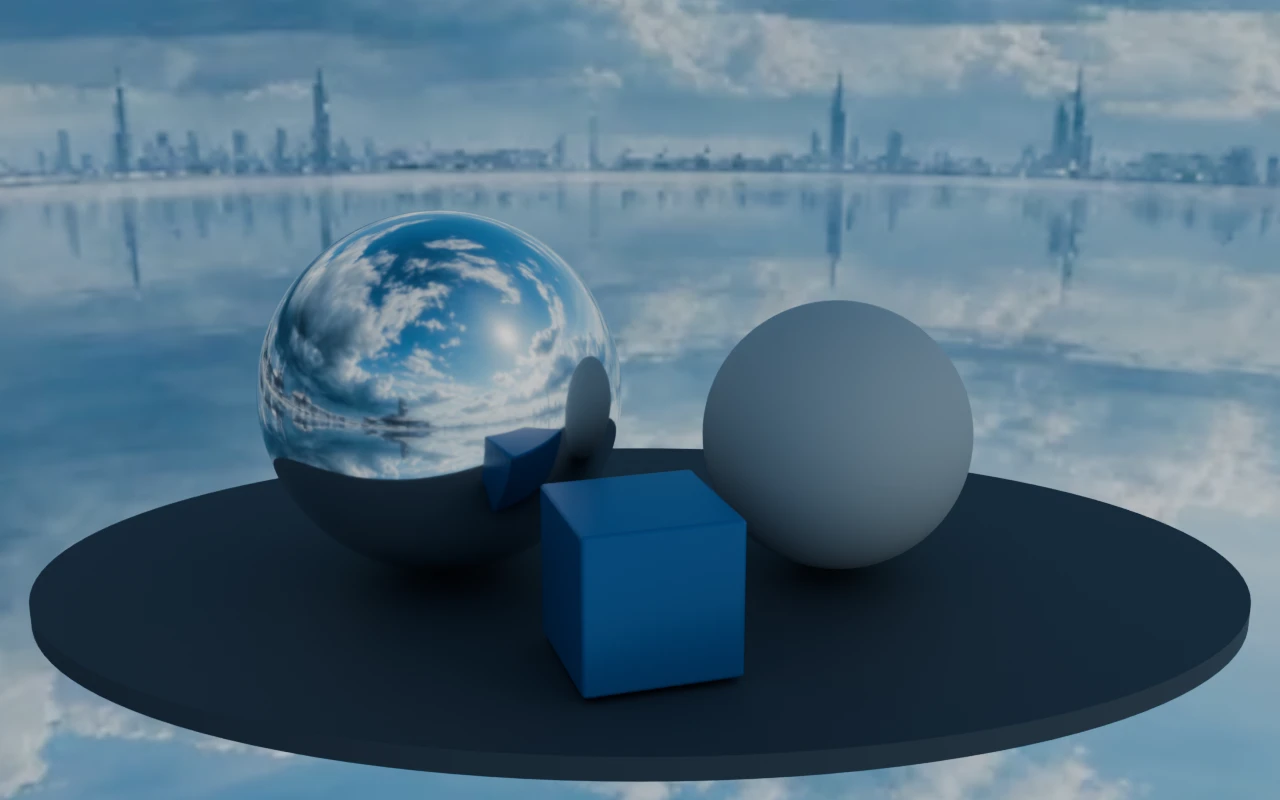
Blender Cycles 4.2.3 LTS · 32 samples · AgX · environment strength 1; no extra lights; identical objects, camera and exposure across examples.

Read the recorded settings
已获救

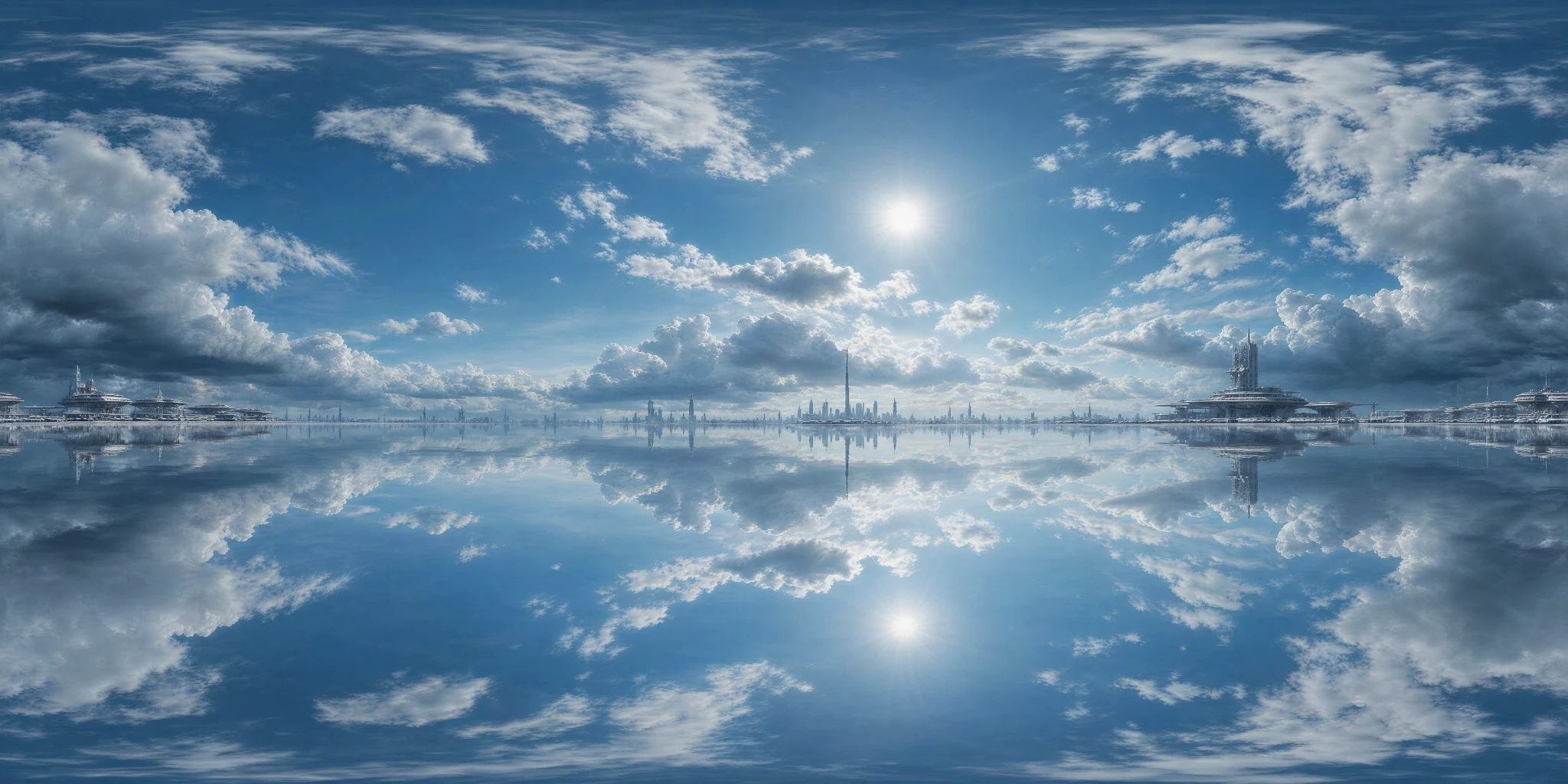
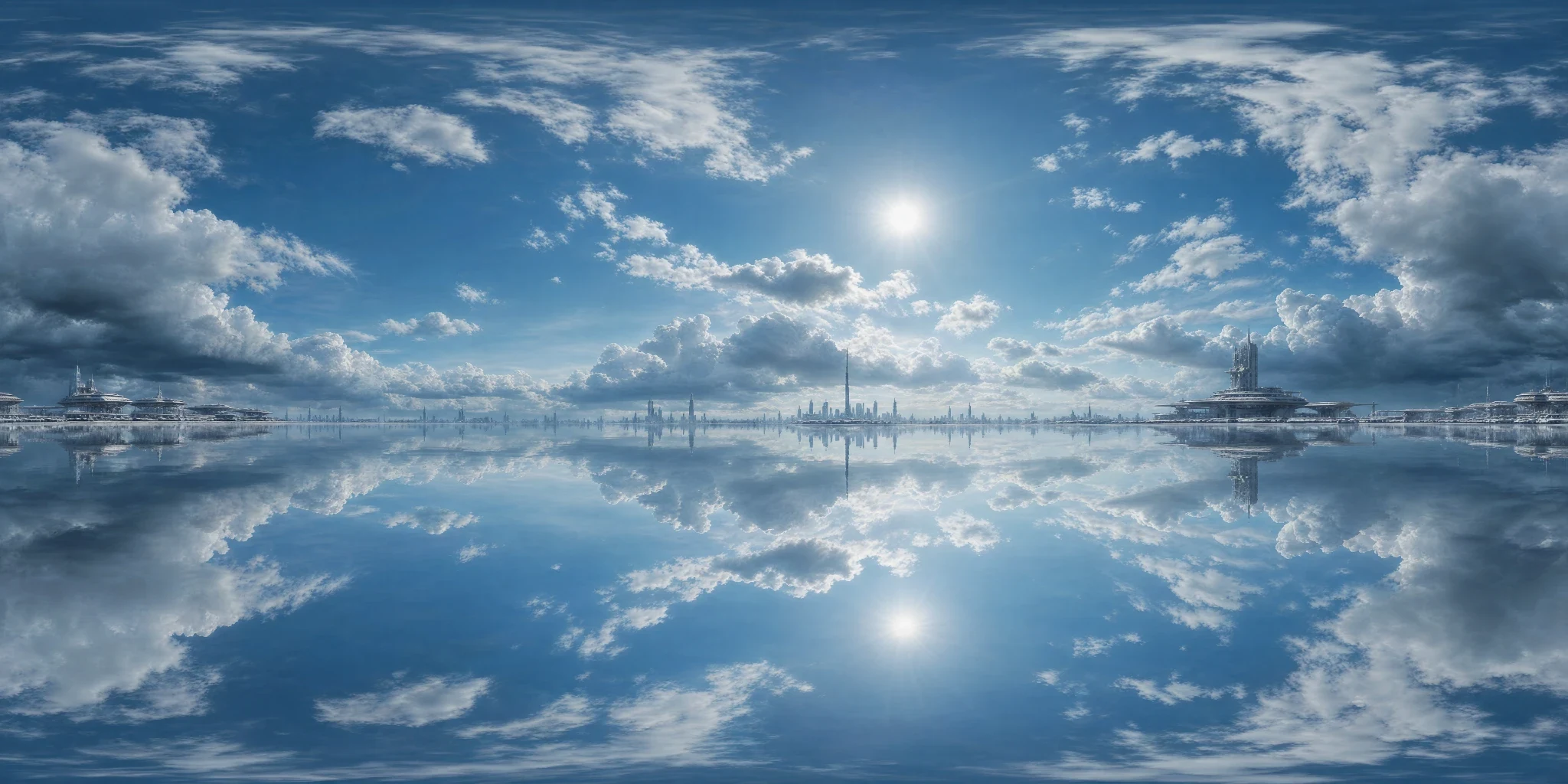
Clouds over a mirrored horizon

How it was madeStorm Clouds → Sci-fi Futuristic → Photoreal Clean → noon, with seam fix enabled.

Clouds over a mirrored horizon 2:1 equirectangular panorama
1 · Equirectangular panorama
Clouds over a mirrored horizon rendered on a scene with reflective and matte spheres in Blender Cycles
3 · Blender Cycles render · the same panorama as background and environment lighting

What to check The reflected lower hemisphere creates an intentionally surreal environment; it is not a neutral daylight reference.

Source and render details

Library file: 2048 × 1024. Demonstration file: 2048 × 1024.

This demonstration uses an LDR library image. It shows environment integration, not calibrated high-dynamic-range capture.

Blender Cycles 4.2.3 LTS · 32 samples · AgX · environment strength 1; no extra lights; identical objects, camera and exposure across examples.

Read the recorded settings
已获救

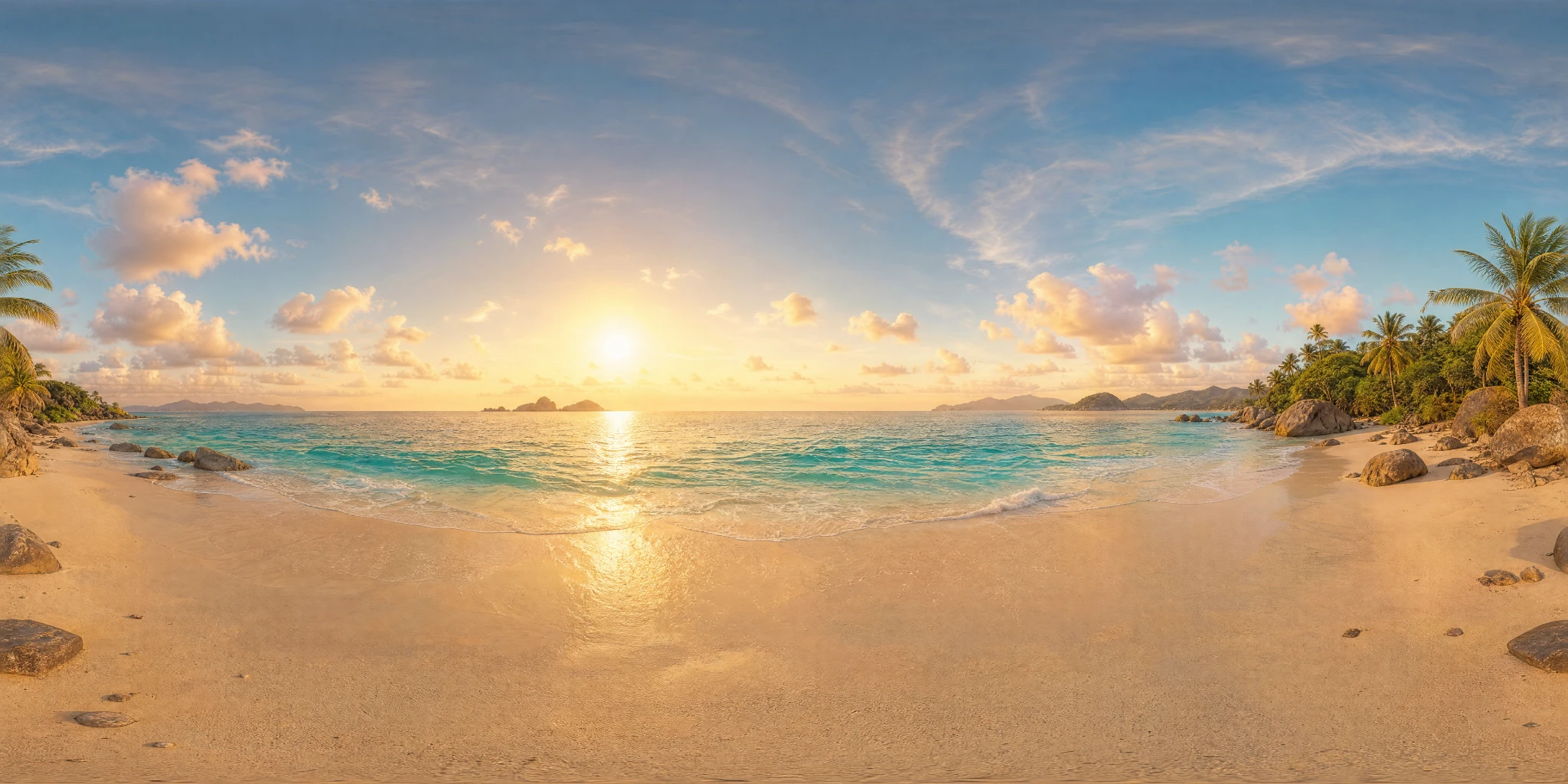
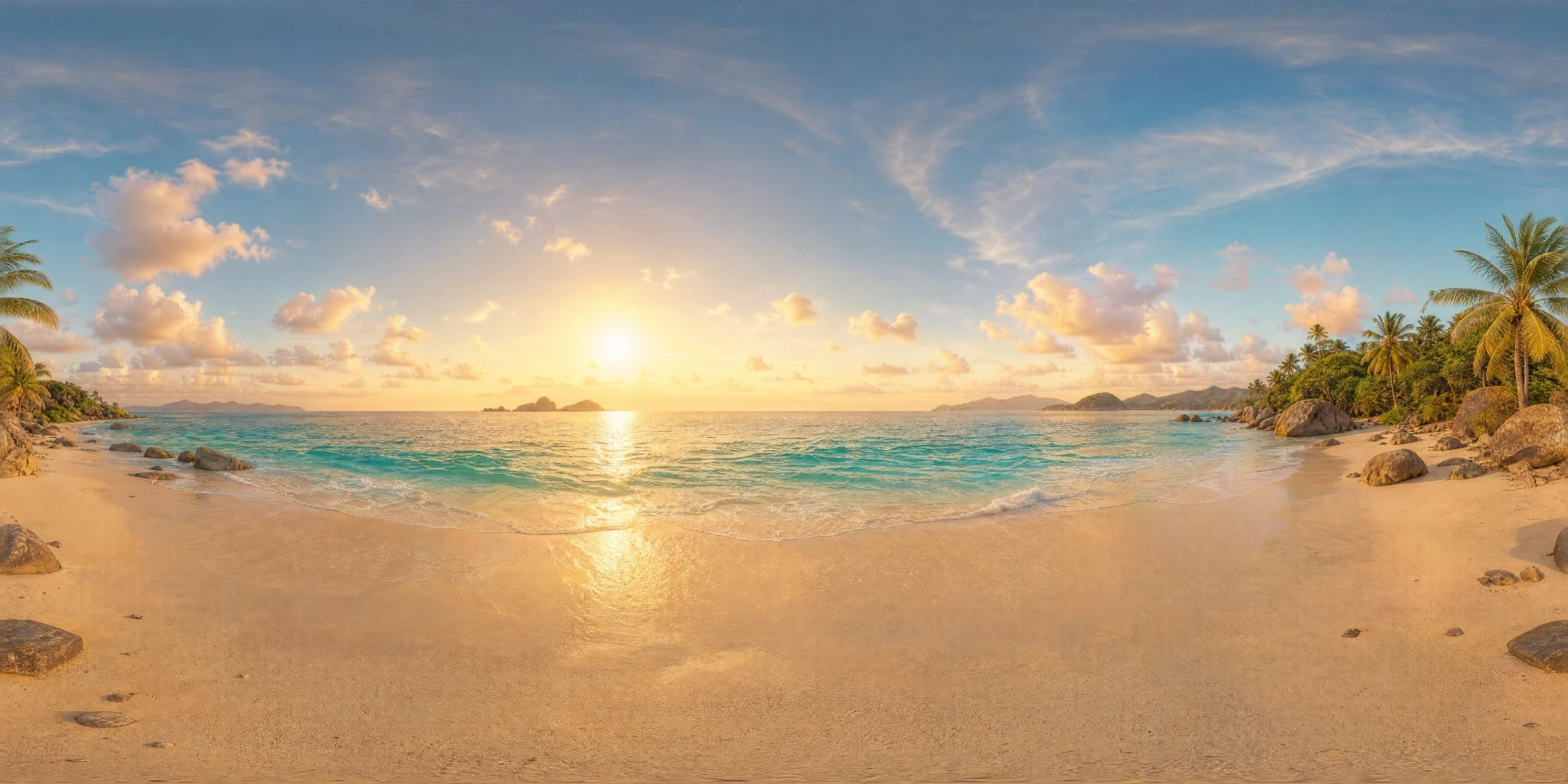
Tropical beach at golden hour

How it was madeTropical Beach → Dreamy Ethereal → Photoreal Clean → afternoon, with seam fix enabled.

Tropical beach at golden hour 2:1 equirectangular panorama
1 · Equirectangular panorama
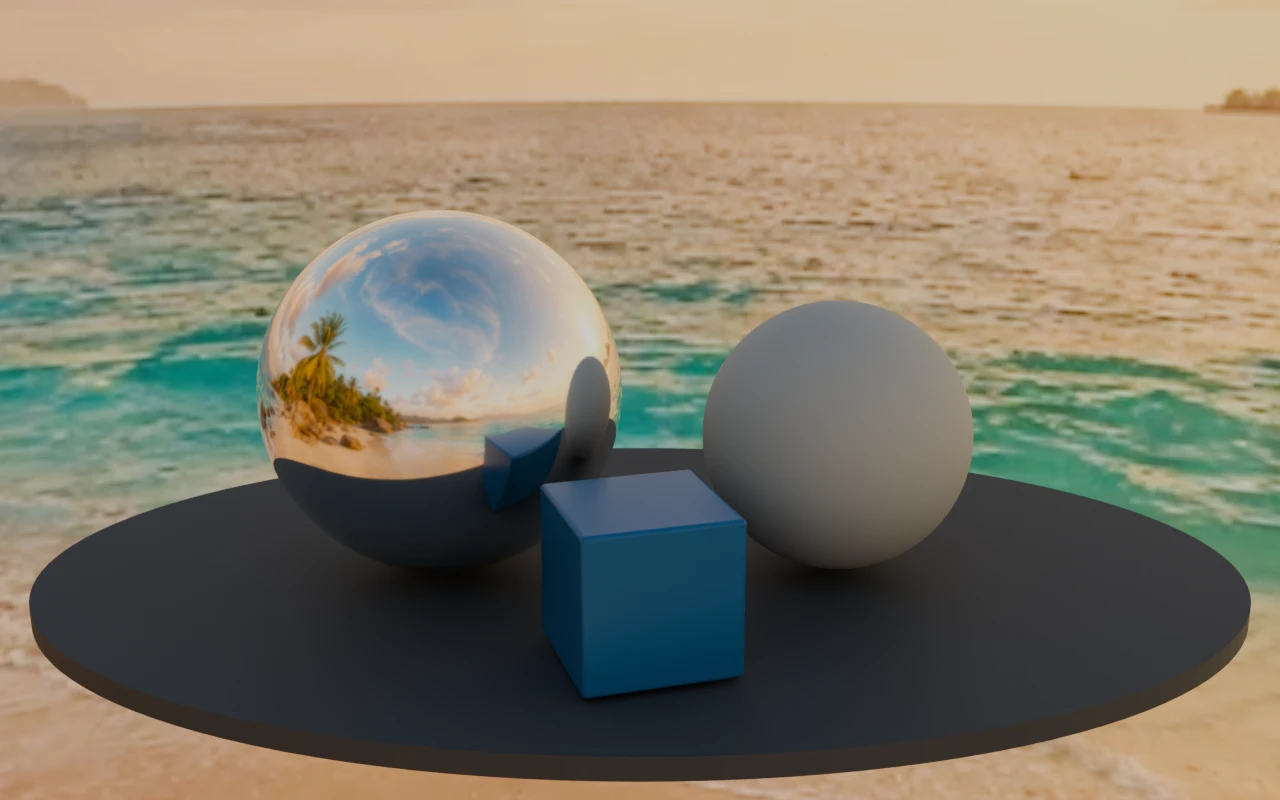
Tropical beach at golden hour rendered on a scene with reflective and matte spheres in Blender Cycles
3 · Blender Cycles render · the same panorama as background and environment lighting

What to check The bright sun is encoded in an LDR image. Converting the file to HDR does not recover captured high-dynamic-range lighting.

Source and render details

Library file: 2048 × 1024. Demonstration file: 2048 × 1024.

This demonstration uses an LDR library image. It shows environment integration, not calibrated high-dynamic-range capture.

Blender Cycles 4.2.3 LTS · 32 samples · AgX · environment strength 1; no extra lights; identical objects, camera and exposure across examples.

Read the recorded settings
AI HDRI发生器会产生什么效果?

使用 PLAYTEX AI 图像转 HDRI 和天空盒生成器,将参考图像生成 360° 环境。预览后导出 PNG、HDR 或引擎立方体贴图包。

2:1环境球工作流程的等矩形全景图。
360°在导出前旋转视平线并完成完整包裹。
5台发动机Unity、Unreal Engine、Godot、Roblox 以及带有可选方形面尺寸的 Three.js 包。

Output boundary: 生成的环境是创意光照资产,而非经过校准的真实光探针。验证目标渲染器中的曝光、色彩响应和反射行为。

Starter, Creator, and Studio include commercial-use rights, subject to the Terms and source rights. Free outputs are public and non-exclusive. Review ownership and use terms.

工具工作流程指南

如何将图像生成 HDRI 或天空盒

选择图像模式并上传参考照片、概念图或渲染图。可补充场景和光照细节,生成环境,然后在导出前检查完整全景。AI 根据参考图生成周围场景,并非从单张照片还原精确的 360° 实拍场景。

更新 作者 PLAYTEX AI 编辑团队.

发生了什么变化

  • 在现有工具展示下方添加了精确的输出定义。
  • 新增了目标和面大小选择,便于引擎就绪的立方体地图切换。
  • 新增了针对目标的面部标签、清单、设置脚本和光度校准极限。

上传参考图片

1

在创建控件中选择文本旁的图像选项,然后上传你有权使用的图像。

生成并预览

2

使用保留外观选项使结果更接近参考图。在 360° 查看器中检查地平线、接缝和构图。

图像转 HDRI

3

下载 2:1 PNG 全景图或 Radiance HDR 兼容文件,用于环境贴图工作流程。

图像转天空盒

4

选择导出到引擎,获取适用于 Unity、Unreal Engine、Godot、Roblox 或 Three.js 的六个命名立方体贴图面。

决策表

根据目标格式选择环境工作流程

Decision guide for PLAYTEX AI HDRI Generator tool page
地理位置选择为什么
场景需要新的天空或光影方向。 生成天空盒 通过文字或视觉参考创建全景环境。
地平线或接缝是不确定的。 使用360°观景器 从环境中检查方向和包裹。
目标读取等矩形映射。 导出图片或HDR 直接使用2:1全景图,仅在需要套餐允许的输出时选择AI放大:Creator最高8K,Studio最高16K。
目标需要六个立方体贴面。 导出至发动机 选择引擎和方形面大小;PLAYTEX AI 会打包命名面、清单和设置说明。

范围与局限

图像转 HDRI 从 AI 生成的 LDR 全景图开始。Radiance HDR 导出提供文件兼容性,不会还原包围曝光 HDR 照片所测量的亮度范围。请在渲染器中验证光照和反射。