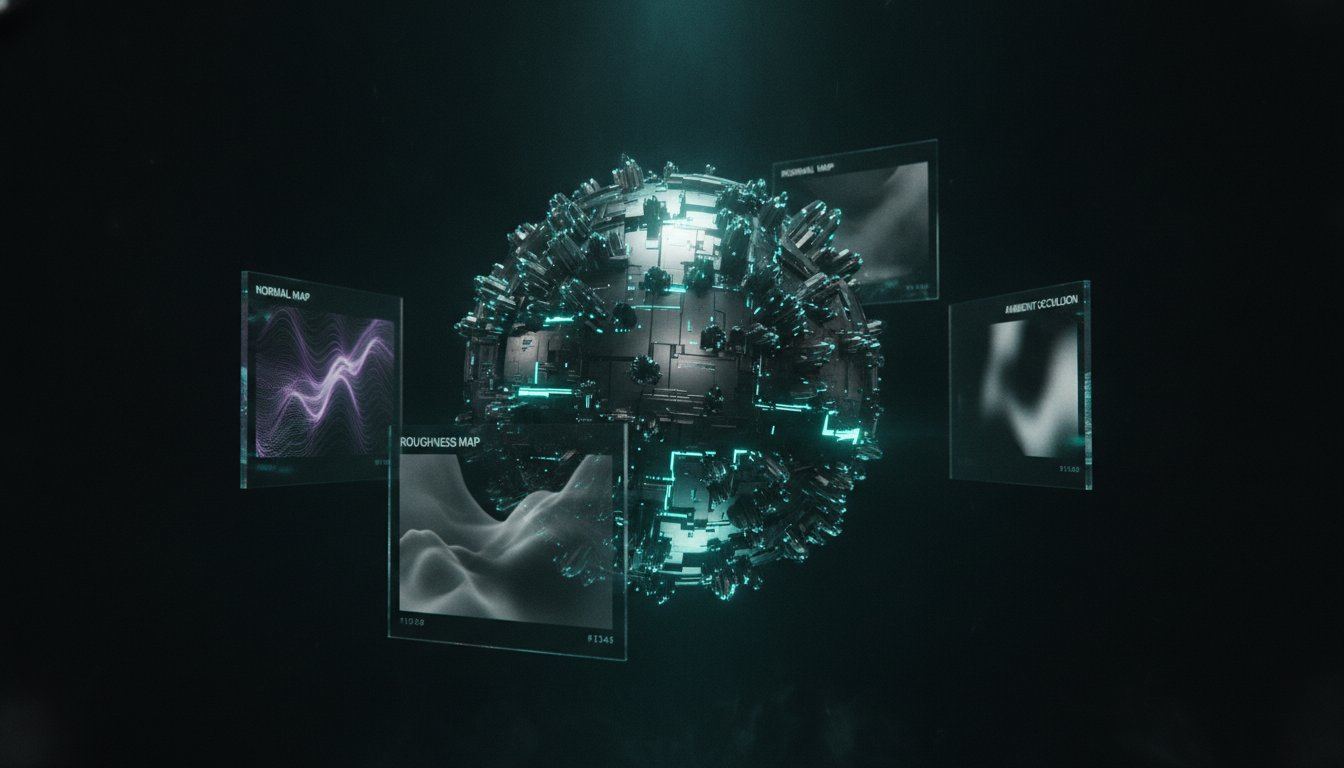
The era of manual texture tiling and tedious PBR map conversion is officially over. You've likely spent hours manually tiling textures in Photoshop or struggling with the inconsistent quality of PBR maps from generic converters. Integrating a professional AI texture generator into your pipeline is no longer just an experiment; it's a technical necessity for managing texture memory overhead in Unity and Unreal Engine while maintaining high visual standards.
This guide provides a technical roadmap to mastering AI-driven workflows for production-ready assets. We'll show you how to generate a complete set of PBR maps from a single prompt and achieve perfect, automated seamless tiling. You'll learn to streamline your creative pipeline and reduce asset production time by 80%. We'll cover the specific steps to export optimized materials for game engines and WebGL frameworks, ensuring your creative vision translates perfectly into a polished, high-performance final build.
Key Takeaways
- Understand how neural networks synthesize complex surface data to replace traditional photogrammetry and procedural authoring workflows.
- Learn the technical process of generating a complete PBR stack, including Normal and Height maps, from single 2D inputs.
- Discover how a professional AI texture generator can reduce your asset production time by 80% while maintaining perfect seamless tiling.
- Master essential optimization techniques for Three.js and WebGL to manage texture budgets without sacrificing visual fidelity.
- Explore how to integrate browser-based PBR generation and community libraries to accelerate your environment prototyping pipeline.
The Evolution of Material Authoring: What is an AI Texture Generator?
An AI texture generator represents a fundamental shift in how we conceptualize surface data. Unlike traditional methods that rely on manual pixel manipulation or rigid mathematical nodes, AI uses neural networks to perform complex Texture synthesis. This process involves training models on vast datasets of materials to understand not just what a surface looks like, but how its physical properties interact with light and geometry. In 2026, the industry has moved beyond simple 2D image generation toward 3D-aware material authoring. This means the AI understands depth, light occlusion, and micro-surface details, allowing it to output a full prompt-to-PBR stack in seconds.
Contrast this with photogrammetry methods, which require a physical subject and perfect lighting conditions. While photogrammetry is excellent for creating digital twins, it's limited by real-world availability and the labor-intensive process of cleaning up scans. Similarly, procedural authoring offers infinite control through node-based logic; however, it requires a high level of technical expertise and often struggles with the chaotic randomness of organic materials. AI bridges this gap by offering the speed of automation with the visual complexity of the real world, prioritizing a workflow where a single prompt replaces hours of manual photo manipulation.
AI Synthesis vs. Procedural Generation
Diffusion models have revolutionized the way we create high-frequency surface details. Traditional procedural noise, while powerful, often feels mathematical or repetitive at large scales. AI handles organic randomness with much higher fidelity because it predicts pixel relationships based on learned patterns rather than static equations. You should choose an AI workflow when you need rapid iteration on complex surfaces like weathered stone, forest floors, or intricate fabric weaves. While node-based workflows remain the standard for hard-surface precision and architectural tiling, an AI texture generator excels at the messy, non-linear details that make environments feel lived-in.
The Core Benefits for Indie Game Developers
For small teams, the blank canvas problem is a significant productivity killer. AI eliminates this hurdle by providing a high-quality, production-ready starting point instantly. This reduces the cost per asset, which is critical for large-scale open-world environments where unique materials are needed in bulk. By using prompt-based generation, developers can maintain stylistic consistency across thousands of materials without hiring a massive art department.
It allows artists to focus on high-level environment design rather than the minutiae of tiling a brick wall. This shift democratizes high-fidelity production, making AAA-quality visuals accessible to indie budgets. Using a browser-based tool like Playtex AI ensures that these powerful models are available without the need for expensive local hardware, streamlining the transition from a creative spark to a game-ready prefab.
Beyond Flat Images: Generating PBR Maps and Seamless Tiling
Modern rendering pipelines require more than a simple diffuse map. A professional AI texture generator functions as a technical artist, synthesizing a comprehensive Physically Based Rendering (PBR) stack from a single input. This ensures that every material, from rusted steel to damp moss, interacts realistically with the light in your scene. By interpreting the physical properties of the subject, the AI creates a cohesive set of maps that maintain material integrity across different lighting environments.
AI models predict 3D depth by analyzing pixel gradients and shadows within the 2D source. This allows the system to generate Normal maps that simulate complex micro-details without increasing the polygon count of your meshes. The transition from a text prompt to a 4K seamless material set is now a matter of seconds, not hours of manual tweaking. This speed allows for rapid prototyping and immediate visual feedback during the environment design phase.
Decoding the PBR Map Set
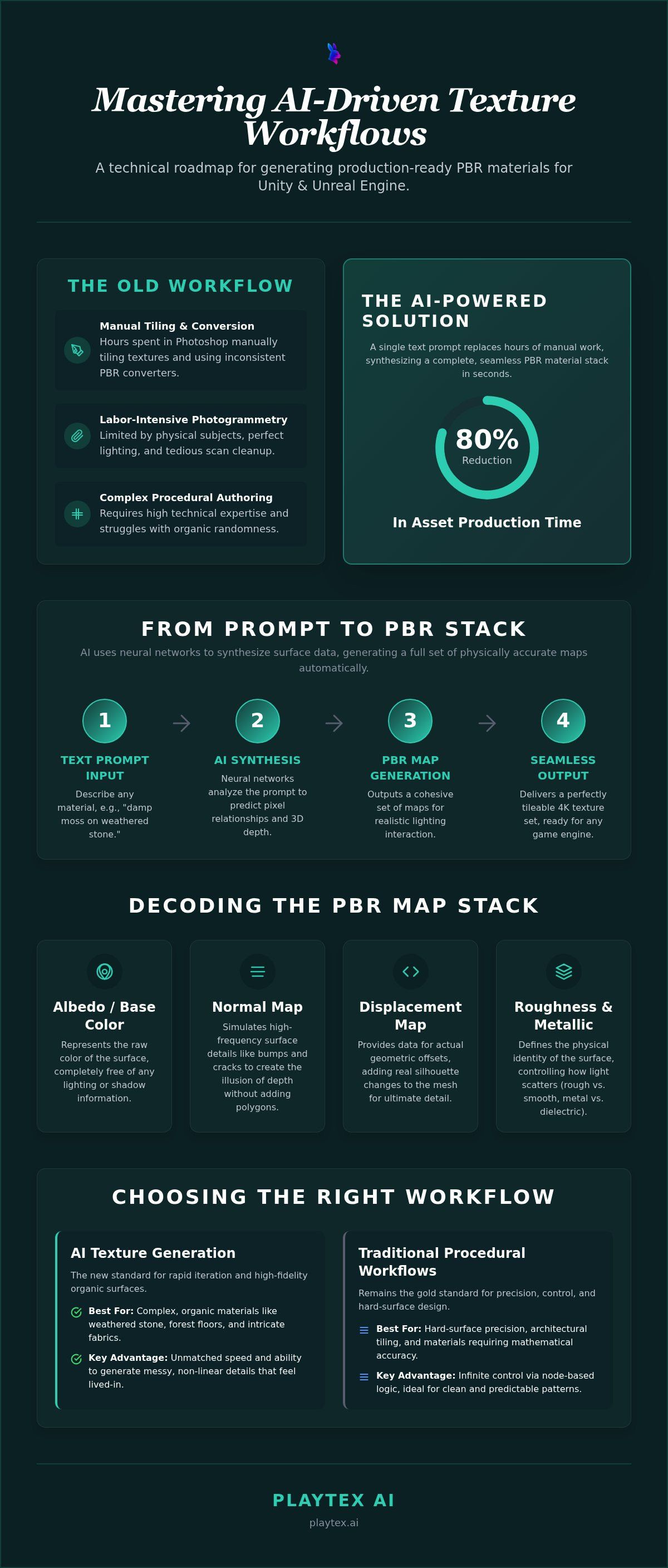
Understanding the PBR stack is essential for any technical artist. Each map serves a specific purpose in the rendering engine:
- Albedo/Base Color: This map represents the raw color of the surface. For PBR to work, all lighting and shadow information must be removed so the engine can calculate its own shadows.
- Normal vs. Displacement: Normal maps change how light hits the surface to create the illusion of depth. Displacement maps provide the data needed for actual geometric offsets, adding real silhouette changes to the mesh.
- Roughness and Metallic: These maps define the material's physical identity. Roughness determines the spread of light reflections, while Metallic differentiates between dielectric surfaces and conductive metals.
The Science of Seamless AI Tiling
Traditional tiling often results in "ghosting," where edges are blurred together to hide seams. AI solves this by using neural networks to analyze the internal patterns of the texture. Instead of a simple cross-fade, the AI re-synthesizes the edges to ensure visual continuity. This prevents the blurry artifacts that often plague textures created with manual Photoshop offset tools.
Seamless tiling is the mathematical alignment of texture edges to allow infinite repetition. This technology effectively eliminates "tiling fatigue" on large terrain surfaces. By creating variations that still tile perfectly, you can cover vast open worlds without the player noticing repeating patterns. If you need to generate these assets quickly, you can use the AI texture generator to automate the entire map conversion process. This ensures your assets are ready for immediate use in any production pipeline.
Comparing Workflows: AI Generation vs. Manual Material Design
Traditional material authoring is often the primary bottleneck in a production pipeline. Manual tiling in Photoshop requires an artist to neutralize lighting, clone out repeating patterns, and painstakingly match edges. This process is inherently destructive and time-consuming. An AI texture generator replaces these manual steps with a non-destructive, synthesis-based approach. Instead of smudging pixels to hide a seam, the AI analyzes the material's structural logic to generate new, unique data that tiles perfectly. This shift moves the artist's role from "pixel-pusher" to "creative director," focusing on the final look rather than the technical grind.
Cost and accessibility also define the divide between these workflows. High-end procedural software often demands a steep learning curve and significant subscription costs. In contrast, browser-based AI SaaS platforms offer immediate utility for a fraction of the software investment. While manual design offers absolute precision for specific hero assets, the speed of AI is unbeatable for environment sets. A hybrid workflow is often the most effective solution: use an AI texture generator to build a high-quality base material, then bring it into manual tools for final artistic polish or branding details.
Efficiency Benchmarks for 3D Artists
The productivity gains from AI integration are quantifiable. Artists report a reduction in material creation time from an average of 4 hours per material to roughly 5 minutes. This efficiency allows for rapid iteration that was previously impossible. You can test 20 different wood grain variations in the same time it would take to find and license a single high-resolution stock photo. By generating assets on demand, studios also eliminate the need for expensive, bloated photo libraries that often contain outdated or unusable data.
Quality and Resolution Standards in 2026
As we move through 2026, 4K and 8K resolutions have become the expected standard for high-fidelity titles. AI generation handles these resolutions natively, avoiding the blurriness associated with traditional upscaling. Technical artists prefer AI-generated Normal maps over those converted from photos because AI is "material-aware." Traditional converters often mistake dark color values for depth, creating "noisy" normals. AI models understand that a dark knot in wood isn't necessarily a deep hole, resulting in much cleaner and more accurate surface micro-details that respond correctly to dynamic lighting.
Optimizing AI Textures for Game Engines and WebGL
Texture budgets remain a critical constraint in real-time rendering. While a professional AI texture generator can output 8K assets with ease, deploying them without a strategy leads to massive memory overhead and sluggish frame rates. High resolution isn't always the right answer. In most game scenarios, a 2K texture with high-quality Normal maps provides a better balance between visual fidelity and performance than a 4K texture that forces the GPU to swap memory frequently.
Unity and Unreal Engine users should prioritize BC7 texture compression and ensure mipmapping is enabled upon import. This ensures that the engine only loads the necessary level of detail based on the camera's distance. When you're importing an AI-generated PBR set, double-check that your Normal maps are correctly identified as such in the engine's inspector to ensure the correct color space (Linear) is applied. This prevents the lighting artifacts that occur when the engine treats a Normal map as a standard sRGB texture.
Three.js Texture Optimization Strategies
Developing for the browser introduces even tighter GPU memory limits. To keep your WebGL applications responsive, you should utilize Basis Universal and KTX2 compression. these formats significantly reduce the file size on disk and the memory footprint on the GPU. You can also reduce draw calls by packing your maps. Texture packing is the process of storing grayscale PBR maps in individual color channels to save memory. For example, you can store Roughness in the Red channel, Metallic in the Green channel, and Ambient Occlusion in the Blue channel of a single RGB texture.
Validation for UEFN and Roblox
Platform-specific constraints are often the biggest hurdle for creators. Roblox's Material Service, for instance, typically enforces a maximum resolution of 1024x1024 pixels. If you upload a 4K texture, the platform will downscale it, often introducing unwanted noise. Similarly, UEFN (Unreal Editor for Fortnite) has strict performance overhead requirements. You must ensure your textures don't exceed the project's memory budget, or your island will fail to publish. Using automated tools to check for errors before you import can save hours of troubleshooting. To ensure your assets are engine-ready, you can use the UEFN and Roblox Texture Validators to catch resolution and naming convention issues instantly. This direct validation step ensures your workflow remains fluid from generation to final deployment.
Streamlining Your Pipeline with PLAYTEX AI
PLAYTEX AI centralizes the complex technical stages of material authoring into a single browser-based dashboard. This integration eliminates the friction of switching between disconnected tools for generation, tiling, and map conversion. You can access a professional AI texture generator that handles the entire pipeline from an initial text prompt to a final, production-ready PBR stack. For teams in the rapid prototyping phase, the Community Texture Library offers over 500 pre-generated assets. These materials are ready for immediate deployment, allowing you to populate environments without starting every surface from scratch.
If you already possess a library of photo assets, the Image to PBR Maps converter provides a direct bridge to modern rendering standards. It analyzes your 2D images to extract high-fidelity Normal, Roughness, and Height data automatically. Once your material meets your standards, the platform facilitates one-click exports optimized for Unity, Unreal Engine, and Three.js. This automation ensures that technical requirements, such as texture packing and channel mapping, are correctly applied before the asset enters your project folder.
The Professional Workflow: Prompt to Prefab
The transition from a creative concept to a game-ready prefab follows a methodical three-step sequence. First, generate the base seamless tile by inputting a descriptive prompt into the AI texture generator. Second, refine the individual PBR maps within the tool to adjust surface properties like displacement intensity or specular highlights. Finally, run your asset through the platform's validators to ensure it meets the specific performance overhead of UEFN, Roblox, or Three.js. This structured approach ensures that every material is technically sound before it reaches the engine.
Why Playtex AI for Indie Developers?
Indie studios often operate under hardware and budget constraints that make traditional authoring difficult. Playtex AI removes these barriers by moving all computational processing to the cloud. You don't need an expensive, high-end GPU to generate 4K textures; the heavy lifting occurs on remote servers. This SaaS model provides a sophisticated toolkit without the enterprise seat fees typically associated with professional material software.
Connectivity and continuity define the platform's utility. Because the suite is browser-based, you receive continuous updates without manual installations. New AI models and engine-specific validators are added regularly to keep pace with evolving industry standards. This ensures that your creative output remains compatible with the latest versions of major game engines and WebGL frameworks, allowing you to focus on world-building rather than troubleshooting pipeline compatibility.
Mastering the Future of Real-Time Environments
The transition toward AI-driven material authoring is the defining shift for the games industry in 2026. By moving beyond manual pixel manipulation and embracing neural synthesis, you achieve a level of production speed that was previously impossible. Mastering a professional AI texture generator allows you to maintain high-fidelity PBR standards while drastically reducing technical debt. You now have the technical roadmap to ensure every asset is optimized for its target platform, whether it's a high-end Unreal Engine build or a memory-constrained Three.js application.
It's time to streamline your creative output and eliminate the bottlenecks in your asset pipeline. Leverage 500+ community texture assets, utilize one-click PBR map export, and take advantage of built-in Three.js optimization to keep your projects performant. This workflow isn't just about speed; it's about the technical precision required for modern game development.
Start Generating Production-Ready Textures with PLAYTEX AI
Your next production-ready environment is just a prompt away. Start building more efficiently today.
Frequently Asked Questions
What is the difference between a seamless texture and a regular image?
A seamless texture is engineered to repeat infinitely without visible edges or grid-like patterns, whereas a regular image has distinct borders that break immersion when tiled. An AI texture generator solves this by synthesizing edge data that matches the opposite side mathematically. This ensures visual continuity across large terrain or architectural meshes, which is essential for maintaining high-quality environments in modern game engines.
Can AI generate full PBR maps like Normal and Roughness?
Yes, modern AI models synthesize a complete PBR stack from a single input. This includes Albedo, Normal, Roughness, Metallic, and Height maps. By analyzing the structural patterns and lighting in the source data, the AI predicts physical surface properties. This automated process replaces the manual conversion steps typically required to turn a flat 2D image into a material that reacts realistically to dynamic engine lighting.
Is an AI texture generator better than using Substance Designer?
The choice depends on your specific production needs. Substance Designer offers unmatched procedural control and precision for hero assets or complex architectural patterns. However, an AI texture generator is significantly faster for organic materials and environment sets. AI reduces material creation time from hours to minutes, making it the superior choice for rapid prototyping or when working with small teams that lack dedicated technical artists.
How do I do optimize AI textures for mobile games or WebGL?
Optimization requires balancing resolution with memory constraints. For WebGL, you should use KTX2 or Basis Universal compression to minimize the GPU footprint. Reducing your texture budget from 4K to 2K or 1K is often necessary for mobile performance. Additionally, use texture packing to combine grayscale maps like Roughness and Ambient Occlusion into a single RGB file's channels, which halves the number of texture samples the GPU must process.
Are AI-generated textures copyright-free for commercial use?
Generally, textures you generate through professional AI platforms are available for commercial use, but you must check the specific terms of service for your tool. Most SaaS providers grant full commercial rights to the output created by paying users. Because the AI synthesizes new data rather than copying pixels, the resulting materials are unique assets. Always verify your specific licensing agreement to ensure compliance with your project's distribution requirements.
Can I convert my own photos into PBR maps using Playtex AI?
You can use the Image to PBR Maps converter to transform your personal photo library into production-ready materials. The tool analyzes your uploaded image to extract depth and surface information, generating a full set of Normal, Roughness, and Height maps. This allows you to leverage real-world reference photos while ensuring they function correctly within a physically based rendering pipeline without the need for manual Photoshop editing.
What resolution should I use for my game textures?
Resolution should be determined by the object's screen space and your platform's memory budget. While 4K is standard for hero assets in AAA titles, 1K or 2K is usually sufficient for background environment tiling. Overusing high-resolution textures leads to texture bloat and performance drops. Aim for the lowest resolution that maintains visual clarity at the player's typical viewing distance to keep your frame rates stable across all hardware.
How does the UEFN texture validator work?
The UEFN validator checks your assets against Fortnite's specific technical constraints before you import them. It identifies issues like unsupported resolutions, incorrect naming conventions, or excessive file sizes that could cause project errors. By validating your textures early, you avoid the frustration of failed uploads or performance warnings within the Unreal Editor for Fortnite. This ensures your custom materials are fully compatible with the platform's specific rendering standards.