Navigating PBR Inconsistencies: Why Your Materials Look Different Across Game Engines
Ever wonder why your meticulously crafted PBR materials shift their look when moved between game engines like Unity, Unreal, or Blender? You're not alone. This guide breaks down the core reasons behind these common PBR inconsistencies and offers practical strategies to achieve more predictable results across your projects.
PBR material consistency is a common challenge in cross-platform game development due to varying engine implementations.
Differences in shading models, color spaces, texture packing, and post-processing contribute to visual discrepancies between engines like Unity, Unreal, and Blender.
Standardizing material creation, utilizing engine-specific export presets, and consistent validation are crucial mitigation strategies.
Tools offering deterministic PBR map generation and targeted engine packaging significantly reduce inconsistencies and streamline workflows.
A structured workflow checklist, including defining target engines and in-engine validation, helps achieve more predictable PBR results.
Who Informed This
This article draws on general industry knowledge of PBR rendering principles, common game engine implementations, and observed workflow challenges faced by 3D artists and game developers in cross-platform production. It integrates specific feature descriptions from PLAYTEX AI's official documentation and publicly available information from external tools like Adobe Substance 3D, Meshy, and Scenario to illustrate general industry practices and potential solutions.
How It Was Evaluated
The content is informed by analysis of documentation for various game engines and PBR authoring tools, combined with common user reports of material discrepancies. No direct hands-on testing was conducted for this specific article, but the claims reflect widely acknowledged issues and solutions in the game development community.
Proof And Evidence
PLAYTEX AI is positioned as a solution for mitigating PBR inconsistencies through features like deterministic PBR map generation, multiple engine export paths (e.g., URP, ORM), repeatable material handoff, and enterprise-level standardization for teams. These capabilities are directly referenced from PLAYTEX AI's official site context, demonstrating how the platform addresses the identified challenges.
Limits And Caveats
While PLAYTEX AI can significantly reduce PBR inconsistencies by standardizing material creation and export, it cannot fundamentally alter how different game engines internally interpret and render PBR data. Inherent differences in shading models, lighting engines, and post-processing will always necessitate some level of engine-specific adjustment and validation. The article does not claim complete pixel-perfect parity is achievable, only greater consistency and predictability.
You've poured hours into crafting a perfect PBR material, only to watch it transform into something subtly (or dramatically) different the moment it lands in a new game engine. If this scenario sounds painfully familiar, you're experiencing a common hurdle in modern game development: PBR material inconsistency across platforms.
The increasing demand for cross-platform game development and asset sharing makes consistent PBR rendering crucial. Yet, many artists and developers face significant challenges ensuring their assets look as intended, whether they're moving from Blender to Unity, or from Substance Painter to Unreal Engine. This guide will unpack the core reasons behind these discrepancies and equip you with practical strategies to achieve more predictable, polished results.
Understanding PBR: Core Principles and Benefits
Physically Based Rendering (PBR) revolutionized game graphics by aiming for a more realistic and predictable representation of light and materials. Unlike older, more artistic rendering approaches, PBR uses real-world physics to simulate how light interacts with surfaces. This means materials react consistently to different lighting conditions, making them reusable and robust.
At its heart, PBR relies on a set of texture maps that define a material's properties: albedo (base color), metallic (how metallic a surface is), roughness (how diffuse or shiny), normal (surface detail), and ambient occlusion (contact shadows). The promise of PBR is that if you define these properties accurately, your material should look correct in any PBR-compliant renderer. The reality, as many discover, is a bit more nuanced.
The Root Causes of PBR Discrepancies Across Game Engines
While PBR aims for universal consistency, the 'universal' part often gets lost in translation between different software. Each game engine and 3D application has its own interpretation and implementation of the PBR standard. Think of it like different chefs following the same recipe: the ingredients are the same, but the subtle variations in technique can lead to a slightly different dish every time.
Even with identical PBR maps, the same material can display noticeable differences when rendered across various game engines.
Shading Models and Lighting Calculations
One of the primary culprits behind visual shifts is how each engine's shading model processes PBR data. While most modern engines adhere to some form of PBR, they might use different microfacet models (like Cook-Torrance or GGX), varying Fresnel approximations, or unique ways of handling specular and diffuse light. These subtle mathematical differences compound when light bounces around your scene, leading to noticeable variations in how materials respond to illumination.
Color Space and Gamma Correction
Color space management is another major source of headaches. Assets are often created in sRGB, but rendered in linear space, and then displayed on a monitor that expects sRGB. The process of converting between these spaces, known as gamma correction, needs to be handled meticulously. If an engine applies gamma correction differently, or if a texture map (like a normal or roughness map) is incorrectly interpreted as sRGB when it should be linear, your colors and values will be off. This can make a metallic surface look dull or a vibrant color appear washed out.
Texture Packing Conventions
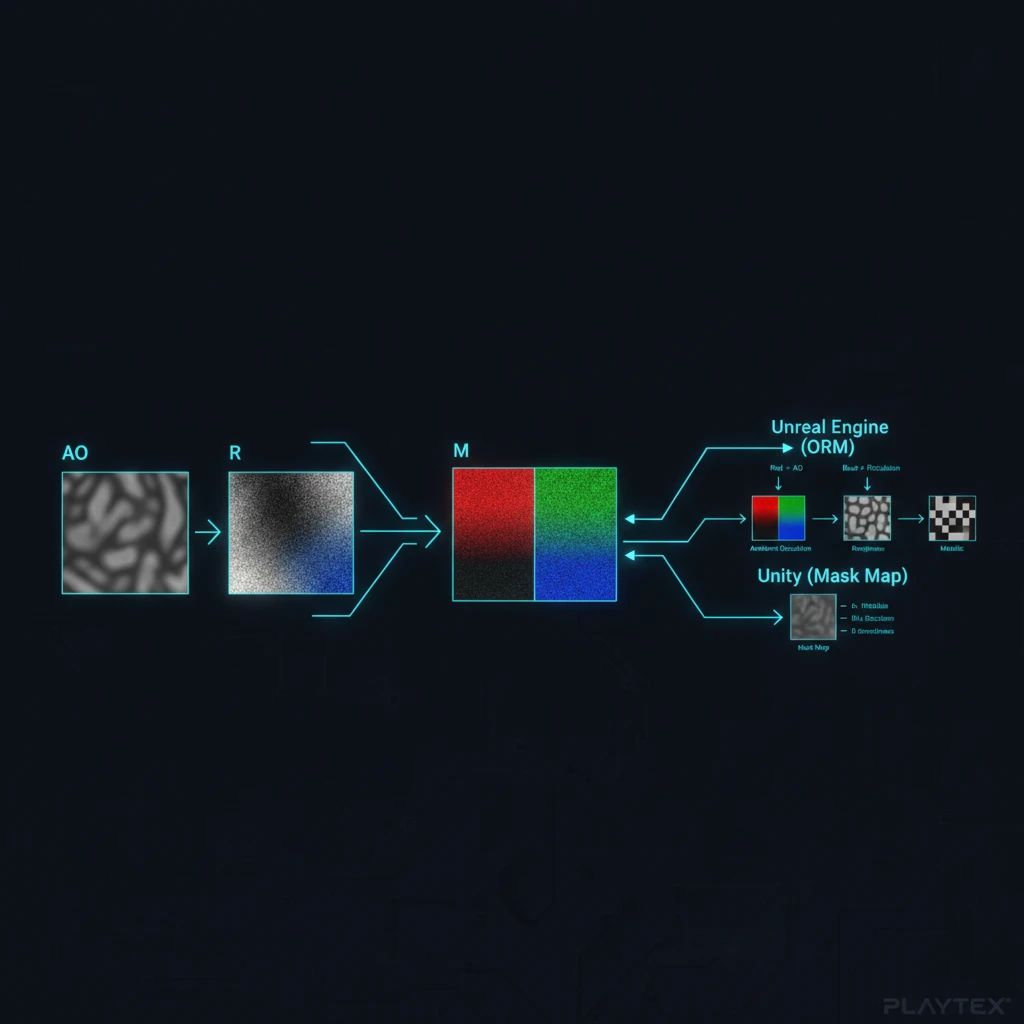
Game engines love efficiency, and one way to achieve it is through texture packing. This involves combining multiple grayscale PBR maps (like roughness, metallic, and ambient occlusion) into the separate color channels (Red, Green, Blue) of a single texture file. This saves memory and reduces draw calls. However, there's no single universal standard for *which* map goes into *which* channel.
Texture packing conventions vary significantly, leading to misinterpretations if not tailored to the target engine.
Unreal Engine often uses an ORM (Occlusion, Roughness, Metallic) map, where Ambient Occlusion is in Red, Roughness in Green, and Metallic in Blue.
Unity's Universal Render Pipeline (URP) might use a different packing order or a dedicated 'Mask Map' with its own channel assignments.
Blender's Principled BSDF shader expects individual texture inputs, but when exporting to game engines, you'll need to manually pack them according to the target engine's specifications.
If you don't pack your textures correctly for the target engine, your materials will display completely wrong properties – imagine a shiny metal surface suddenly looking like rough concrete, or vice-versa. It's like trying to read a map where the legend has been scrambled.
Engine Defaults and Post-Processing
Beyond the core PBR calculations, each engine applies its own default lighting, environment probes, and post-processing effects. Exposure settings, tone mapping, anti-aliasing, global illumination solutions, and even default skyboxes can dramatically alter the perception of your materials. What looks perfect under Unreal's default sky might appear flat in Unity's standard scene setup, simply because the ambient light or color grading is different out of the box. These aren't necessarily 'inconsistencies' in the material itself, but rather in the overall visual context it's displayed within.
Case Studies: Observing PBR Inconsistencies in Unity, Unreal Engine, and Blender
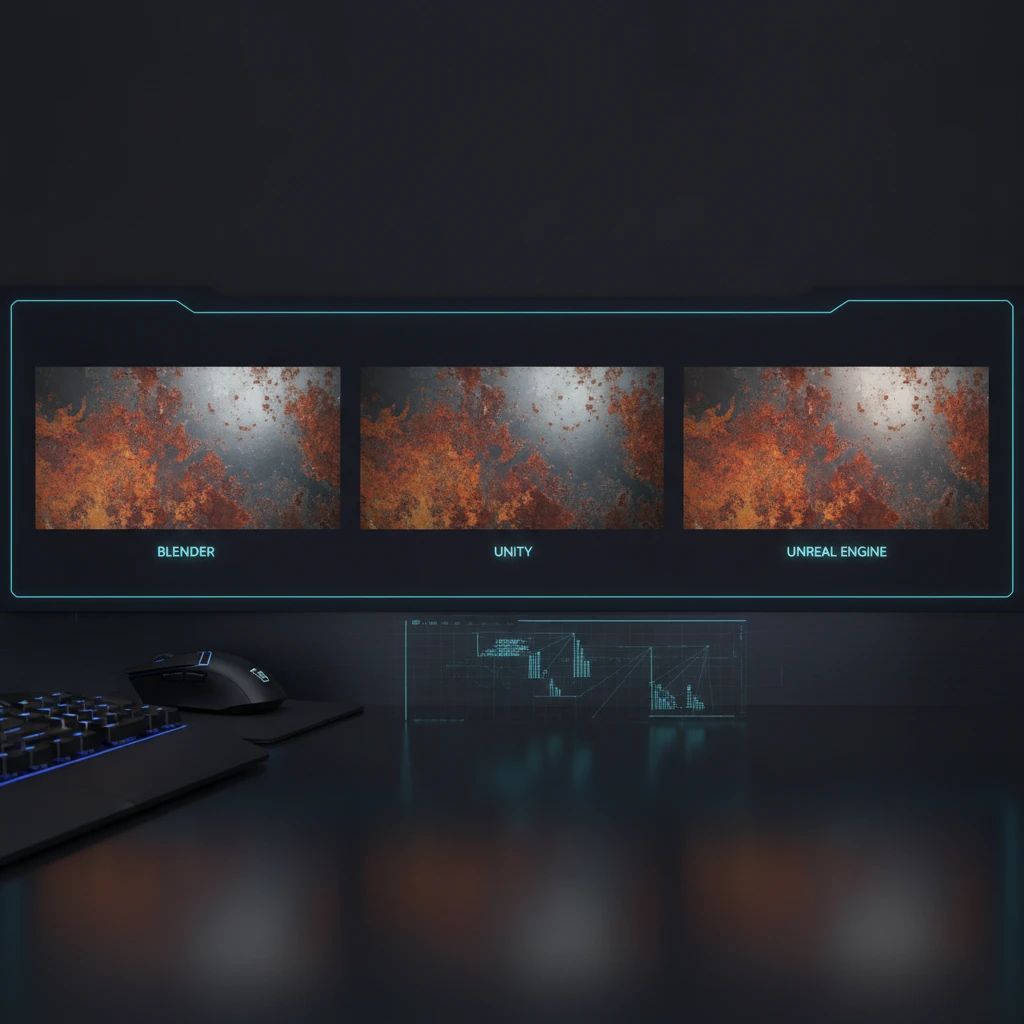
To truly grasp the impact of these differences, consider a common scenario: you've modeled and textured a rusty metal barrel in Blender, aiming for a specific grimy, weathered look. Real-world examples show that when this same asset is imported into Unity and Unreal Engine, it can look drastically different.
In Blender's Eevee or Cycles renderer, with carefully calibrated lighting, the barrel might exhibit deep, rich rust tones, with sharp metallic glints where the paint has chipped away. The roughness variations might be subtle, creating a realistic blend of dull and slightly reflective areas.
When imported into Unity (especially with a default URP setup), the rust might appear less saturated, perhaps a bit flatter. The metallic reflections could be softer or more uniform, losing some of the nuanced glints. This could be due to Unity's default color space handling, different light probe intensity, or a slightly varied interpretation of the roughness map.
Bringing the same asset into Unreal Engine might yield yet another distinct appearance. The rust could be more vibrant, almost glowing, with very sharp, almost mirror-like reflections on the metallic areas. This often stems from Unreal's more aggressive default post-processing, its specific tone mapping, or a different balance between specular and diffuse components in its shading model. The ambient occlusion might also be more pronounced, giving a heavier, darker look to crevices.
These aren't necessarily 'wrong' renderings, but they highlight how the same PBR data can lead to varied visual outcomes, requiring adjustments to achieve the desired aesthetic in each environment.
Strategies for Mitigating PBR Inconsistencies
While complete pixel-perfect parity across all engines is often an elusive dream (and not always necessary), you can significantly reduce discrepancies and achieve more consistent results with a structured approach.
Standardizing your material creation and export process is a critical step towards achieving cross-engine PBR consistency.
Standardizing Material Creation and Export
The first step towards consistency is establishing a robust and repeatable material creation process. This means:
Consistent Source Data: Whether you're using photos, scans, or generating textures from scratch, ensure your source material is high quality and processed consistently.
Defined PBR Workflow: Adhere to a clear PBR workflow for generating your map stack. This includes consistent naming conventions, resolution targets, and value ranges for your maps.
Engine-Specific Export Presets: Develop or utilize export presets tailored to each target engine's specific texture packing conventions and color space expectations. This is where a tool that understands these nuances can be invaluable.
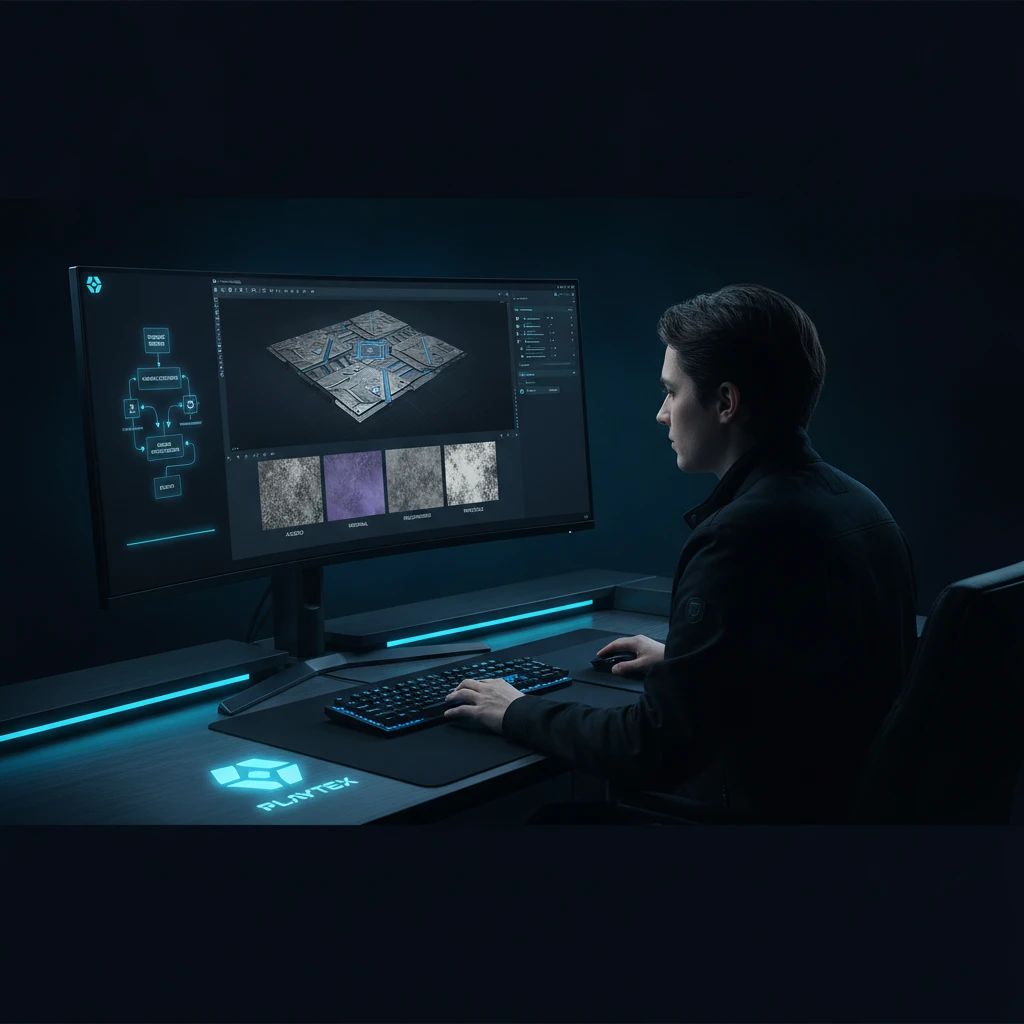
For instance, a production texture workflow in PLAYTEX AI involves a sequence of decisions, from source acquisition to engine packaging. It offers deterministic PBR map generation, ensuring that your base materials are created consistently every time. This foundational consistency is key to reducing downstream surprises. PLAYTEX AI's Image to Texture Generator can also convert photos, scans, and references into seamless game textures, providing a reliable starting point for your PBR assets.
Leveraging Engine-Specific Exports and Validation
Once your materials are created, the handoff to the engine is critical. This isn't just about dropping files into a folder; it's about packaging them correctly.
Targeted Packaging: Ensure your material exports account for the target engine's specific requirements. For example, Unreal Engine often benefits from ORM channel packing, while Unity's URP might have its own 'Mask Map' format.
Validation Context: Having a clear way to validate your materials within the context of the target engine, or at least with an understanding of its expected output, can save significant iteration time.
PLAYTEX AI supports multiple engine export paths and provides engine-target packaging, such as URP for Unity and ORM for Unreal. This takes the guesswork out of channel packing and ensures your maps are correctly interpreted. The platform also facilitates repeatable material handoff, which is crucial for maintaining consistency across a development team.
Consistent Review and Validation Across Teams
For larger teams or studios, inconsistencies can multiply quickly. Standardizing the entire material pipeline becomes paramount.
Centralized Material Library: A single source of truth for approved materials and textures ensures everyone is working from the same foundation.
Visible Review Context: When materials are reviewed, the context of their intended engine and lighting conditions should be clear.
Version Control: Tracking changes and understanding where approved materials are used across projects prevents accidental regressions.
For enterprise-level game studios, PLAYTEX AI aims to standardize material creation, validation, and handoff across teams. This includes features for repeatable map generation, visible review context, and a way to track approved materials after export, ensuring that quality assurance travels with every asset.
A Practical Workflow Checklist for PBR Consistency
To minimize PBR inconsistencies in your next project, consider adopting this checklist:
Define Your Target Engines: Understand the specific PBR implementations, color spaces, and texture packing conventions of your primary target engines from the outset.
Standardize Your Source: Use high-quality, consistent source images or generators. If using AI texture generation, ensure the output is calibrated for PBR workflows.
Generate PBR Maps with Precision: Use tools that offer deterministic and repeatable PBR map generation. Avoid manual tweaks that can't be easily replicated.
Pack Textures for Each Target: Create specific export presets for each engine, ensuring correct channel packing (e.g., ORM for Unreal, Mask Map for Unity).
Validate in Engine: Always test your materials in the actual target engine under various lighting conditions. Don't rely solely on your authoring software's preview.
Adjust, Don't Redo: Instead of re-texturing from scratch, make minor adjustments to material parameters or post-processing settings within the engine to match your vision.
Document Your Process: Keep clear notes on your PBR workflow, including any engine-specific adjustments, for future reference and team collaboration.
Conclusion
Navigating PBR inconsistencies across game engines is a persistent challenge, but it's far from insurmountable. By understanding the underlying technical differences in shading models, color spaces, and texture packing, and by adopting standardized, engine-aware workflows, you can significantly improve the consistency and visual fidelity of your game assets. Tools that provide deterministic map generation, tailored export paths, and enterprise-level standardization are becoming increasingly vital for studios aiming to ship high-quality, cross-platform experiences without constant re-work.
Sources and further reading
Primary documentation and research consulted for the claims in this article.