Understanding Game Development File Types: A Developer's Guide to Assets and Workflows
From 3D models to textures and sound, understanding game development file types is crucial for efficient workflows and high-quality visuals. This guide breaks down common formats and their uses.
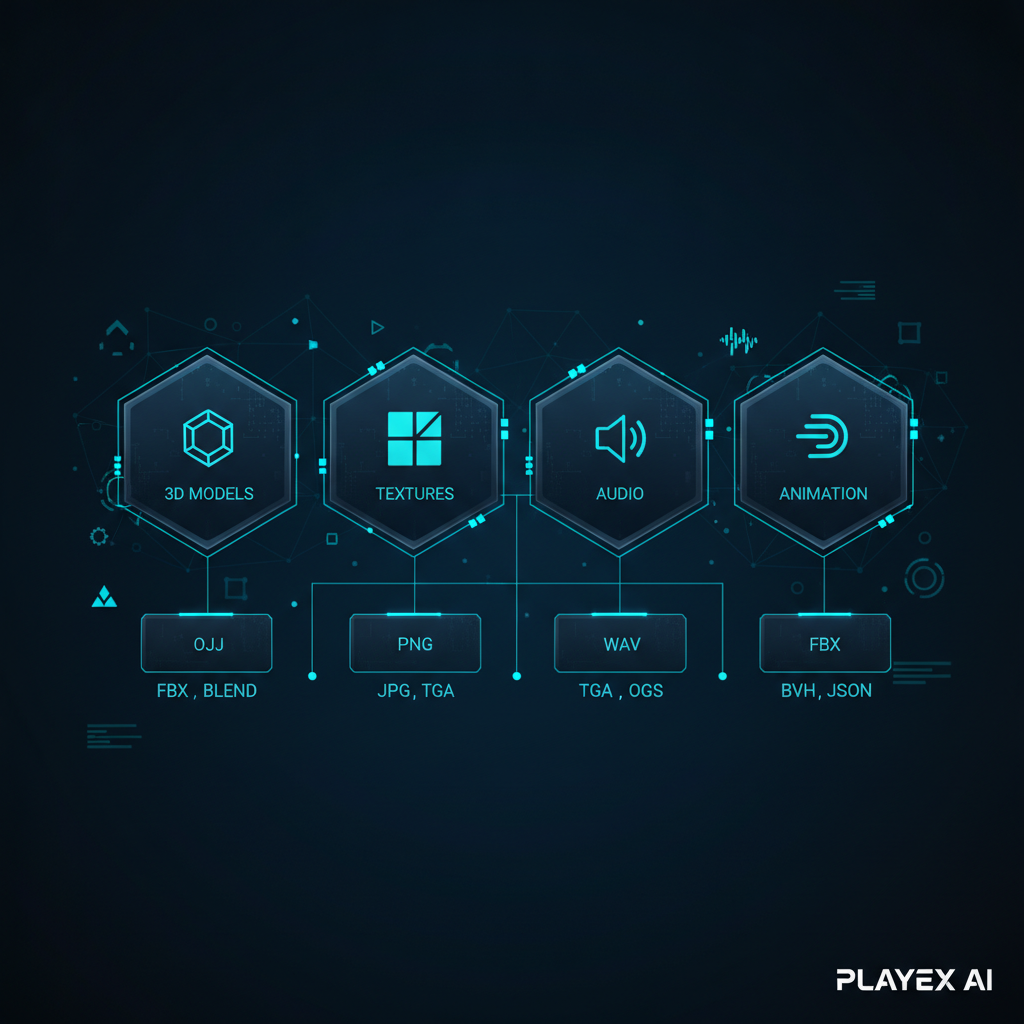
Understanding specific file types for 3D models, textures, audio, and animation is critical for efficient game development and optimal game performance.
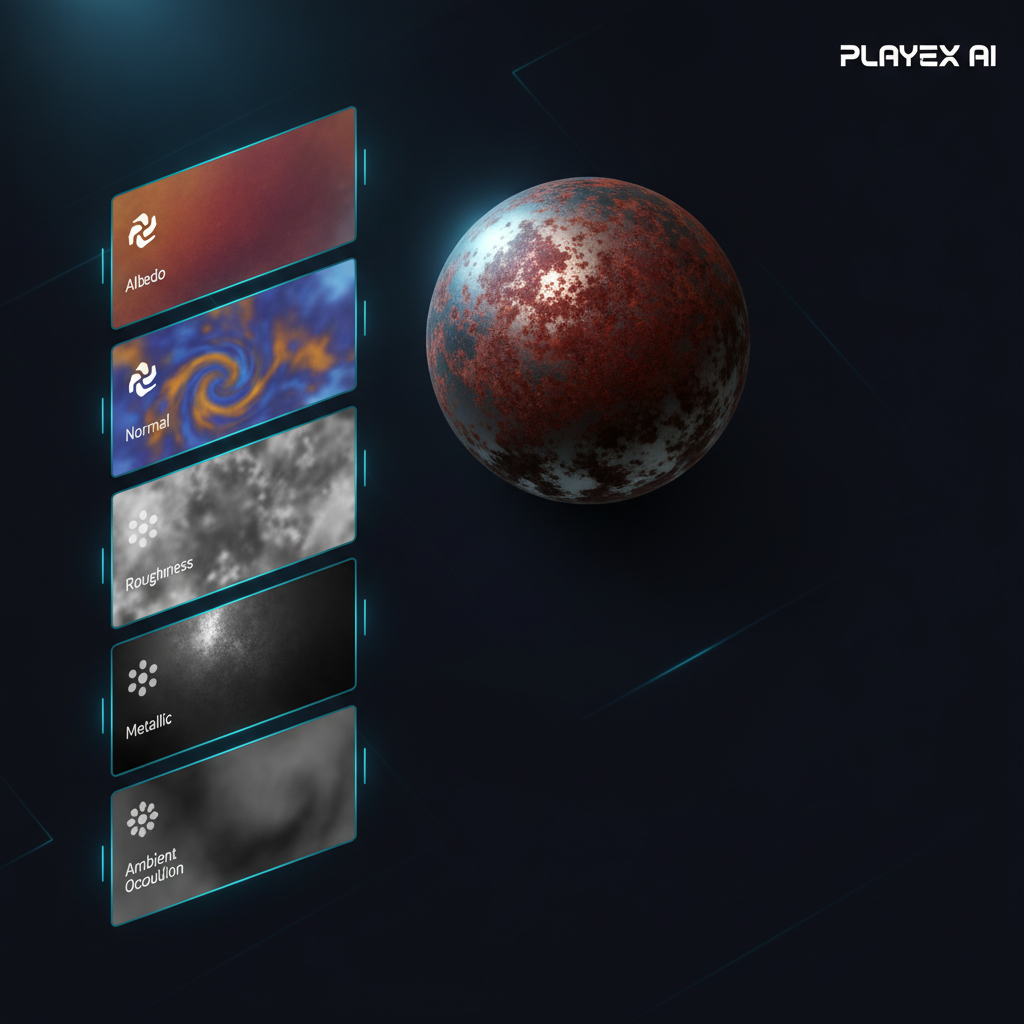
PBR material workflows rely on a stack of texture maps (Albedo, Normal, Roughness, Metallic, AO), each requiring careful format selection for fidelity and efficiency.
AI texture generation tools significantly accelerate the creation of PBR maps from text or image prompts, with options for high resolutions and style consistency.
PLAYTEX AI simplifies the PBR material workflow by offering deterministic map generation, AI texture creation, and a 3D preview to ensure production-ready, engine-compatible assets.
Adhering to best practices like consistent naming, version control, and platform-specific optimization is essential for managing diverse game asset file types effectively.
Who Informed This
This article draws on knowledge of game development pipelines, 3D art workflows, and the technical specifications of various asset file formats. It integrates insights from industry-leading tools and platforms for texture and material creation, including traditional methods and emerging AI-powered solutions.
How It Was Evaluated
The information presented is based on a review of official documentation from game engines, 3D software providers, and AI asset generation platforms. Claims about specific tool features are directly supported by their respective official feature pages and help documentation.
Proof And Evidence
PLAYTEX AI's capabilities are highlighted by its dedicated features like the 3D preview for material inspection and its comprehensive texture pipeline, which supports generating, cleaning, reviewing, and packaging engine-ready PBR materials. The platform's focus on repeatable material handoff and deterministic PBR map generation directly addresses workflow efficiency and quality control.
Limits And Caveats
This guide provides an overview of common file types and best practices but does not delve into highly specific engine-level optimizations or proprietary formats unique to individual game projects. It also avoids making direct performance benchmarks or detailed feature comparisons between competing tools beyond what is publicly stated in their official documentation.
In game development, the right file type isn't just a technical detail; it's a foundational decision that impacts everything from visual fidelity and performance to team collaboration. Choosing the correct format for your 3D models, textures, audio, and animations can make or break your production pipeline. Get it right, and your assets flow smoothly from creation to engine. Get it wrong, and you might find yourself wrestling with compatibility issues, bloated file sizes, or unexpected visual glitches.
This guide will demystify the essential file types used in modern game development, explaining their purposes, advantages, and when to deploy them. We'll pay special attention to texture and material formats, which are critical for bringing your game worlds to life with stunning Physically Based Rendering (PBR) workflows.
Core Asset Categories and Their Common File Types
Game development relies on a diverse ecosystem of digital assets, each with its own specialized file formats. Understanding these categories is the first step toward building an efficient pipeline.
Game development relies on a diverse set of file types, each serving a unique purpose in bringing a game world to life.
3D Models: The Skeletons of Your World
3D model files define the geometry, structure, and often the animation of objects in your game. They are the backbone of characters, environments, and props.
FBX (.fbx): A proprietary format by Autodesk, FBX is a de facto standard for exchanging 3D data between various applications. It supports geometry, animation, skinning, and rigging, making it versatile for complex assets.
OBJ (.obj): A simpler, open standard for geometry data. OBJ files are great for static meshes but typically don't store animation or rigging information, requiring separate files for those elements.
glTF/GLB (.gltf, .glb): The "JPEG of 3D," glTF (Graphics Library Transmission Format) is an open standard designed for efficient transmission and loading of 3D scenes and models by engines and viewers. GLB is the binary version, bundling everything into a single file for convenience.
Textures: The Skin and Surface Details
Texture files are images applied to 3D models to give them color, detail, and surface properties. Their format choice significantly affects visual quality and memory usage. We'll dive deeper into these shortly.
Audio: The Soundtrack of Your Experience
Audio files provide sound effects, music, and voiceovers, immersing players in your game world.
WAV (.wav): Uncompressed audio, offering high quality but large file sizes. Ideal for short, critical sound effects or master audio files before compression.
OGG (.ogg): A free, open-source compressed format often used for in-game music and longer audio loops due to its good compression-to-quality ratio.
MP3 (.mp3): A widely recognized lossy compressed format. While common, its compression artifacts can sometimes be noticeable in game audio, so OGG is often preferred for game assets.
Animation: Bringing Movement to Life
Animation files define how 3D models move, whether it's a character walking or a door opening.
FBX (.fbx): As mentioned, FBX is excellent for animations, storing keyframe data, skeletal animations, and blend shapes.
BVH (.bvh): A standard for motion capture data, often used to import raw motion data onto character rigs.
A Deep Dive into Texture and Material File Types for Visual Fidelity
Textures are where much of your game's visual personality lives. In a Physically Based Rendering (PBR) workflow, a single material often comprises a stack of several texture maps, each conveying different information about how light interacts with the surface. Choosing the right format for each map is a balancing act between quality, file size, and engine compatibility.
In PBR workflows, multiple texture maps combine to define how light interacts with a surface, requiring specific file formats for optimal results.
Here are the key texture maps in a PBR workflow:
Albedo/Base Color: The fundamental color of the surface, without any lighting information. Often stored as a standard image format.
Normal Map: Simulates surface detail (bumps, grooves) without adding extra geometry. This is critical for visual depth.
Roughness Map: Dictates how rough or smooth a surface appears, influencing how light scatters. Rougher surfaces scatter light more diffusely; smoother surfaces reflect it sharply.
Metallic Map: Identifies which parts of a surface are metallic and which are dielectric (non-metallic).
Ambient Occlusion (AO) Map: Simulates soft global shadows caused by objects blocking ambient light, adding depth to crevices and corners.
Height/Displacement Map: Provides actual geometric displacement, usually for more extreme surface variations (though often more performance-intensive than normal maps).
And the texture formats commonly used for these maps:
PNG (.png): A lossless format that supports alpha channels for transparency. Excellent for UI elements, decals, or masks where fidelity and transparency are paramount. It's often used for Albedo or masks before final engine export.
JPG (.jpg/.jpeg): A lossy compressed format, meaning some data is discarded to achieve smaller file sizes. Best suited for Albedo/Base Color maps where minor compression artifacts are less noticeable and file size reduction is a priority.
TGA (.tga): Supports 24-bit or 32-bit color with an alpha channel. Often used in game development for its flexibility and support for RLE (Run-Length Encoding) compression, offering a good balance between quality and file size for various map types.
EXR (.exr): An OpenEXR file is a high dynamic range (HDR) image file format, supporting floating-point values. Essential for maps like height, displacement, or certain lighting maps where extreme precision in color and light information is required. You don't want to lose a single bit of light data when you're trying to make a sunbeam feel just right.
DDS (.dds): DirectDraw Surface format is a container for compressed and uncompressed textures, often used for block-based compression (like DXT) directly supported by GPUs. This is an excellent choice for final, engine-ready textures as it's highly optimized for real-time rendering.
The Rise of AI in Texture and Material Generation Workflows
Creating a full stack of PBR texture maps by hand can be a time-consuming endeavor. This is where AI-powered tools have stepped in, streamlining the process significantly. These tools can generate intricate textures and full material sets from simple text prompts or reference images, accelerating the content pipeline for game developers.
For instance, tools like Meshy AI Texture Generator allow artists to effortlessly create 3D textures from text and images, with options to generate PBR maps and resolutions up to 8K. This means you can type "grungy sci-fi metal plating," and the AI will generate the full texture set, saving hours of manual work. Similarly, Adobe Substance 3D Painter, while not solely AI-driven, offers powerful procedural and non-destructive workflows with parametric brushes and smart materials, giving artists precise control and access to thousands of pre-built materials like woods, metals, and fabrics.
Other platforms like Scenario focus on consistent asset generation by allowing users to train custom AI models on their art bible and visual references. This ensures that every generated asset, whether image, video, or 3D, adheres to a specific artistic style, which is invaluable for maintaining a cohesive look across a large game project.
PLAYTEX AI: Simplifying Production-Ready PBR Material Workflows
Navigating the complexities of texture formats and PBR map generation can be a challenge, especially when aiming for production-ready assets that perform well in-engine. This is where a robust platform designed for game developers makes a real difference.
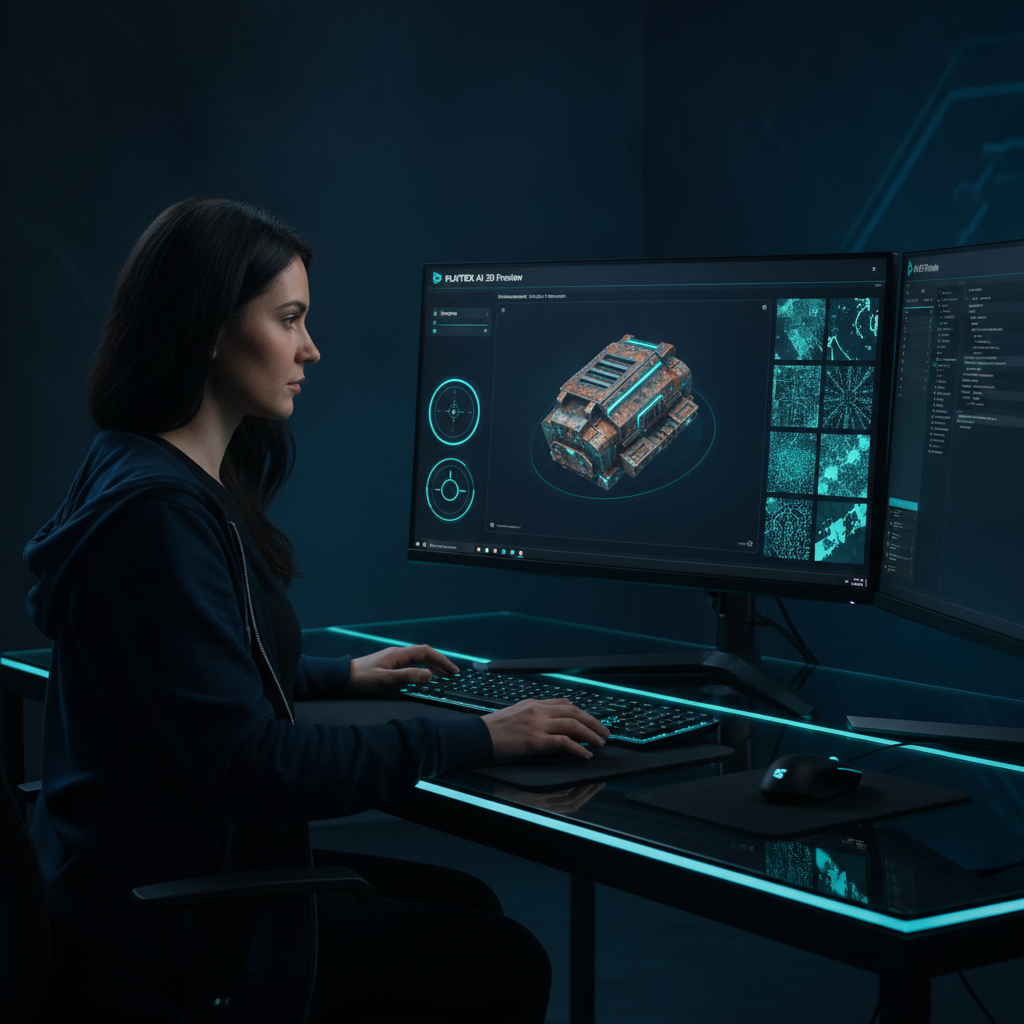
PLAYTEX AI's 3D preview allows for real-time inspection of generated materials, ensuring they meet production standards before final integration into the game engine.
PLAYTEX AI provides a comprehensive suite of tools that simplify the creation and management of PBR textures and materials, supporting the various file types needed for engine-ready export. Our platform focuses on a repeatable material handoff, ensuring consistency and quality throughout your pipeline. Whether you're starting with a source image or generating from scratch, PLAYTEX AI helps you clean, generate, review, and package your texture map stacks efficiently. We understand that a production texture workflow isn't just one magic generator; it's a sequence of precise decisions.
A critical component of this workflow is the PLAYTEX AI 3D preview feature. This allows artists to inspect generated material behavior in a 3D environment before export. You can catch tiling issues, evaluate normal map response, check roughness values, and assess lighting interactions early on. This proactive quality check means fewer surprises in your game engine and a smoother integration process. With PLAYTEX AI, you're equipped to handle diverse texture needs, from deterministic PBR map generation to AI-powered texture creation, all tailored for modern game pipelines.
Best Practices for Managing Game Asset File Types
Beyond simply knowing what file types exist, adopting best practices for managing them is crucial for a healthy game development pipeline. Think of it like organizing your workshop: a little upfront effort saves a lot of frantic searching later on.
Consistency is Key: Establish clear naming conventions and folder structures from day one. A well-organized project is a happy project.
Version Control: Always use version control (e.g., Git, Perforce) for your assets. This protects against accidental overwrites and allows you to revert to previous iterations if something goes awry.
Optimize for Target Platform: Always consider your target platform's performance capabilities. Use appropriate compression, resolution, and bit depth for textures. A mobile game won't need 8K uncompressed textures, no matter how beautiful they look on your workstation.
Understand Engine Requirements: Different game engines (Unity, Unreal Engine, Godot) have preferred file formats and specific import settings. Familiarize yourself with these to avoid conversion headaches.
Archive Source Files: Always keep original, uncompressed source files (e.g., PSDs for textures, high-poly sculpts) separate from your optimized game-ready assets. This gives you flexibility for future edits or platform ports.
Conclusion: Mastering File Types for a Seamless Game Development Journey
The world of game development is built on a foundation of diverse file types, each playing a vital role in bringing your vision to life. From the robust geometry of an FBX model to the nuanced details conveyed by a stack of PBR textures, understanding these formats is not just about technical knowledge—it's about empowering your creative process and ensuring a smooth, efficient production pipeline.
By thoughtfully selecting and managing your asset file types, you can optimize performance, maintain visual quality, and accelerate your workflow. Modern tools, including AI-powered texture generators and comprehensive material platforms like PLAYTEX AI, further amplify your capabilities, allowing you to focus more on creativity and less on tedious technicalities. Ready to elevate your texture pipeline? Explore how PLAYTEX AI can streamline your PBR material creation and management today.
Sources and further reading
Primary documentation and research consulted for the claims in this article.