Normal-map QA video · 35 seconds
Five normal-map mistakes that make materials look wrong
Spot inverted green channels, sRGB sampling, misaligned UVs, excessive strength, and invalid rotation before a normal map reaches production.
Reviewed by the PLAYTEX AI Editorial Team · Updated
Direct answer
What should you do?
The most common failures are the wrong Y convention, treating vector data as sRGB color, changing crop or orientation without transforming tangent vectors, using strength to hide a bad height source, and approving the map from one fixed light. Diagnose each with a neutral material and a moving white light.
Video chapters
-
0:00 — Establish the expected surface
Know what the source should look like before diagnosing vectors.
-
0:05 — Match the source and convention
Separate source mode from the renderer normal Y convention.
-
0:10 — Inspect the normal within the full stack
Look for alignment, color-space, and channel-role errors.
-
0:16 — Tune strength under moving light
Use response, not purple appearance, to judge direction and intensity.
-
0:22 — Preserve deterministic transforms
Rotate or convert vectors with a normal-aware operation.
-
0:27 — Verify the engine import
Confirm convention and data sampling in the actual renderer.
Step-by-step implementation
- Confirm tangent space. Verify the file is a tangent-space normal rather than object-space data or an ordinary purple image.
- Check the Y convention. Test OpenGL Y+ and DirectX Y- with a moving light; record the chosen source and output conventions.
- Check import and transforms. Disable sRGB, use the renderer normal role, and apply vector-aware rotation or channel conversion.
- Validate strength and seams. Inspect grazing light, tile boundaries, mirrored UVs, and compression at the target camera distance.
Key decisions
- A green-channel flip converts Y convention; it does not repair every inverted-looking normal.
- Tangent-space normal maps are vector data and should not be sampled as sRGB color.
- Rotating the bitmap without rotating encoded X/Y vectors changes the represented surface direction.
- The final truth is the material response under moving light in the target renderer.
Key frames and map details
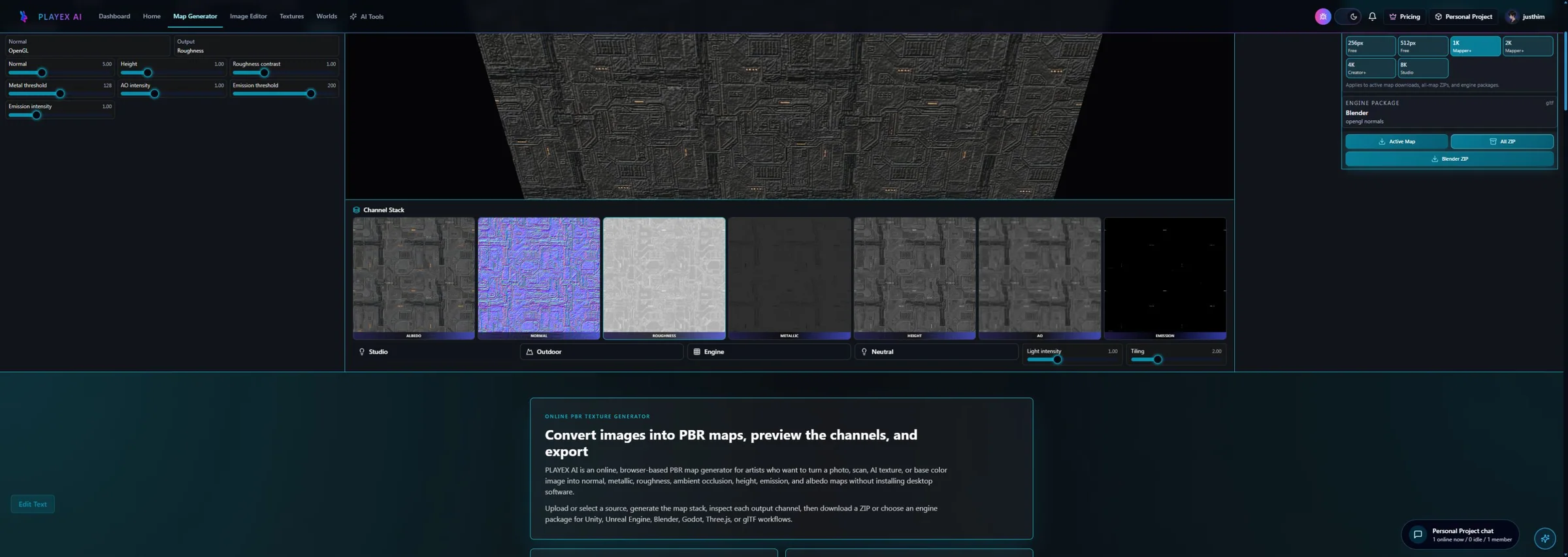
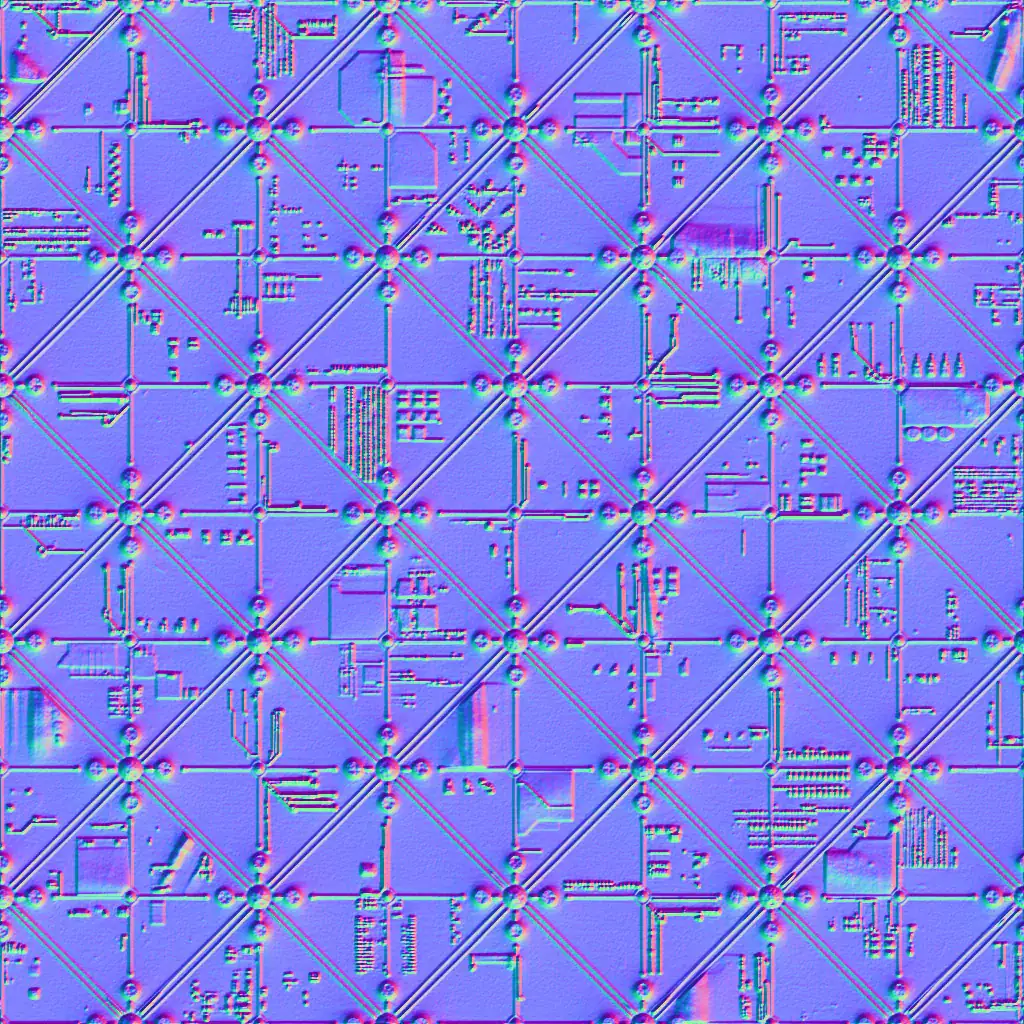
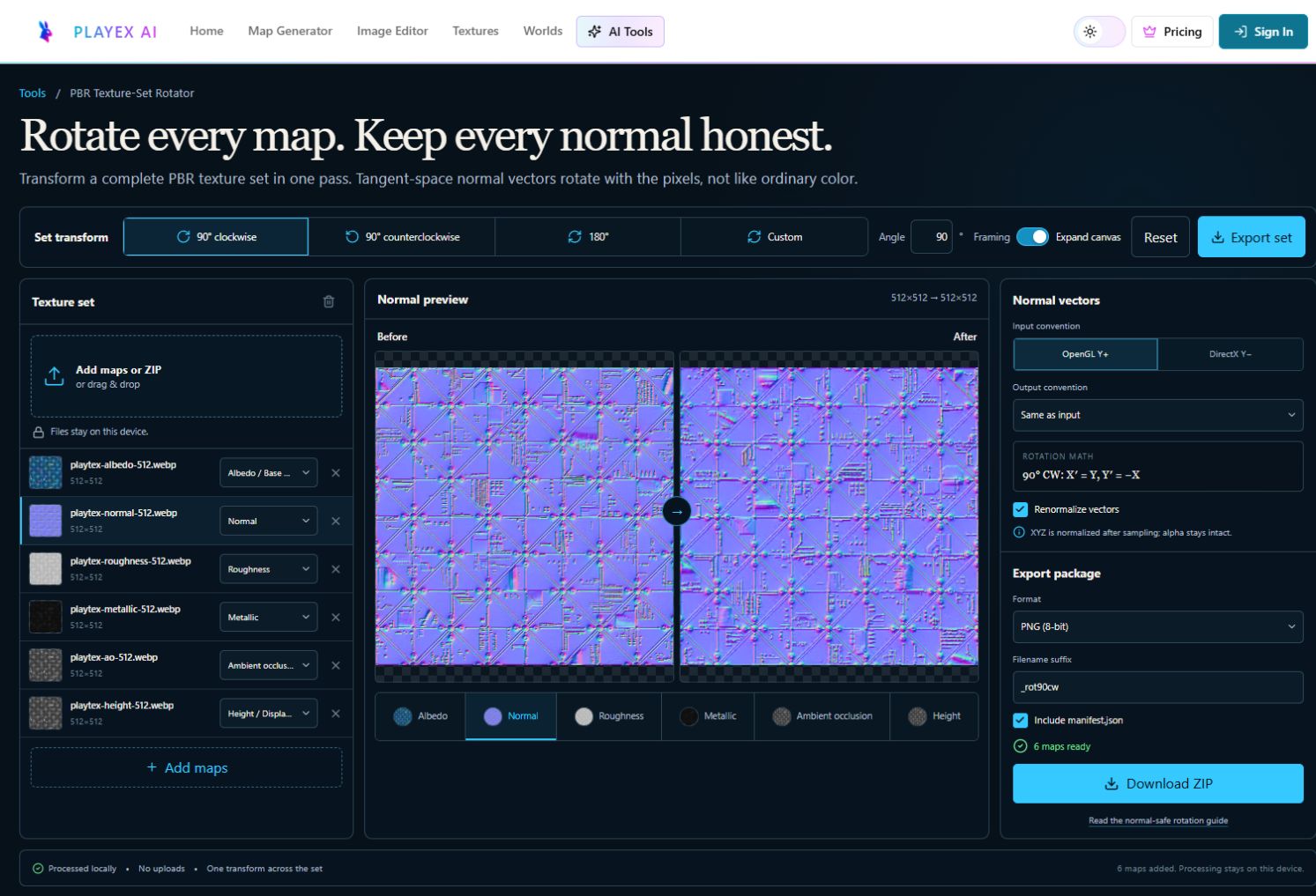
Sample and code/configuration
- Download the normal-map checklist (JSON) — Convention, color-space, transform, seam, compression, and renderer checks.
- Download the normal sample (WEBP) — OpenGL Y+ tangent-space reference for the validation steps.
Vector-aware 90° clockwise transform
Decode RGB to tangent vector X, Y, Z.
Normalize the input convention to canonical Y+.
For 90° clockwise: X' = Y; Y' = -X; Z' = Z.
Renormalize, encode the requested output convention, then preserve alpha.
How to know the result is correct
Use a neutral gray material, zero metallic, medium roughness, and one movable white light. Features should bulge and recede consistently from every light direction, seams should remain closed, and the same convention must survive the actual engine importer.
Video transcript
0:00 Begin with one source and a known material response.
0:05 Image, procedural, and hybrid source choices stay separate from normal-map convention.
0:10 Inspect the normal map alongside albedo, roughness, metallic, AO, height, and emission.
0:16 Tune normal strength while the physical response updates under light.
0:22 Repeatable settings keep conversion and rotation choices reviewable.
0:27 Export for the destination renderer and perform the final convention check there.