AI sky / HDRI generation comparison
PLAYTEX AI vs Skybox AI by Blockade Labs: A world generator or a delivery workflow?
Both products can turn a prompt or reference into a 360-degree environment. Skybox AI is the deeper world-generation product, with Remix, editing, API automation, and a wider export menu. PLAYTEX AI connects sky creation to game delivery—especially exact Roblox cubemap faces, pole rotations, setup Luau, a manifest, and the surrounding optimization workflow.
Short answer: Choose Skybox AI for mature 360-degree concepting, remix, model-dependent high-resolution outputs, and API automation. Choose PLAYTEX AI when the generated panorama must move directly into a practical game-engine package, particularly Roblox, or live beside the rest of a texture-production toolchain.
Fact-checked against primary sources. Reviewed by PLAYTEX AI Editorial Team.
Choose PLAYTEX AI when
You need a reviewed 2:1 panorama, a straightforward PNG or Radiance HDR compatibility export, and destination handoff—including a Roblox ZIP with exact face names, corrected Up/Down orientation, Luau, manifest, and import notes.
Choose Skybox AI when
You need a more mature 360-degree generation workspace with Remix, horizon/style controls, higher paid resolutions on supported models, depth/video/mesh outputs, or a documented production API.
What the current first-party sources change
Skybox AI has the broader documented output surface
Its API export documentation lists PNG, HDRI in EXR or HDR, depth maps, cube maps, video, and GLB. Availability and resolution depend on the selected model; the current docs say Model 4 does not yet expose cube-map or GLB export.
Remix is a meaningful differentiator
Skybox AI can ingest a 2:1 image up to 50 MB and reinterpret its style, weather, or time of day while preserving more or less of the original structure through an influence control.
Free access is preview-only; export starts on a paid plan
The plan page currently lists five free credits with preview access but no exports. At the August 25, 2026 check, paid annual rates started at $20 per seat per month and month-to-month rates at $24; credits, resolution, API access, and export features increase by tier.
PLAYTEX AI owns a narrower but unusually complete Roblox handoff
PLAYTEX AI projects the approved 2:1 panorama into six faces, bakes the required Up and Down rotations, names the images SkyboxBk/Dn/Ft/Lf/Rt/Up, and includes setup Luau, a manifest, and import notes in the ZIP.
PLAYTEX AI vs Skybox AI decision matrix
“Best fit” means the more direct workflow for this criterion, not a universal quality ranking.
| Decision | PLAYTEX AI | Skybox AI | Best fit |
|---|---|---|---|
| Prompt or image → 360 world | Text- or image-led panorama generation with a focused 360 review and delivery path. | Core workspace with prompt/style controls, Remix, horizon controls, history, projects, and an Explore starting point. | Leans Skybox AI |
| Remix an existing panorama | Can start from an image, but is not positioned as a full semantic world-remix editor. | Dedicated 2:1 upload and Remix flow with style, weather, time-of-day, and structure influence controls. | Leans Skybox AI |
| HDR lighting output | Exports PNG and Radiance HDR compatibility files; engine packs can include estimated lighting data. This is not a claim of bracketed photographic radiometry. | Documents HDRI export as EXR or HDR on supported plans and models. | Leans Skybox AI |
| Roblox-ready six-face package | Exact face naming, cube projection, corrected Up/Down rotations, Luau, manifest, import notes, and ZIP. | Documents cube-map export on supported models, but not the same Roblox-specific naming and setup bundle. | Leans PLAYTEX AI |
| API and unusual output formats | Evaluate the current PLAYTEX AI API surface against the exact production requirement. | Documented API plus model-dependent depth, cube-map, video, and GLB exports. | Leans Skybox AI |
| Connected material-production tools | The sky workflow sits beside image-to-texture, seven-map PBR, preflight, VRAM analysis, engine conversion, and World Builder tools. | Deeper within sky/world generation, but not a general game-texture preparation suite. | Leans PLAYTEX AI |
| Cost for exported output | Free and paid PLAYTEX AI plans cover a broader tool suite; live pricing and entitlements are authoritative. | Free credits are preview-only; export and higher resolutions require a paid per-seat plan. | Depends on the task |
Interface and output evidence
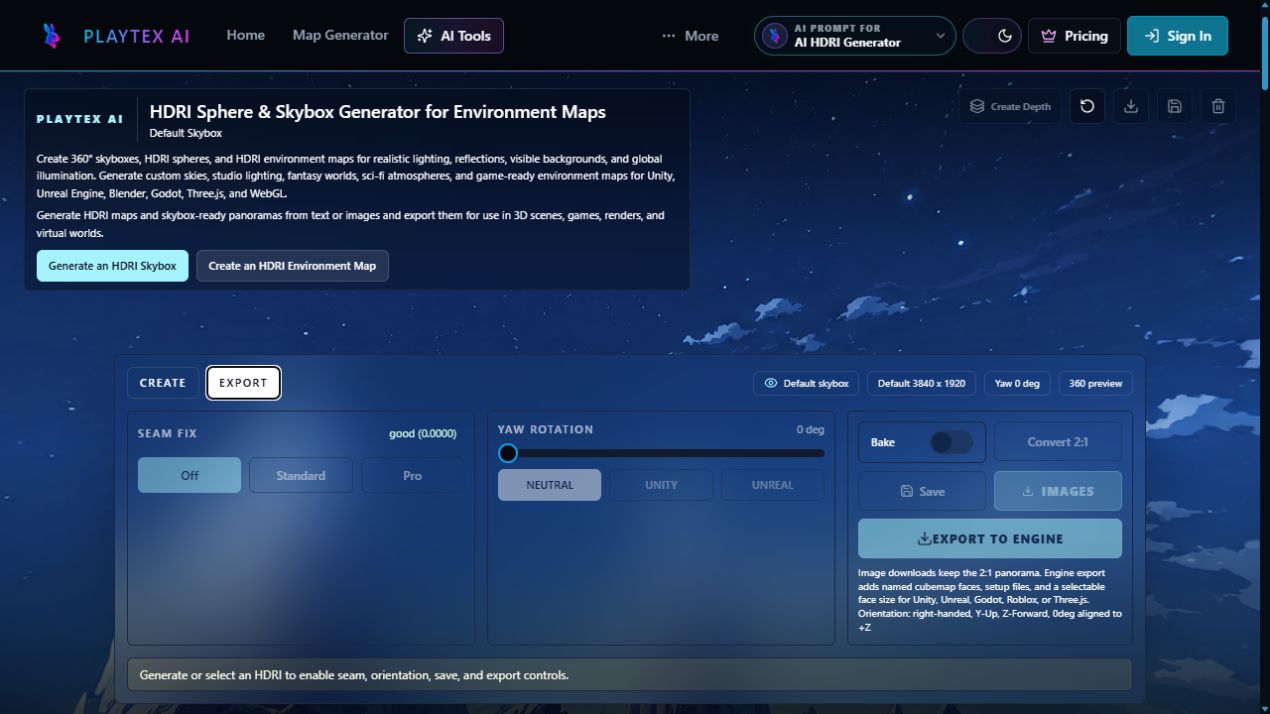
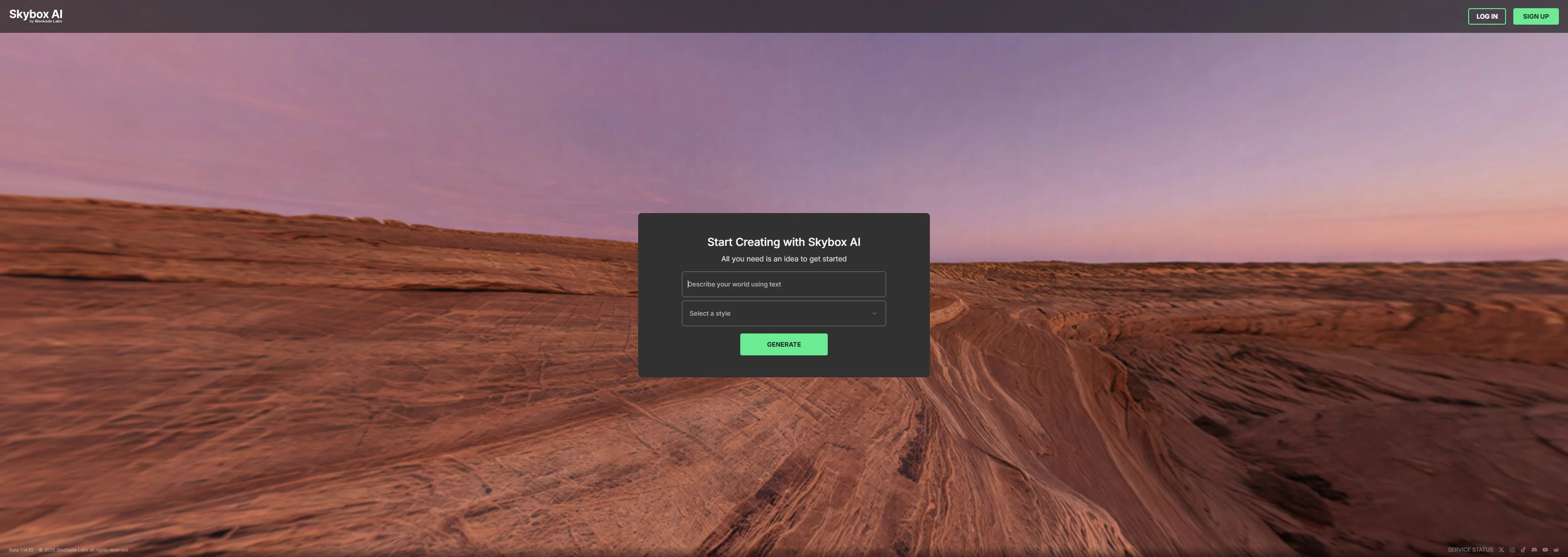
Workflow anatomy
PLAYTEX AI: Panorama → reviewed engine sky
- Generate or bring a panorama. Start from text, a reference image, or an existing reviewed 2:1 equirectangular environment.
- Inspect the complete wrap. Review the horizon, seam, poles, exposure, and scene direction in the 360-degree viewer before export.
- Choose the delivery format. Export the panorama as PNG or a Radiance HDR compatibility file, or prepare a destination-oriented engine package.
- Build the Roblox sky package. Project six PNG faces, apply the required Up and Down rotations, and export exact SkyboxBk/Dn/Ft/Lf/Rt/Up names with Luau, manifest, and import notes.
- Validate in the destination. Check orientation, seam continuity, lighting behavior, texture memory, compression, and import settings in the actual engine.
Skybox AI: AI sky / HDRI generation workflow
- Describe the world. Write the environment prompt, choose a generation style, and use negative prompting or prompt guidance where useful.
- Generate and inspect in 360. Navigate the immersive viewer and judge the horizon, poles, composition, seam, and visual direction.
- Remix or correct the result. Change style, weather, time of day, or structural influence; use current horizon and edit tools where the plan exposes them.
- Choose a model-dependent export. Request PNG, HDR/EXR, depth, cube-map, video, or GLB output only where the selected model and plan support it.
- Integrate manually or through the API. Bring the files into the destination workflow or automate supported generation and export through the documented API.
How the connected PLAYTEX AI tools hand off the work
AI HDRI Generator
Create and review a complete 2:1 environment from text or an image, then export PNG or Radiance HDR compatibility files.
Roblox Skybox Generator
Convert a panorama into six correctly named faces with baked pole rotations, Luau, manifest, and import notes.
Texture Budget & VRAM Analyzer
Estimate decoded memory and mip cost for large panorama or cubemap images before they reach a player device.
World Builder
Review the environment in the broader browser scene workflow before the final engine handoff.
Choose from the production task
| Real task | Start with | Why |
|---|---|---|
| Explore ten versions of a fantasy 360 world and remix the best composition | Skybox AI | Remix and the broader creative workspace are central to the product. |
| Turn one approved panorama into a correctly oriented Roblox Sky object package | PLAYTEX AI | The exact face names, pole rotations, Luau, manifest, and import notes remove a fragile manual handoff. |
| Automate 360 generation and depth exports from an internal application | Skybox AI | The published API and output endpoints are the clearer documented fit. |
| Create the sky and then optimize the rest of the game-material payload | PLAYTEX AI | HDRI, texture capture, PBR maps, VRAM estimates, preflight, and engine packages live in one broader tool family. |
| Concept in one product and package for Roblox in another | Use both | Download a licensed 2:1 Skybox AI result, then use PLAYTEX AI for orientation, naming, setup files, and final engine validation. |
When the answer is both
The products fit together cleanly when Skybox AI owns world ideation and PLAYTEX AI owns the deterministic destination handoff.
- Create and remix in Skybox AI. Develop the environment until the horizon, lighting direction, and scene content are approved.
- Export a licensed 2:1 source. Choose a supported format and resolution, and retain the plan/output provenance with the file.
- Package in PLAYTEX AI. Review the panorama, create the Roblox faces or engine package, and keep the manifest and setup instructions with it.
- Validate in the real scene. Check orientation, seams, lighting response, compression, memory, and device performance in the target engine.
Limitations and evidence
PLAYTEX AI limitation
PLAYTEX AI is not claiming the same semantic Remix depth, 16K plan ceiling, API maturity, or output breadth as Skybox AI. Its Radiance HDR files are compatibility exports with estimated lighting behavior, not measured multi-exposure captures.
Skybox AI limitation
Skybox AI features, resolutions, credit cost, API access, and export types vary by model and plan. A cube-map export is not automatically a correctly named and oriented Roblox package, so target-specific validation still remains.
Primary sources checked August 25, 2026
- Skybox AI live product — Public generation workspace, viewer, prompt, style, and current product identity.
- Skybox AI plans — Free preview limits, paid plan prices, credits, resolutions, and API/export access checked August 25, 2026.
- Skybox AI interface overview — Viewer, prompt bar, Create, Remix, experimental 3D, dashboard, history, and Explore behavior.
- Skybox AI Remix documentation — 2:1 upload, file limit, style, weather, time of day, and structure influence.
- Skybox AI API export documentation — PNG, HDRI, depth, cube-map, video, GLB, resolution, and model-dependent availability.
- PLAYTEX AI Roblox Skybox Generator — Documented face naming, cube projection, Up/Down correction, Luau, manifest, and ZIP output.
PLAYTEX AI vs Skybox AI questions
Is Skybox AI the same company as SkyBox Labs?
No. Skybox AI is a 360-degree generation product from Blockade Labs. SkyBox Labs is an unrelated game-development and co-development studio. This page compares the Blockade Labs product.
Which product is better for Roblox skyboxes?
PLAYTEX AI is the more direct documented workflow when the goal is a Roblox-ready package because it creates all six named faces, bakes the Up and Down rotations, and includes setup Luau, a manifest, and import notes.
Which product has the stronger 360 editor and API?
Skybox AI. Its current documentation covers Remix, horizon and workspace controls, projects/history, a production API, and a broader model-dependent export list.
Can I generate in Skybox AI and export through PLAYTEX AI?
Yes, if your Skybox AI plan and output license allow the download. Export a 2:1 panorama, preserve its provenance, then use PLAYTEX AI for the target package and validate the result in the destination engine.
Test the comparison with a real asset
Use the same source, destination, and acceptance criteria. Compare iteration time, output coverage, provenance, memory, and engine handoff—not a landing-page promise.
Search every comparison · Browse every PLAYTEX AI tool · Check live pricing