Photographic HDRI library comparison
PLAYTEX AI vs Poly Haven HDRIs: Generate a unique world or download a real one?
PLAYTEX AI generates art-directed 360-degree environments and packages them for game workflows. Poly Haven publishes human-made, photo-based, unclipped HDRIs at 16K or higher under CC0. One is a generator and delivery path; the other is a production-grade public asset library.
Short answer: Choose Poly Haven when realistic image-based lighting, high resolution, an unrestricted CC0 license, and immediate download matter more than uniqueness. Choose PLAYTEX AI when the world must match a new art direction or needs a direct engine and Roblox packaging path. A strong pipeline can use both.
Fact-checked against primary sources. Reviewed by PLAYTEX AI Editorial Team.
Choose PLAYTEX AI when
You need a specific imagined environment from text or an image, want to review the 360-degree wrap, or need exact engine-oriented output such as a six-face Roblox package with setup files.
Choose Poly Haven when
You need a real photographed environment, unclipped lighting, 16K-or-higher source quality, EXR/HDR downloads, and CC0 rights without signup or a generation credit.
What the current first-party sources change
Poly Haven’s license is exceptionally permissive
Its HDRIs, textures, and models are CC0: commercial use is allowed, attribution is not required, and no signup or paywall is required for individual asset downloads.
The HDRI standard is built around real lighting capture
Poly Haven’s published requirements accept photo-based HDRIs rather than virtual renders, require at least 16K horizontal resolution, demand unclipped data, and specify a fully linear workflow with reference-chart capture.
The library is broad and immediately downloadable
The current HDRI directory exposes hundreds of outdoor, sky, indoor, studio, sunrise/sunset, night, nature, and urban environments, generally with multiple resolutions and EXR or HDR choices.
The optional Blender add-on solves a different convenience problem
Individual website assets remain free. Poly Haven separately offers a Blender Asset Browser add-on, currently documented at $69 one-time or through $5/month Patreon support, with resolution switching and HDRI strength/rotation controls.
PLAYTEX AI vs Poly Haven decision matrix
“Best fit” means the more direct workflow for this criterion, not a universal quality ranking.
| Decision | PLAYTEX AI | Poly Haven | Best fit |
|---|---|---|---|
| Primary job | Generate a new art-directed 360 environment and move it toward a game engine. | Find and download an existing human-made photographic HDRI from a public library. | Depends on the task |
| Lighting fidelity | Generated panorama with Radiance HDR compatibility and estimated lighting behavior; not a measured bracketed capture. | Photo-based, unclipped, linear HDRI standard intended for realistic image-based lighting. | Leans Poly Haven |
| Uniqueness and art direction | Prompt/reference-led creation for worlds that do not already exist in a catalog. | Choose from captured locations and conditions; no semantic prompt remix in the library itself. | Leans PLAYTEX AI |
| Resolution | Resolution follows the current generator/plan and should be checked against the live export controls. | Published standard starts at 16K horizontal, with assets commonly downloadable at several lower resolutions too. | Leans Poly Haven |
| License and access | Commercial rights and privacy follow the selected PLAYTEX AI plan and published terms. | CC0, free individual downloads, no signup, commercial use allowed, and no attribution required. | Leans Poly Haven |
| Roblox delivery | Six named faces, corrected pole rotations, Luau, manifest, import notes, and ZIP. | Provides the 2:1 HDRI source; Roblox-specific cube projection and setup remain downstream work. | Leans PLAYTEX AI |
| Blender workflow | Exports environment files for downstream assembly and broader engine packages. | Direct downloads plus an optional Asset Browser add-on with resolution, strength, and rotation controls. | Leans Poly Haven |
Interface and output evidence
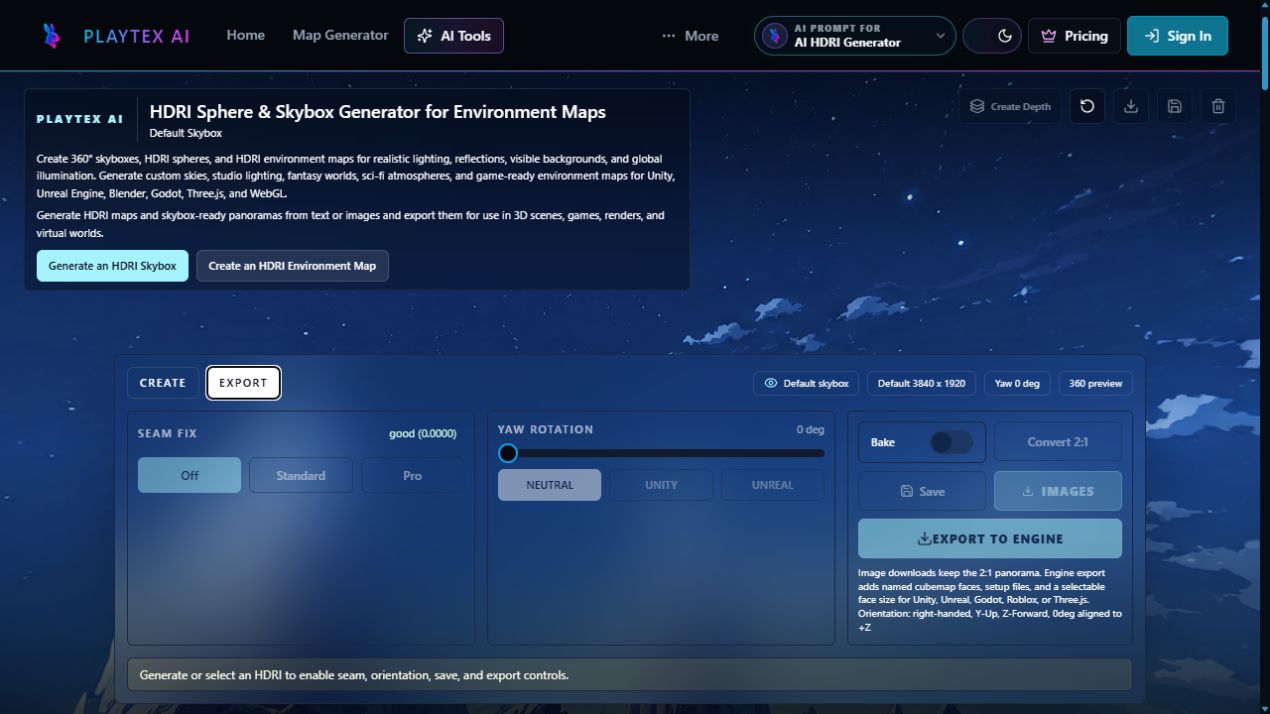
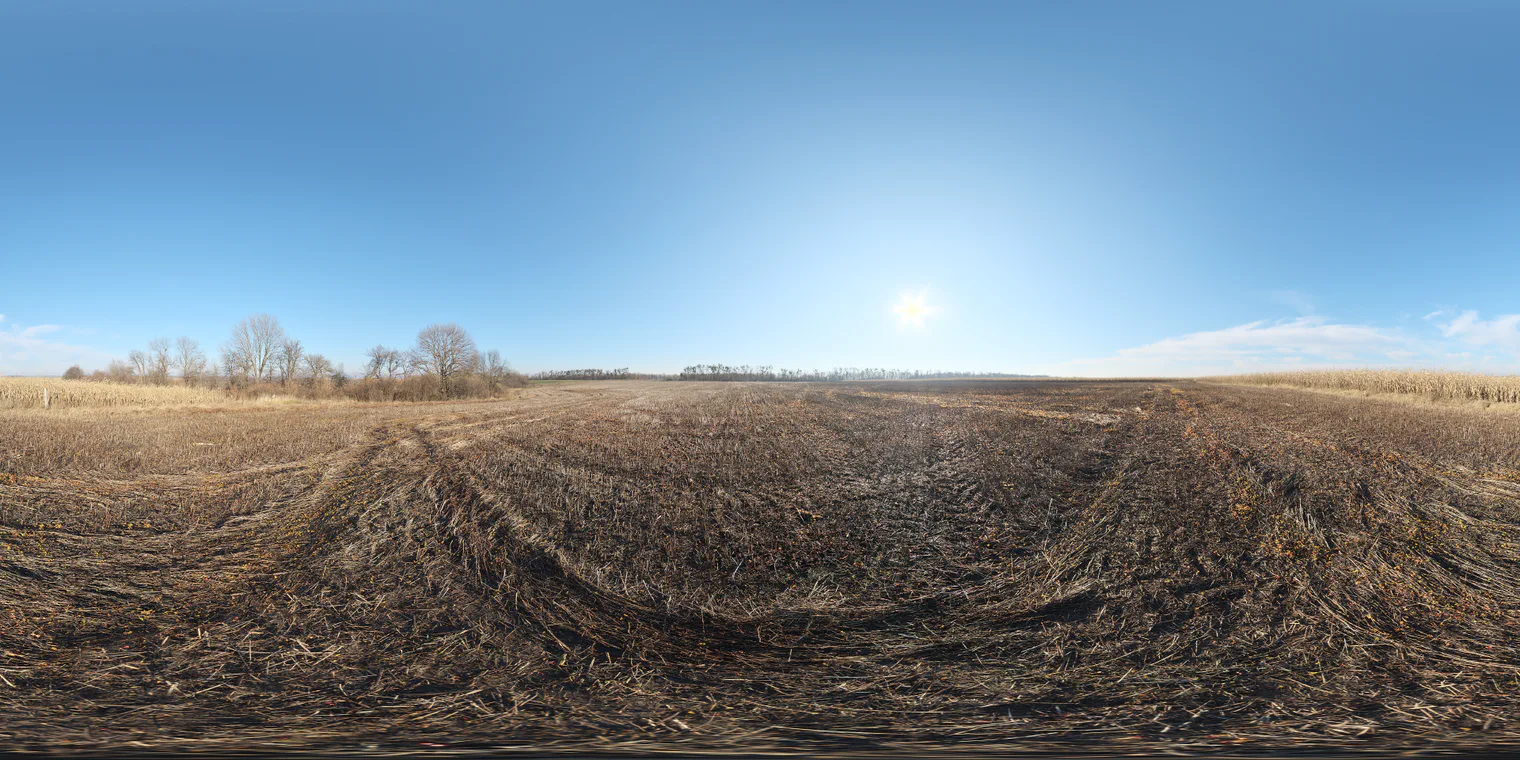
Workflow anatomy
PLAYTEX AI: Art direction → reviewed engine sky
- Generate or bring a panorama. Start from text, a reference image, or an existing reviewed 2:1 equirectangular environment.
- Inspect the complete wrap. Review the horizon, seam, poles, exposure, and scene direction in the 360-degree viewer before export.
- Choose the delivery format. Export the panorama as PNG or a Radiance HDR compatibility file, or prepare a destination-oriented engine package.
- Build the Roblox sky package. Project six PNG faces, apply the required Up and Down rotations, and export exact SkyboxBk/Dn/Ft/Lf/Rt/Up names with Luau, manifest, and import notes.
- Validate in the destination. Check orientation, seam continuity, lighting behavior, texture memory, compression, and import settings in the actual engine.
Poly Haven: Photographic HDRI library workflow
- Search the library. Filter the HDRI catalog by environment, time, type, name, recency, or popularity.
- Inspect the asset page. Review the panorama, description, creator, backplates where available, and the lighting direction.
- Choose resolution and format. Download a suitable 1K–16K option and choose EXR or HDR where the asset exposes both.
- Load it in the DCC or engine. Set environment mapping, rotation, exposure/strength, color management, and any background visibility rules.
- Optimize for the destination. Downsample, compress, convert to a cubemap, or package target-specific setup outside the core Poly Haven download flow.
How the connected PLAYTEX AI tools hand off the work
AI HDRI Generator
Create and review a complete 2:1 environment from text or an image, then export PNG or Radiance HDR compatibility files.
Roblox Skybox Generator
Convert a panorama into six correctly named faces with baked pole rotations, Luau, manifest, and import notes.
Texture Budget & VRAM Analyzer
Estimate decoded memory and mip cost for large panorama or cubemap images before they reach a player device.
World Builder
Review the environment in the broader browser scene workflow before the final engine handoff.
Choose from the production task
| Real task | Start with | Why |
|---|---|---|
| Light a realistic product render with a real studio environment | Poly Haven | The unclipped photographic capture and high-resolution source are the better foundation. |
| Create a fantasy planet sky that does not exist in a photo library | PLAYTEX AI | The missing asset is an art-directed generated world. |
| Get a commercially usable HDRI with no signup or attribution | Poly Haven | CC0 and immediate download are unusually clear advantages. |
| Convert a selected real HDRI into a Roblox-ready Sky package | Use both | Poly Haven supplies the photographic source; PLAYTEX AI supplies the cube projection, naming, rotations, Luau, manifest, and import notes. |
| Keep sky delivery beside texture-memory and game-material QA | PLAYTEX AI | The broader toolchain connects environment export to memory analysis and the rest of the production workflow. |
When the answer is both
Poly Haven can remain the lighting source while PLAYTEX AI handles the target-specific package and production checks around it.
- Select the real environment. Choose a Poly Haven HDRI whose sun direction, horizon, and exposure range match the scene.
- Download the right master. Keep the original asset name, license source, resolution, and HDR/EXR file as provenance.
- Create the destination package. Use PLAYTEX AI to derive the Roblox faces or other engine-oriented handoff from the approved panorama.
- Profile the delivered version. Validate orientation, lighting, seams, compression, decoded memory, and device performance after import.
Limitations and evidence
PLAYTEX AI limitation
A generated sky is not a substitute for a real unclipped exposure-bracketed HDRI when physically credible image-based lighting is the requirement. PLAYTEX AI’s HDR export should be treated as a compatibility and creative workflow, not measured capture data.
Poly Haven limitation
Poly Haven cannot generate a novel requested world or semantically remix a catalog HDRI. Target-specific conversion, naming, compression, setup scripts, and game-engine validation remain outside the core download experience.
Primary sources checked August 25, 2026
- Poly Haven HDRI directory — Current catalog, categories, search, asset recency, and access model.
- Poly Haven license — CC0 rights, commercial use, attribution, and public API terms boundary.
- Poly Haven HDRI requirements — Photo-only policy, minimum 16K resolution, unclipped data, linear workflow, and capture requirements.
- Poly Haven homepage — 16K+ HDRI positioning, free/no-signup access, human-made asset policy, and organization details.
- Poly Haven Blender add-on guide — Current add-on purchase routes, resolution switching, and HDRI controls.
- Harvest HDRI example — Concrete 16K unclipped HDRI with multiple resolutions, HDR/EXR choices, and official preview.
PLAYTEX AI vs Poly Haven questions
Is PLAYTEX AI a replacement for Poly Haven?
Not universally. PLAYTEX AI creates novel art-directed environments and target packages; Poly Haven supplies real photo-based HDRIs under CC0. The correct choice depends on whether the missing asset is an imagined world or measured photographic lighting.
Are Poly Haven HDRIs really free for commercial work?
Yes. Poly Haven publishes its assets under CC0 and says they may be used commercially without required attribution. Preserve the source record anyway so a production team can trace the asset.
Which is better for a Roblox skybox?
PLAYTEX AI is the more direct delivery tool because it creates the six Roblox face names, corrects the Up and Down orientation, and exports setup files. A Poly Haven HDRI can still be the source panorama in that workflow.
Which is better for realistic lighting?
Poly Haven is the stronger default because its published HDRI standard requires real photo capture, unclipped data, a linear workflow, and at least 16K horizontal resolution. Generated environments should be tested carefully before they are treated as lighting references.
Test the comparison with a real asset
Use the same source, destination, and acceptance criteria. Compare iteration time, output coverage, provenance, memory, and engine handoff—not a landing-page promise.
Search every comparison · Browse every PLAYTEX AI tool · Check live pricing