Formats and model pipelines
ORM vs MRA vs RMA Channel Packing
The letters are the channel order: ORM is R=occlusion, G=roughness, B=metallic; MRA is R=metallic, G=roughness, B=AO; RMA is R=roughness, G=metallic, B=AO. Match the destination shader—not the filename.
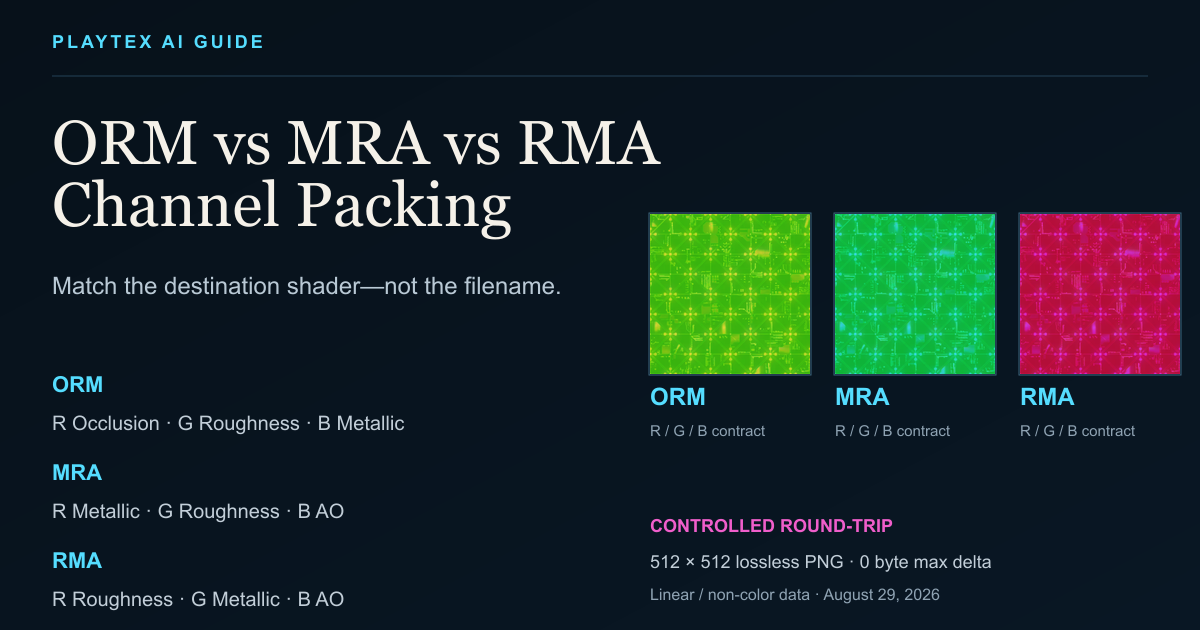
Direct answer
What is the difference between ORM, MRA, and RMA?
Treat a packed-map suffix as a hint, then verify the shader inputs, exporter preset, or format specification. glTF, Three.js, Godot ORMMaterial3D, and Adobe’s Unreal preset use ORM; custom Unreal materials may use any wiring; Unity HDRP uses its own four-channel Mask Map.
Guide versus tool boundary: This guide owns format semantics and pipeline choice. Texture Channel Packer owns packing, swizzling, inversion, channel preview, and PNG or documented ZIP export.
What you will get
- Read the exact R, G, B, and A contract before importing a packed material map.
- Choose ORM, MRA, RMA, Unity HDRP Mask Map, or a documented custom mapping without guessing from a suffix.
- Diagnose silent channel swaps by isolating each component and checking polarity, color space, and shader bindings.
Best use cases
- An exporter produced a file ending in _orm, _mra, _rma, _arm, or _mask and the destination material looks wrong.
- A team needs one documented packed-map convention across Unreal, Godot, glTF, Three.js, or a custom shader.
- A material package must preserve AO, roughness, and metallic values through a lossless pack-and-split round-trip.
Acceptance test
Approve the asset only when these are true
- The shader or format documentation agrees with the R, G, B, and A mapping.
- AO, roughness, and metallic are imported as linear or non-color data.
- Every channel isolate matches the intended source and polarity.
- The manifest records mapping, constants, resizing, and inversion choices.
- The final material has been checked under changing light in the destination renderer.
The acronym is not a file-format guarantee
PNG, WebP, TGA, and other image containers do not know that one byte means roughness and another means metallic. The renderer learns that meaning only from a material binding, shader graph, or file-format texture reference.
That is why a channel swap can remain silent: the image decodes correctly, but the shader reads valid numbers for the wrong material property. Preserve a manifest or project convention beside the packed file.
Packing and compression are separate decisions
Packing reduces texture bindings and file count; it does not guarantee lower decoded GPU memory. The runtime compression format, alpha presence, mip chain, dimensions, and platform transcode determine the stored and resident cost.
Review highly detailed masks after compression. Epic notes that channel quality can vary and that an alpha channel can increase memory, so put the most artifact-sensitive data where the target compressor preserves it best and measure the actual build.
Pack the contract, then prove it in the destination
The letters are the channel order: ORM is R=occlusion, G=roughness, B=metallic; MRA is R=metallic, G=roughness, B=AO; RMA is R=roughness, G=metallic, B=AO. Match the destination shader—not the filename.
Step 1: Load the loose scalar maps or ZIP
Add ambient occlusion, roughness, and metallic sources to Texture Channel Packer. Confirm each detected role before applying a preset.
Step 2: Choose the documented destination contract
Select ORM, MRA, RMA, glTF ORM, Unity HDRP Mask Map, or Custom. If the destination has no published contract, mirror the actual material graph and record the choice.
Step 3: Inspect red, green, and blue separately
A composite preview can hide a swap. Solo every channel and compare it with the labeled AO, roughness, or metallic source before export.
Step 4: Export linear PNG plus the manifest
Keep scalar material data out of sRGB conversion. Use the documented ZIP when the mapping, neutral constants, or resampling decisions need to travel with the file.
Step 5: Validate the imported material
Bind the exact channels, rotate the light, and run Material Preflight before the asset ships. A correct-looking RGB thumbnail is not an acceptance test.
Which packed format does the project actually need?
| Target or preset | R | G | B | A | Select |
|---|---|---|---|---|---|
| glTF 2.0 / Three.js | Occlusion | Roughness | Metallic | Unused | ORM |
| Godot 4 ORMMaterial3D | Occlusion | Roughness | Metallic | Unused | ORM |
| Adobe Unreal export preset | Ambient occlusion | Roughness | Metallic | Unused | ORM |
| Unreal custom material | Shader-defined | Shader-defined | Shader-defined | Optional | Match the graph |
| Unity HDRP 17 Mask Map | Metallic | Ambient occlusion | Detail mask | Smoothness | HDRP Mask Map |
| MRA asset or exporter | Metallic | Roughness | Ambient occlusion | Optional / project-defined | MRA |
| RMA asset or exporter | Roughness | Metallic | Ambient occlusion | Optional / project-defined | RMA |
Common Pitfalls
- Metal looks like chalk or plastic because the material reads AO or roughness as metallic.
- Cavities brighten because AO polarity was inverted or the packed map was gamma-decoded as color.
- Gloss runs backward because a smoothness source was packed without 255 − value inversion.
- The browser preview looks plausible but the engine is wrong because the importer or shader bindings use another contract.
Are ORM, MRA, and RMA interchangeable?
No. They can contain the same three scalar maps, but those maps occupy different RGB channels. A shader that expects ORM will silently read the wrong values from an MRA or RMA texture unless you rewire or swizzle the channels.
Does Unreal Engine require ORM?
No. Unreal materials can read any channel and connect it to any mask input. ORM is a common export and project convention, including Adobe’s documented Unreal preset, but the material graph remains the final contract.
Is glTF ORM one texture or two?
glTF defines a metallicRoughnessTexture that reads roughness from green and metallic from blue, plus an occlusionTexture that reads red. Both bindings may reference the same image when the UV coordinates match, producing the familiar ORM file.
Should a packed material texture use sRGB?
Normally no. AO, roughness, metallic, smoothness, and masks are scalar data. Import the packed texture as linear or non-color data unless the destination specification explicitly says otherwise.
Do I need separate MRA and RMA tools?
No. Use presets in one general Texture Channel Packer, or define a custom R/G/B mapping. Keep the fixed ORM Texture Packer for the fast legacy ORM job and use PBR Engine Converter when you need a complete target-specific material package.
Primary sources
Official specifications and renderer documentation
PLAYTEX AI guidance is paired with official specifications and platform documentation where the handoff depends on an outside convention.
Open the live workflow that this guide is documenting.
PBR Texture Maps Explained: Albedo, Normal, Roughness, Metallic, AO, Height, and EmissionA PBR material separates visible surface properties into coordinated texture maps. Base color describes surface color, normal and height describe relief, roughness controls reflection spread, metallic classifies conductors, ambient occlusion adds limited local contact shading, and emission identifies self-lit regions.
How to Create PBR Textures: A Production Workflow from Source to EngineCreate a PBR texture by preparing a neutral, tile-safe source; deriving a coordinated map set; reviewing each channel as data and as a lit material; validating dimensions, normals, seams, and classifications; then exporting with the destination engine’s color-space, normal, and packing conventions.
How to Convert PBR Textures for Unity, Unreal, Godot, Blender, Three.js, and glTFAs of August 2026, PLAYTEX AI can identify a complete PBR texture set, convert roughness and smoothness, repack channels, switch tangent-space normal conventions, apply target-specific naming and color-space guidance, and package optional editor helpers for Unity URP, Unity HDRP, Unreal Engine, Godot 4, Blender, Three.js, and glTF 2.0.