Orientation reference · Reviewed August 29, 2026
Cubemap Face Order and Orientation
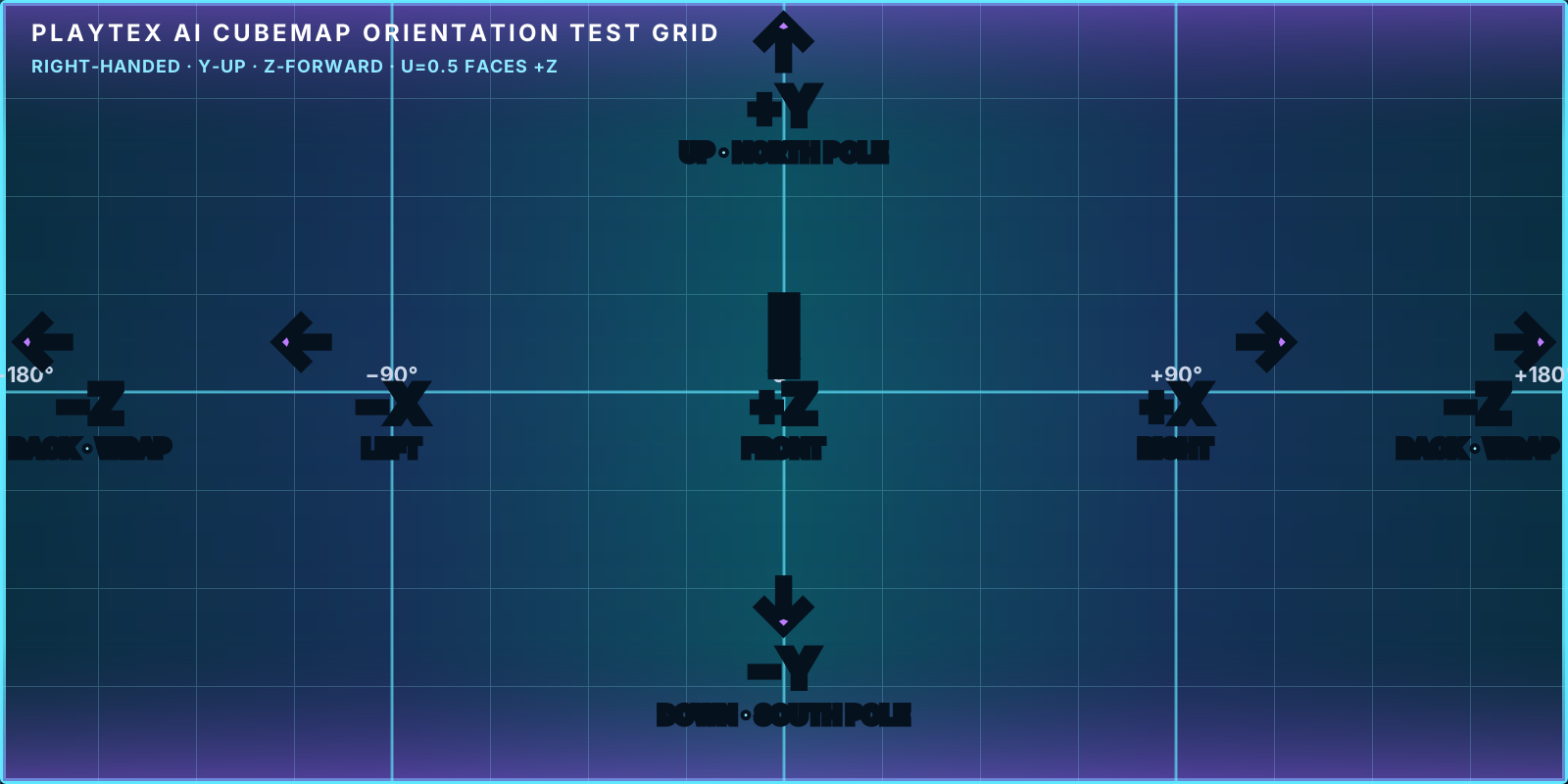
A cubemap always represents six directions—+X, −X, +Y, −Y, +Z, and −Z—but engines differ in filenames, handedness, loader order, and pole rotation. Match the direction first, then use the target’s labels.
Convert your own 2:1 panorama into faces · Create a new HDRI panorama
Identify direction before filename
Use +X for right, −X for left, +Y for up, −Y for down, +Z for front, and −Z for back in this reference. A filename such as front, back, right, or left is only meaningful after the target convention is known.
Face names by engine
| Direction | Unity | Unreal | Godot | Roblox | Three.js |
|---|---|---|---|---|---|
| +X Right | Skybox_Right_PX.png | Skybox_PX.png | Skybox_PositiveX.png | SkyboxRt.png | px.png |
| −X Left | Skybox_Left_NX.png | Skybox_NX.png | Skybox_NegativeX.png | SkyboxLf.png | nx.png |
| +Y Up | Skybox_Up_PY.png | Skybox_PY.png | Skybox_PositiveY.png | SkyboxUp.png | py.png |
| −Y Down | Skybox_Down_NY.png | Skybox_NY.png | Skybox_NegativeY.png | SkyboxDn.png | ny.png |
| +Z Front | Skybox_Front_PZ.png | Skybox_PZ.png | Skybox_PositiveZ.png | SkyboxBk.png | pz.png |
| −Z Back | Skybox_Back_NZ.png | Skybox_NZ.png | Skybox_NegativeZ.png | SkyboxFt.png | nz.png |
The ZIP manifest keeps the direction, output filename, and target together. Download the example manifest.
Import notes that change the result
- Unity. PLAYTEX AI names each loose image by direction; Unity 6 also recognizes six-frame sequences in +X, −X, +Y, −Y, +Z, −Z order. Unity can import a recognized cubemap layout or a latitude-longitude panorama; loose faces may need assembly into a supported layout or Cubemap asset.
- Unreal Engine. Directional suffixes PX, NX, PY, NY, PZ, and NZ remain explicit. Unreal’s Texture Asset Editor reports cubemap faces in DDS order: +X, −X, +Y, −Y, +Z, −Z. Long-lat HDR/EXR import can be more direct for Sky Light workflows.
- Godot 4. Godot documents X+, X−, Y+, Y−, Z+, Z− image order. Godot uses Y+ as up and Z− as forward. PanoramaSkyMaterial usually takes the original 2:1 panorama; six faces are intended for a Cubemap resource or custom sky shader.
- Roblox. Roblox Staff mapping uses pz→SkyboxBk, ny→SkyboxDn, nz→SkyboxFt, nx→SkyboxLf, px→SkyboxRt, and py→SkyboxUp. The Up face is rotated 90° clockwise and Down 90° counterclockwise during projection, so PLAYTEX AI output should be uploaded as-is.
- Three.js. CubeTextureLoader takes px, nx, py, ny, pz, nz in that exact array order. Three.js documents an internal positive/negative X handling difference between cubemap and scene handedness; keep the loader order and filenames together.
Verification checklist
- Put a labeled grid or asymmetric landmark in the panorama before conversion.
- Confirm the horizon crosses four side faces at the same height.
- Confirm adjacent edge features meet without mirroring or a 90-degree turn.
- Check that +Y is overhead and −Y is underfoot after target-specific rotations.
- Keep all six square faces at the same dimensions and color encoding.
Common failure signatures
- Mirrored text: a face was viewed from outside the cube or an axis convention was reversed.
- Quarter-turn at the pole: the Up or Down face needs the target’s rotation rule.
- Single vertical seam: check the source panorama’s left/right wrap before changing face order.
- Every edge fails: the loader order or filenames do not match the exported direction manifest.
Primary engine references
- Unity 6 Cubemap texture import settings — Unity documents six-frame +X, −X, +Y, −Y, +Z, −Z layouts and latitude-longitude import.
- Unreal Engine 5.8 Texture Asset Editor — Epic documents cubemap face viewing in DDS orientation and order.
- Godot stable Cubemap reference — Godot documents X+, X−, Y+, Y−, Z+, Z− order, Y+ up, and Z− forward.
- Roblox Creator Hub Skyboxes — Roblox documents the six SkyboxBk/Dn/Ft/Lf/Rt/Up properties and edge continuity requirement.
- Roblox Staff Custom Skyboxes 101 — The staff guide documents the pz/ny/nz/nx/px/py property mapping and Up/Down rotations.
- Three.js CubeTextureLoader — Three.js documents the px, nx, py, ny, pz, nz URL order and handedness note.