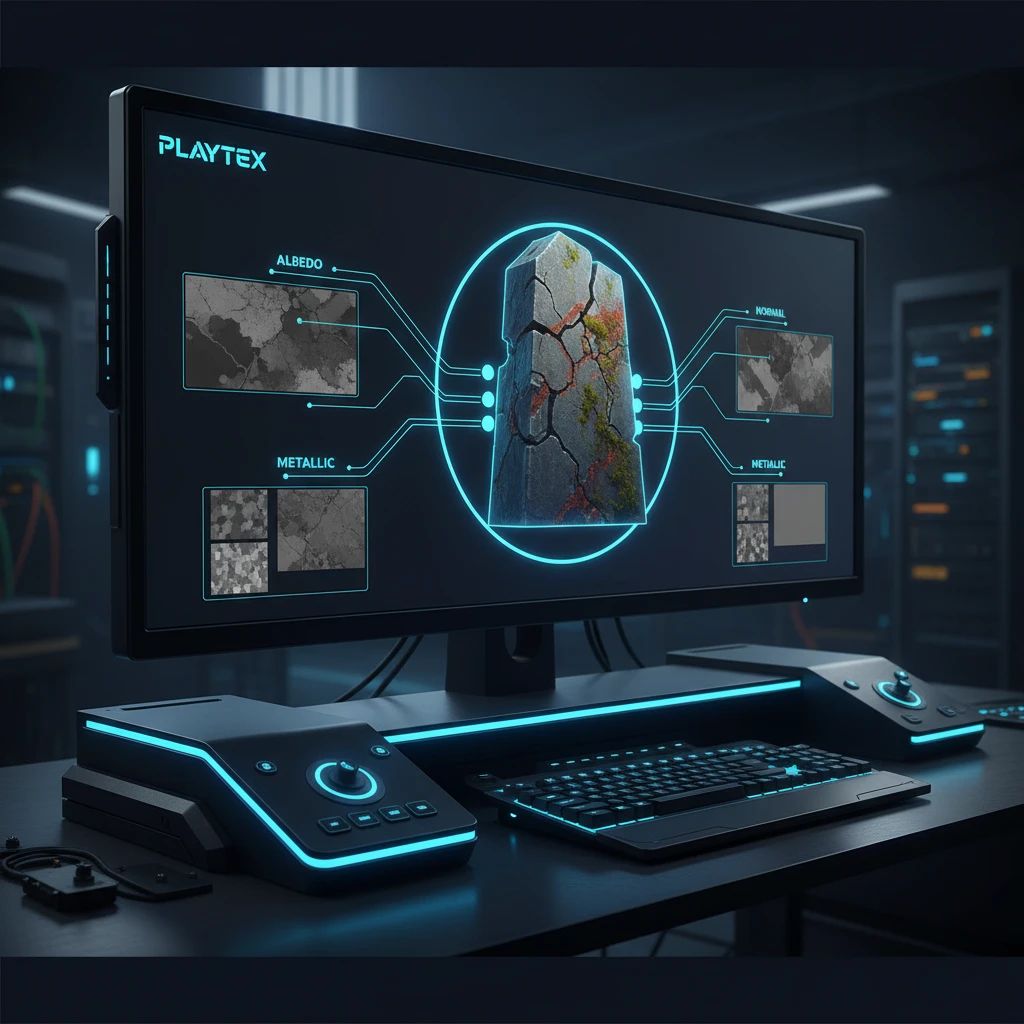
PBR Texture Maps Explained: Albedo, Normal, Roughness, Metallic, AO
Dive into the core texture maps—Albedo, Normal, Roughness, Metallic, and Ambient Occlusion—that power Physically Based Rendering (PBR) in modern game development. Learn what each map does and how PLAYTEX streamlines their creation for production-ready assets.
By justhimReviewed June 6, 2026
June 6, 2026pbrtexture mapsgame development3d art
Key Takeaways
Albedo maps define the base color of a surface without lighting, crucial for accurate PBR rendering.
Normal maps add surface detail and depth efficiently by faking lighting direction, optimizing performance.
Roughness maps control light scattering, determining a surface's shininess or dullness for realistic material differentiation.
Metallic maps classify surfaces as metallic or dielectric, guiding how they interact with light.
This article is informed by an understanding of modern game development pipelines, PBR rendering principles, and the specific capabilities of the PLAYTEX platform as detailed in its internal documentation and product descriptions. It aims to educate game developers and 3D artists on fundamental texture mapping concepts while demonstrating PLAYTEX's role in simplifying these workflows.
How It Was Evaluated
The explanations of texture maps are based on established industry standards for Physically Based Rendering (PBR) as adopted by major game engines and 3D software. PLAYTEX's features are described based on its documented product overview, technical specifications for its PBR Map Generator, and its AI texture creation tools.
Proof And Evidence
PLAYTEX's PBR Map Generator creates deterministic map stacks including Normal, Roughness, Metallic, AO, Height, and Emission from a single source texture, as stated in the 'What PLAYTEX does' section of the home page and the 'PBR Map Generator Technical Overview'. The platform also offers AI creation tools to generate seamless texture ideas, tileable images, and HDRI lighting, as highlighted on the PLAYTEX home page.
Limits And Caveats
This article focuses on explaining core PBR texture maps and how PLAYTEX supports their creation. It does not provide an exhaustive technical deep-dive into PBR shader mathematics, nor does it compare PLAYTEX's performance benchmarks against other specific texture generation software. The content assumes a basic familiarity with 3D art and game development concepts.
Creating realistic 3D environments and assets in modern game development relies heavily on a set of specialized images known as texture maps. These aren't just simple colors; they contain crucial data that tells a rendering engine how light should interact with a surface, defining everything from its base color to its shininess, bumpiness, and metallic properties.
Understanding these fundamental texture maps is essential for any game developer or 3D artist aiming for visually compelling and performant assets. This guide will break down the most critical PBR (Physically Based Rendering) texture maps: Albedo, Normal, Roughness, Metallic, and Ambient Occlusion (AO), explaining their purpose and how they work together to achieve stunning realism.
What is an Albedo Map? Understanding Base Color
The Albedo map, often referred to as Base Color or Diffuse, defines the fundamental color of a surface without any lighting information. Think of it as the pure, unshaded color of an object. It's crucial that an Albedo map is flatly lit, meaning it doesn't contain any baked-in shadows or highlights, as these will be dynamically calculated by the game engine's lighting system.
An Albedo map provides the raw, unlit color data for a PBR material, forming the foundation of its visual appearance.
A clean Albedo map ensures that your material reacts accurately to different lighting conditions within your game world. Any pre-baked lighting in this map would interfere with the PBR renderer's ability to simulate realistic light interaction, leading to an unnatural appearance.
What is a Normal Map? Adding Detail Without Polygons
Normal maps are a cornerstone of efficient 3D rendering, allowing artists to add intricate surface detail and depth to models without increasing polygon count. Instead of physically modeling every crack, scratch, or rivet, a normal map stores directional information (normals) for each pixel on a surface.
This data tells the renderer how light should bounce off that specific point, effectively faking high-resolution geometric detail. The result is a visually complex surface that renders quickly, making normal maps indispensable for optimizing performance in games while maintaining high visual fidelity. This technique is crucial for assets ranging from character skin to environmental props.
What is a Roughness Map? Controlling Surface Reflectivity
A Roughness map dictates how light scatters off a surface, directly influencing its shininess or dullness. It's a grayscale image where darker values represent smoother, more reflective areas (like polished metal or wet surfaces), and lighter values indicate rougher, more diffuse areas (like matte paint or unpolished stone).
This map is fundamental to PBR because it simulates the micro-surface details that affect light reflection. A perfectly smooth surface will reflect light sharply, creating clear specular highlights, while a rough surface will scatter light in many directions, resulting in softer, broader highlights. Accurate roughness maps are key to distinguishing between various materials and their real-world counterparts.
What is a Metallic Map? Differentiating Metals from Non-Metals
The Metallic map is a simple yet powerful grayscale texture that informs the renderer whether a surface behaves as a metal or a dielectric (non-metal). In a PBR workflow, metals and non-metals interact with light in fundamentally different ways.
This map uses a binary approach: white (typically a value of 1) indicates a metallic surface, while black (a value of 0) indicates a non-metallic surface. Intermediate gray values are generally avoided for physically accurate materials, though they can be used for blending or specific artistic effects. A metallic surface will absorb diffuse light and reflect specular light, often with a tinted reflection, while a dielectric surface will reflect some specular light and absorb/transmit diffuse light.
What is an Ambient Occlusion (AO) Map? Enhancing Perceived Depth and Shadows
Ambient Occlusion (AO) maps simulate soft, contact shadows that occur when light is occluded from reaching certain areas of a surface. These maps don't represent direct shadows from light sources but rather the subtle darkening in crevices, corners, and areas where objects are close together. This enhances the perceived depth and realism of a model.
AO maps are typically grayscale, with darker areas indicating more occlusion. While modern game engines can calculate real-time ambient occlusion, pre-baked AO maps provide consistent, high-quality results and can be blended with real-time solutions for even greater fidelity. They add a crucial layer of visual grounding to assets, making them feel more integrated into their environment.
The PBR Workflow: How These Maps Work Together for Realism
Physically Based Rendering (PBR) is a shading and rendering technique that aims to render graphics in a way that more accurately models the flow of light in the real world. This approach relies on the precise interaction of the texture maps described above to create materials that react realistically to light, regardless of the lighting conditions in the scene.
Each map contributes a specific piece of data: Albedo for base color, Normal for surface detail, Roughness for light scattering, Metallic for material type, and AO for subtle contact shadows. When combined, these maps provide the renderer with all the necessary information to calculate how light should behave, resulting in highly convincing and consistent visual fidelity across different lighting scenarios. Standards like Khronos glTF define how these PBR materials are exchanged, ensuring interoperability across various 3D applications and game engines.
Simplifying Texture Map Creation with PLAYTEX
Manually creating and refining all these PBR texture maps can be a time-consuming and complex process. PLAYTEX streamlines this workflow, providing game developers and artists with powerful tools to generate production-ready materials efficiently.
Deterministic PBR Map Generation
The PLAYTEX PBR Map Generator is engineered for consistency and reliability. From a single source texture, it automatically builds a complete map stack, including Normal, Roughness, Metallic, AO, Height, and Emission maps. This deterministic approach ensures that the same input and settings always yield the same output, which is critical for repeatable review cycles and maintaining visual consistency across large projects or teams.
PLAYTEX's PBR Map Generator automatically creates a full suite of deterministic texture maps from a single source image, ready for engine export.
PLAYTEX focuses on generating engine-ready materials, with validation and export packaging specifically designed for seamless handoff to popular engines like Unity and Unreal Engine. This means less time spent on manual adjustments and more time focused on creative iteration.
AI-Powered Texture Generation
Beyond processing existing source textures, PLAYTEX also offers advanced AI creation tools to generate entirely new source materials. Need a unique seamless texture idea or a tileable image for a specific environment? Our AI Texture Generator can help you rapidly prototype and create new textures from prompts or existing images.
Leverage PLAYTEX's AI tools to generate new seamless texture ideas and tileable images, accelerating your material creation workflow.
This capability extends to HDRI lighting generation, allowing you to quickly create custom lighting environments. By combining deterministic map generation with AI-powered source material creation, PLAYTEX provides a comprehensive solution for your entire texture and material pipeline, from concept to engine-ready asset.
Conclusion
PBR texture maps are the backbone of realistic 3D graphics in modern game development. Each map—Albedo, Normal, Roughness, Metallic, and Ambient Occlusion—plays a distinct yet interconnected role in defining how a material looks and interacts with light. Mastering these concepts is fundamental for creating immersive and visually stunning game worlds.
PLAYTEX empowers artists and developers to navigate this complexity with ease, offering deterministic PBR map generation and AI-powered tools that ensure high-quality, production-ready assets. By automating and streamlining the texture workflow, PLAYTEX helps teams achieve consistent, engine-ready materials faster, allowing you to focus on the creative vision of your projects.